

#seguridadcript
seguridadcript
1,811 views
5 Discussing
Hot
Latest

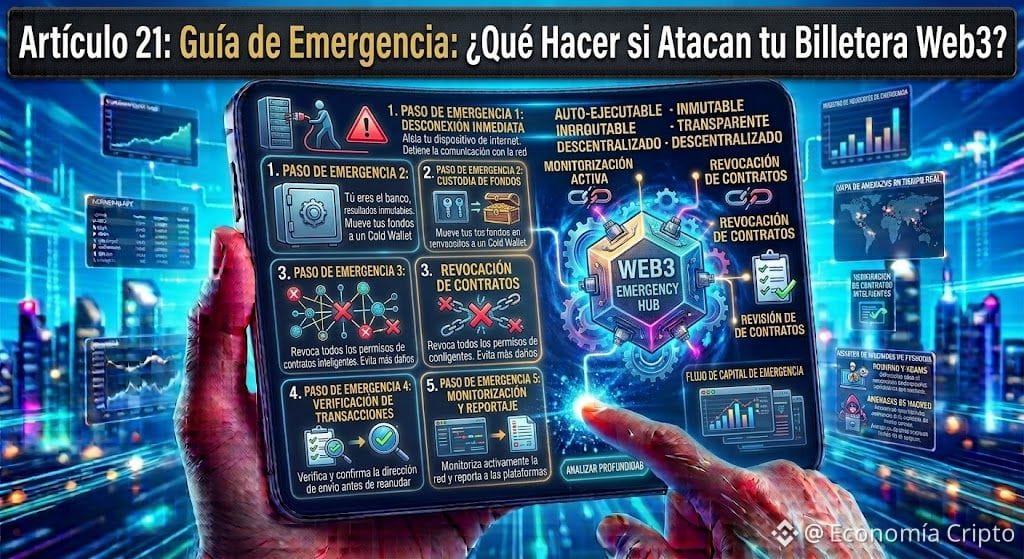
Article 21: Emergency Guide: What to Do if They Attack Your Web3 Wallet?
Even when using a Burner Wallet, it can happen that you accidentally interact with a malicious site. If you suspect you signed a misleading authorization or got hit by an attack, staying calm and acting quickly are your best allies.
This is exactly what you should do step by step:
1. Disconnect the Site Immediately
Open your Web3 app or extension, go to the "Connected Sites" section, and press "Disconnect." This cuts the direct communication between the fake web page and your application.
2. Revoke Permissions (Token Approvals)
When a malicious site attacks you, it doesn’t "infect" your phone: what it gets is permission to withdraw your tokens.
To cancel it, use your wallet’s built-in security tool or a checker such as the BscScan Token Approval Checker.
Find the suspicious contract and press "Revoke." Without that permission, the attacker won’t be able to touch a single cent more.
3. Should the Compromised Wallet Be Deleted?
On the blockchain, addresses are public, unerasable records—but you can delete that address from your mobile app:
If the wallet was exposed and you don’t want to waste time cleaning up permissions, move the few remaining cents to a safe account.
Go to the wallet management section in your Binance Web3 app and press "Delete / Remove Wallet."
Done! Create a new address in 5 seconds (name it "Test Wallet 2") and you’ll have a completely clean shield with no risk history.
The Big Operational Lesson
The biggest advantage of this strategy is that if your test wallet gets attacked, your main savings on Binance remain 100% safe. You close the door, switch addresses, and keep exploring the ecosystem with complete peace of mind.
God bless you!
#SeguridadCript #BinanceWeb3 #Web3Security #BnbChain #AprendeCripto
$BNB
{spot}(BNBUSDT)
{spot}(BTCUSDT)
{spot}(MSFTBUSDT)
Article 21: Emergency Guide: What to Do if They Attack Your Web3 Wallet?
Even when using a Burner Wallet, it can happen that you accidentally interact with a malicious site. If you suspect you signed a misleading authorization or got hit by an attack, staying calm and acting quickly are your best allies.
This is exactly what you should do step by step:
1. Disconnect the Site Immediately
Open your Web3 app or extension, go to the "Connected Sites" section, and press "Disconnect." This cuts the direct communication between the fake web page and your application.
2. Revoke Permissions (Token Approvals)
When a malicious site attacks you, it doesn’t "infect" your phone: what it gets is permission to withdraw your tokens.
To cancel it, use your wallet’s built-in security tool or a checker such as the BscScan Token Approval Checker.
Find the suspicious contract and press "Revoke." Without that permission, the attacker won’t be able to touch a single cent more.
3. Should the Compromised Wallet Be Deleted?
On the blockchain, addresses are public, unerasable records—but you can delete that address from your mobile app:
If the wallet was exposed and you don’t want to waste time cleaning up permissions, move the few remaining cents to a safe account.
Go to the wallet management section in your Binance Web3 app and press "Delete / Remove Wallet."
Done! Create a new address in 5 seconds (name it "Test Wallet 2") and you’ll have a completely clean shield with no risk history.
The Big Operational Lesson
The biggest advantage of this strategy is that if your test wallet gets attacked, your main savings on Binance remain 100% safe. You close the door, switch addresses, and keep exploring the ecosystem with complete peace of mind.
God bless you!
#SeguridadCript #BinanceWeb3 #Web3Security #BnbChain #AprendeCripto
$BNB
Even when using a Burner Wallet, it can happen that you accidentally interact with a malicious site. If you suspect you signed a misleading authorization or got hit by an attack, staying calm and acting quickly are your best allies.
This is exactly what you should do step by step:
1. Disconnect the Site Immediately
Open your Web3 app or extension, go to the "Connected Sites" section, and press "Disconnect." This cuts the direct communication between the fake web page and your application.
2. Revoke Permissions (Token Approvals)
When a malicious site attacks you, it doesn’t "infect" your phone: what it gets is permission to withdraw your tokens.
To cancel it, use your wallet’s built-in security tool or a checker such as the BscScan Token Approval Checker.
Find the suspicious contract and press "Revoke." Without that permission, the attacker won’t be able to touch a single cent more.
3. Should the Compromised Wallet Be Deleted?
On the blockchain, addresses are public, unerasable records—but you can delete that address from your mobile app:
If the wallet was exposed and you don’t want to waste time cleaning up permissions, move the few remaining cents to a safe account.
Go to the wallet management section in your Binance Web3 app and press "Delete / Remove Wallet."
Done! Create a new address in 5 seconds (name it "Test Wallet 2") and you’ll have a completely clean shield with no risk history.
The Big Operational Lesson
The biggest advantage of this strategy is that if your test wallet gets attacked, your main savings on Binance remain 100% safe. You close the door, switch addresses, and keep exploring the ecosystem with complete peace of mind.
God bless you!
#SeguridadCript #BinanceWeb3 #Web3Security #BnbChain #AprendeCripto
$BNB
1
227
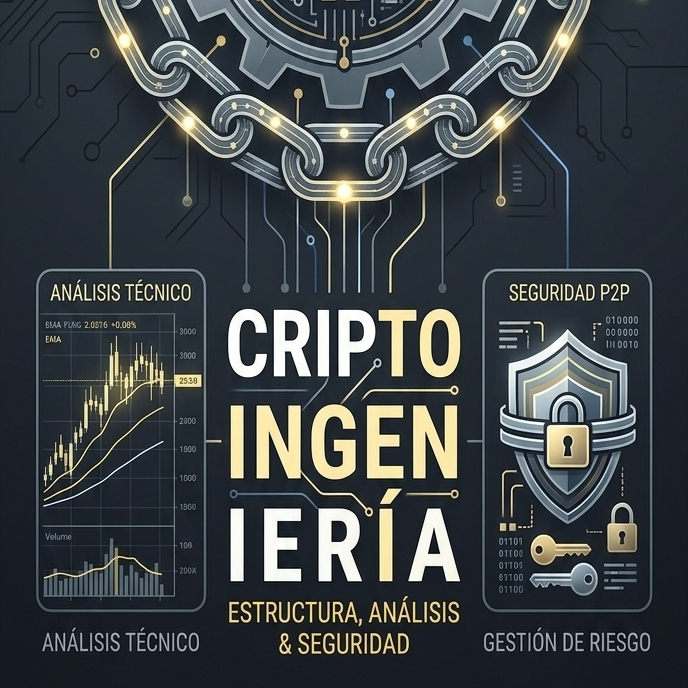
Does Binance allow third-party payments if you’re verified? The truth behind this P2P mythThere is a common misconception in Peer-to-Peer (P2P) trading: that by completing identity verification (KYC) or reaching advanced levels, the platform provides flexibility to transfer funds from family members’, partners’, or third parties’ accounts.
The operational and regulatory answer is clear-cut: no, under no circumstances.
The golden rule: 100% match
Binance P2P policy requires that the name of the account holder of the issuing bank account or digital wallet matches identically with the name registered on the Binance account. No verification level, account age, or trading volume overrides this directive.
Does Binance allow third-party payments if you’re verified? The truth behind this P2P myth
There is a common misconception in Peer-to-Peer (P2P) trading: that by completing identity verification (KYC) or reaching advanced levels, the platform provides flexibility to transfer funds from family members’, partners’, or third parties’ accounts.
The operational and regulatory answer is clear-cut: no, under no circumstances.
The golden rule: 100% match
Binance P2P policy requires that the name of the account holder of the issuing bank account or digital wallet matches identically with the name registered on the Binance account. No verification level, account age, or trading volume overrides this directive.
The operational and regulatory answer is clear-cut: no, under no circumstances.
The golden rule: 100% match
Binance P2P policy requires that the name of the account holder of the issuing bank account or digital wallet matches identically with the name registered on the Binance account. No verification level, account age, or trading volume overrides this directive.
1
154
Log in to explore more content
Join global crypto users on Binance Square
⚡️ Get latest and useful information about crypto.
💬 Trusted by the world’s largest crypto exchange.
👍 Discover real insights from verified creators.
Email / Phone number
Trending Topics
1
#BitwiseFilesFinalNEARSpotETFProspectus
741 views
95 Discussing
2
#BitgetHackerMoves$83MStolenXRP
8,229 views
70 Discussing
3
#SOLSpotETFWeeklyInflow$188M
3,285 views
60 Discussing
4
#DogecoinETFsPostBiggestWeekSinceLaunch
4,897 views
208 Discussing
5
#StrategyStriveAdd2305BitcoinThisWeek
54,552 views
1,263 Discussing
6
#TrumpRejectsIranHormuzReopening
53,360 views
994 Discussing
7
#CircleTetherFreezeBitgetHackerWallet
64,334 views
995 Discussing
8
#SECSaysTokenBuybacksNotAutoSecurities
34,355 views
586 Discussing
9
#ChinaUSAgreeOn$30BTariffCut
2,897 views
34 Discussing
10
#CoinMarketCapCompletesCoinglassAcquisition
48,900 views
708 Discussing