

Mr-Innocent
4 Posts

Mr-Innocent
Report
Block User
39 Following
23 Followers
4 Liked
Posts
PINNED
·
--
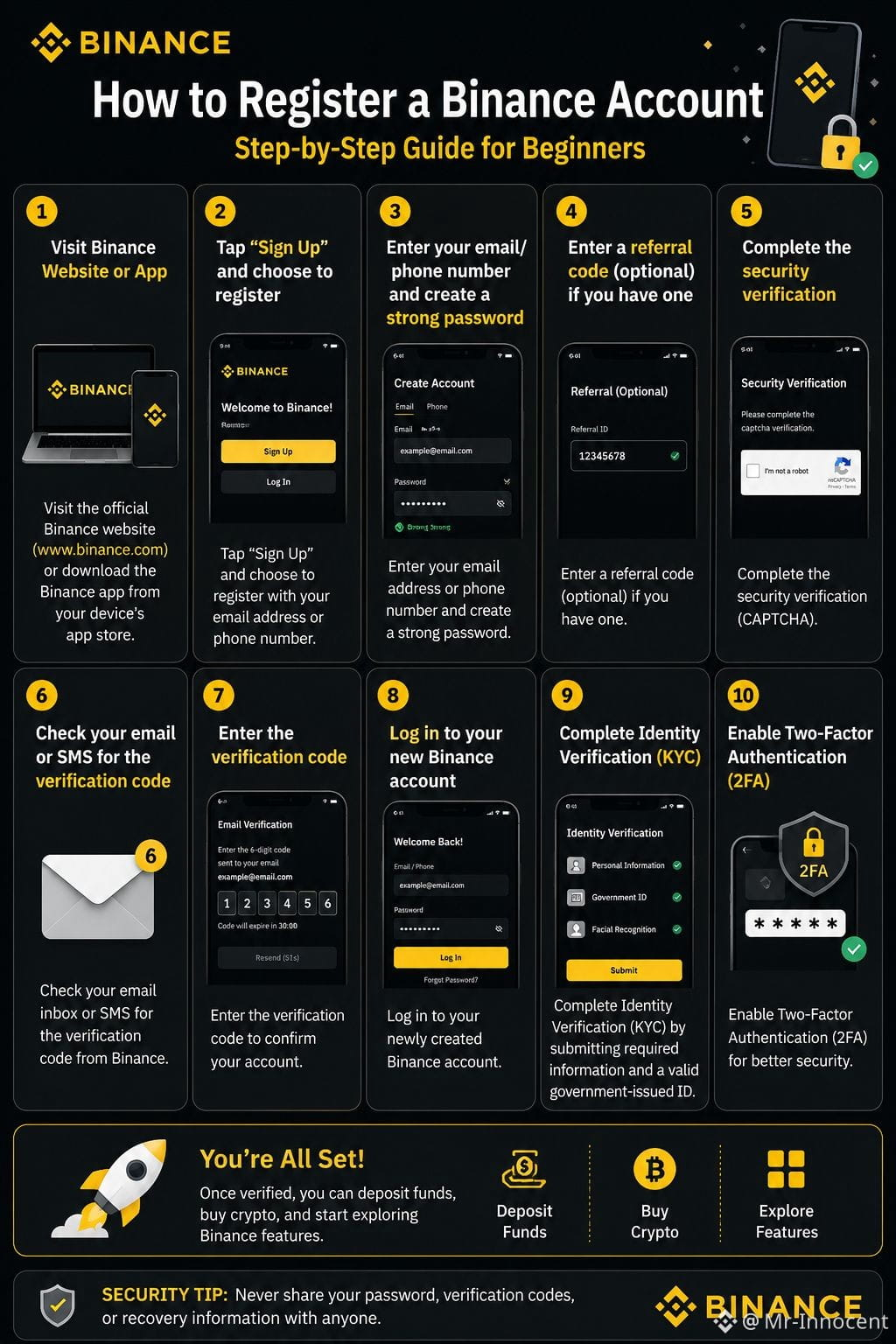
HOW TO REGISTER A BINANCE ACCOUNT
📖 Step-by-Step Guide: How to Register a Binance Account
STEP 1: Visit the official Binance website or download the Binance app from your device's app store.
STEP 2: Tap "Sign Up" and choose to register with your email address or phone number.
STEP 3: Enter your email/phone number and create a strong password.
STEP 4: Enter a referral code (optional) if you have one.
STEP 5: Complete the security verification (CAPTCHA).
STEP 6: Check your email or SMS for the verification code and enter it.
STEP 7: Log in to your new Binance account.
STEP 8: Complete Identity Verification (KYC) by submitting the required personal information and a valid government-issued ID.
STEP 9: Enable Two-Factor Authentication (2FA) for better security.
STEP 10: Once verified, you can deposit funds, buy crypto, and start exploring Binance features.
🔒 Security Tip: Never share your password, verification codes, or recovery information with anyone.
#Binance #Crypto #BinanceSquare #CryptoGuide #Trading
HOW TO REGISTER A BINANCE ACCOUNT
📖 Step-by-Step Guide: How to Register a Binance Account
STEP 1: Visit the official Binance website or download the Binance app from your device's app store.
STEP 2: Tap "Sign Up" and choose to register with your email address or phone number.
STEP 3: Enter your email/phone number and create a strong password.
STEP 4: Enter a referral code (optional) if you have one.
STEP 5: Complete the security verification (CAPTCHA).
STEP 6: Check your email or SMS for the verification code and enter it.
STEP 7: Log in to your new Binance account.
STEP 8: Complete Identity Verification (KYC) by submitting the required personal information and a valid government-issued ID.
STEP 9: Enable Two-Factor Authentication (2FA) for better security.
STEP 10: Once verified, you can deposit funds, buy crypto, and start exploring Binance features.
🔒 Security Tip: Never share your password, verification codes, or recovery information with anyone.
#Binance #Crypto #BinanceSquare #CryptoGuide #Trading
📖 Step-by-Step Guide: How to Register a Binance Account
STEP 1: Visit the official Binance website or download the Binance app from your device's app store.
STEP 2: Tap "Sign Up" and choose to register with your email address or phone number.
STEP 3: Enter your email/phone number and create a strong password.
STEP 4: Enter a referral code (optional) if you have one.
STEP 5: Complete the security verification (CAPTCHA).
STEP 6: Check your email or SMS for the verification code and enter it.
STEP 7: Log in to your new Binance account.
STEP 8: Complete Identity Verification (KYC) by submitting the required personal information and a valid government-issued ID.
STEP 9: Enable Two-Factor Authentication (2FA) for better security.
STEP 10: Once verified, you can deposit funds, buy crypto, and start exploring Binance features.
🔒 Security Tip: Never share your password, verification codes, or recovery information with anyone.
#Binance #Crypto #BinanceSquare #CryptoGuide #Trading
1
86
·
--
Bullish
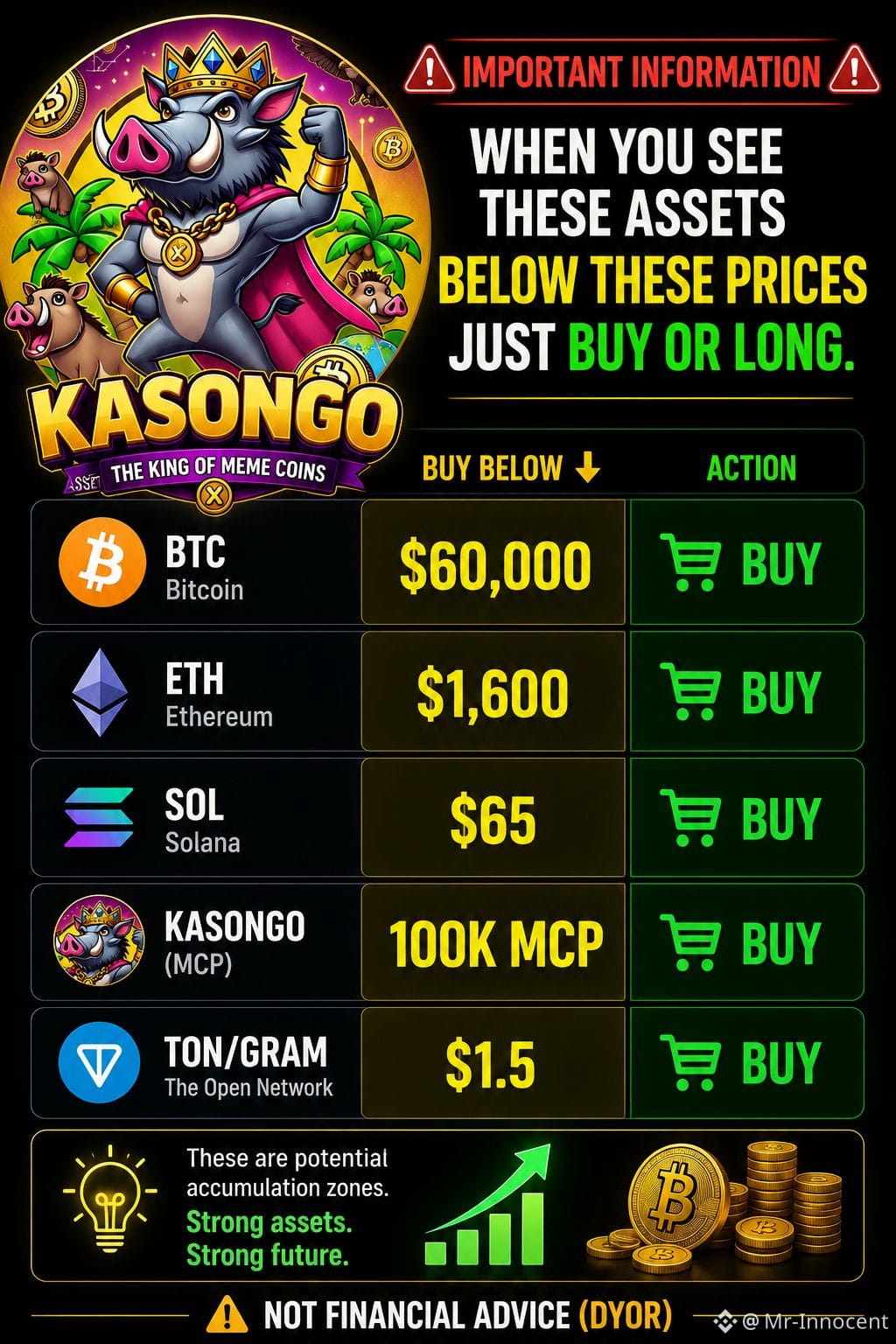
🚨 IMPORTANT INFORMATION 🚨
When you see these assets below these prices just buy or long.
Btc below 60k: Buy
Eth below 1600: Buy
Sol below 65: Buy
Kasongo below 100k(MCP): Buy
Ton/Gram below 1.5: Buy
Not financial advice( DYOR)
NOTE: kasongo coin is not yet listed on exchanges , if you want to take a share visit STON. fi for swap or directly in your TON KEEPER ticker ($KGO)
EQDXLBzdtWb47zCy_-TnVASDa7kxAP7_A6G_UGt7lQEbGD_5
$BTC
$ETH
$SOL
#HotTrends #HoldOnTight #BTC
🚨 IMPORTANT INFORMATION 🚨
When you see these assets below these prices just buy or long.
Btc below 60k: Buy
Eth below 1600: Buy
Sol below 65: Buy
Kasongo below 100k(MCP): Buy
Ton/Gram below 1.5: Buy
Not financial advice( DYOR)
NOTE: kasongo coin is not yet listed on exchanges , if you want to take a share visit STON. fi for swap or directly in your TON KEEPER ticker ($KGO)
EQDXLBzdtWb47zCy_-TnVASDa7kxAP7_A6G_UGt7lQEbGD_5
$BTC
$ETH
$SOL
#HotTrends #HoldOnTight #BTC
When you see these assets below these prices just buy or long.
Btc below 60k: Buy
Eth below 1600: Buy
Sol below 65: Buy
Kasongo below 100k(MCP): Buy
Ton/Gram below 1.5: Buy
Not financial advice( DYOR)
NOTE: kasongo coin is not yet listed on exchanges , if you want to take a share visit STON. fi for swap or directly in your TON KEEPER ticker ($KGO)
EQDXLBzdtWb47zCy_-TnVASDa7kxAP7_A6G_UGt7lQEbGD_5
$BTC
$ETH
$SOL
#HotTrends #HoldOnTight #BTC
50
·
--
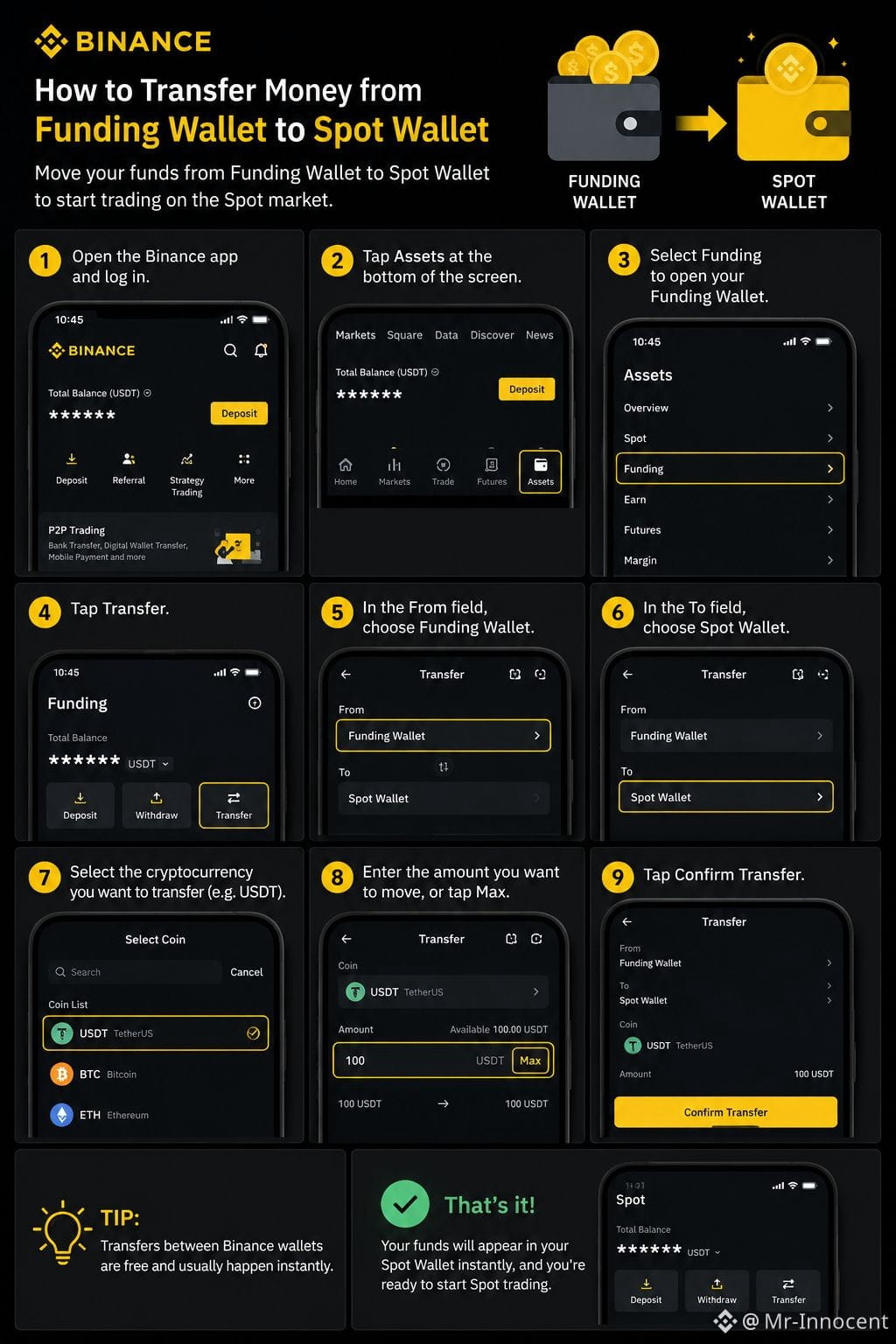
💰 How to Transfer Funds from Your Funding Wallet to Your Spot Wallet on Binance
If your money is in your Funding Wallet, you need to move it to your Spot Wallet before you can trade on the Spot market.
📌 Follow these simple steps:
1️⃣ Open the Binance app and log in.
2️⃣ Tap Assets at the bottom of the screen.
3️⃣ Select Funding to open your Funding Wallet.
4️⃣ Tap Transfer.
5️⃣ In the From field, choose Funding Wallet.
6️⃣ In the To field, choose Spot Wallet.
7️⃣ Select the cryptocurrency you want to transfer (such as USDT).
8️⃣ Enter the amount you want to move, or tap Max to transfer everything.
9️⃣ Tap Confirm Transfer.
✅ That's it! Your funds will appear in your Spot Wallet instantly, and you'll be ready to start Spot trading.
💡 Tip: Transfers between Binance wallets are free and usually happen instantly.
#Binance #BinanceSquare #Crypto #SpotTrading #CryptoEducation
{spot}(BTCUSDT)
💰 How to Transfer Funds from Your Funding Wallet to Your Spot Wallet on Binance
If your money is in your Funding Wallet, you need to move it to your Spot Wallet before you can trade on the Spot market.
📌 Follow these simple steps:
1️⃣ Open the Binance app and log in.
2️⃣ Tap Assets at the bottom of the screen.
3️⃣ Select Funding to open your Funding Wallet.
4️⃣ Tap Transfer.
5️⃣ In the From field, choose Funding Wallet.
6️⃣ In the To field, choose Spot Wallet.
7️⃣ Select the cryptocurrency you want to transfer (such as USDT).
8️⃣ Enter the amount you want to move, or tap Max to transfer everything.
9️⃣ Tap Confirm Transfer.
✅ That's it! Your funds will appear in your Spot Wallet instantly, and you'll be ready to start Spot trading.
💡 Tip: Transfers between Binance wallets are free and usually happen instantly.
#Binance #BinanceSquare #Crypto #SpotTrading #CryptoEducation
If your money is in your Funding Wallet, you need to move it to your Spot Wallet before you can trade on the Spot market.
📌 Follow these simple steps:
1️⃣ Open the Binance app and log in.
2️⃣ Tap Assets at the bottom of the screen.
3️⃣ Select Funding to open your Funding Wallet.
4️⃣ Tap Transfer.
5️⃣ In the From field, choose Funding Wallet.
6️⃣ In the To field, choose Spot Wallet.
7️⃣ Select the cryptocurrency you want to transfer (such as USDT).
8️⃣ Enter the amount you want to move, or tap Max to transfer everything.
9️⃣ Tap Confirm Transfer.
✅ That's it! Your funds will appear in your Spot Wallet instantly, and you'll be ready to start Spot trading.
💡 Tip: Transfers between Binance wallets are free and usually happen instantly.
#Binance #BinanceSquare #Crypto #SpotTrading #CryptoEducation
120
Log in to explore more content
Join global crypto users on Binance Square
⚡️ Get latest and useful information about crypto.
💬 Trusted by the world’s largest crypto exchange.
👍 Discover real insights from verified creators.
Email / Phone number