

forrestbit
26 Posts

forrestbit
Report
Block User
关注加密与Web3热点,用大白话讲清机制、行情背后的逻辑和常见坑。不喊单、不荐币。内容含AI辅助,经人工整理。评论区请勿发助记词。
11 Following
32 Followers
20 Liked
Posts
All
Videos
·
--
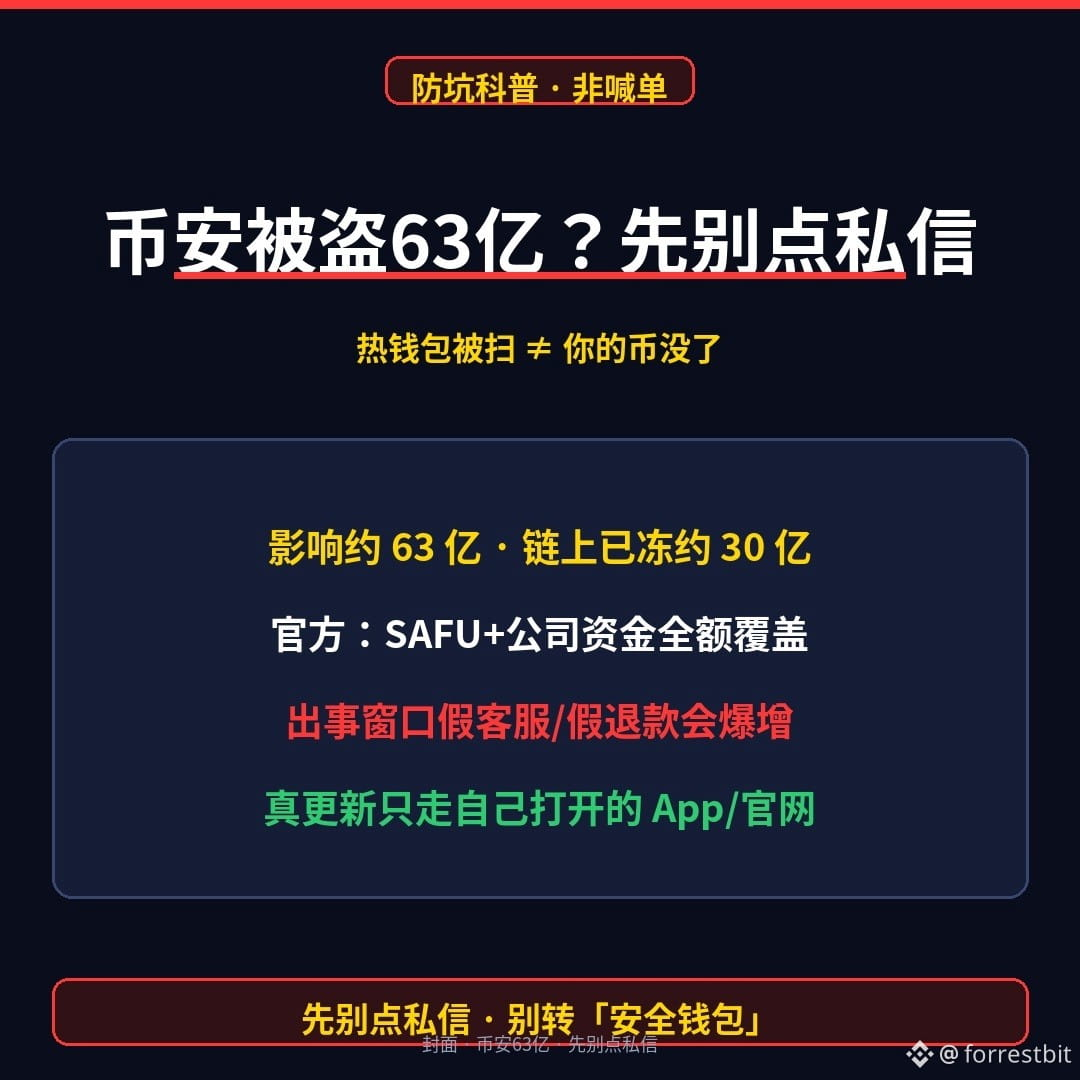
Binance hot wallets drained for about $6.3 billion—would you click a DM saying “urgent customer support,” or open the app yourself to check the announcement first?
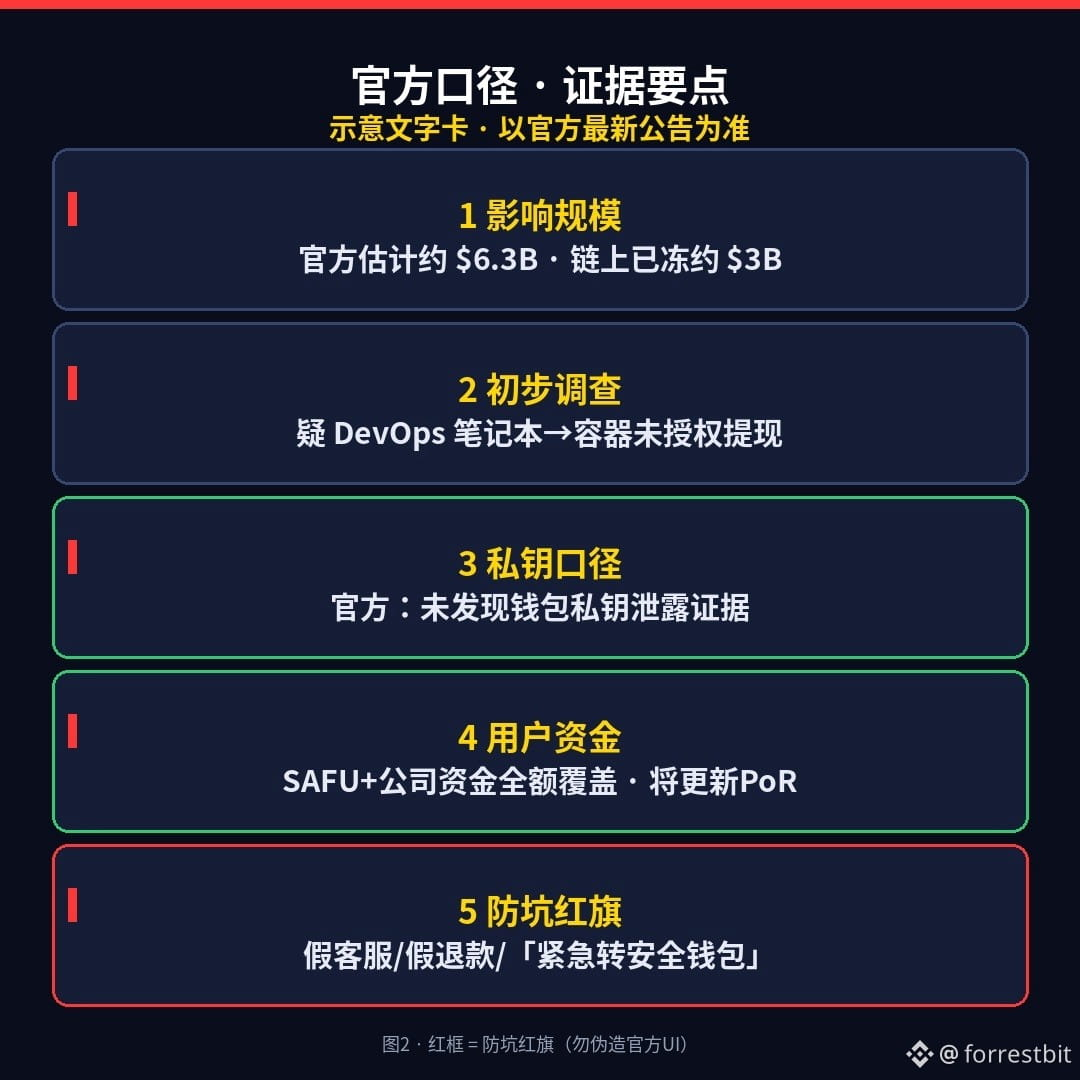
Since last night, U.S. Eastern time, Binance has confirmed unauthorized transfers across multiple chains from its hot wallets. The company estimates the impact at around **$6.3 billion**, and on-chain partners have helped freeze about **$3 billion**. The preliminary investigation points to a compromised DevOps laptop → service containers submitting unauthorized withdrawals. Binance says **there’s no evidence that wallet private keys were leaked**. It later mentioned finding more points of compromise and described the attack as complex. Some on-chain analysts have suggested links to a North Korean group—note: this is an analytical assessment, not a proven conviction.
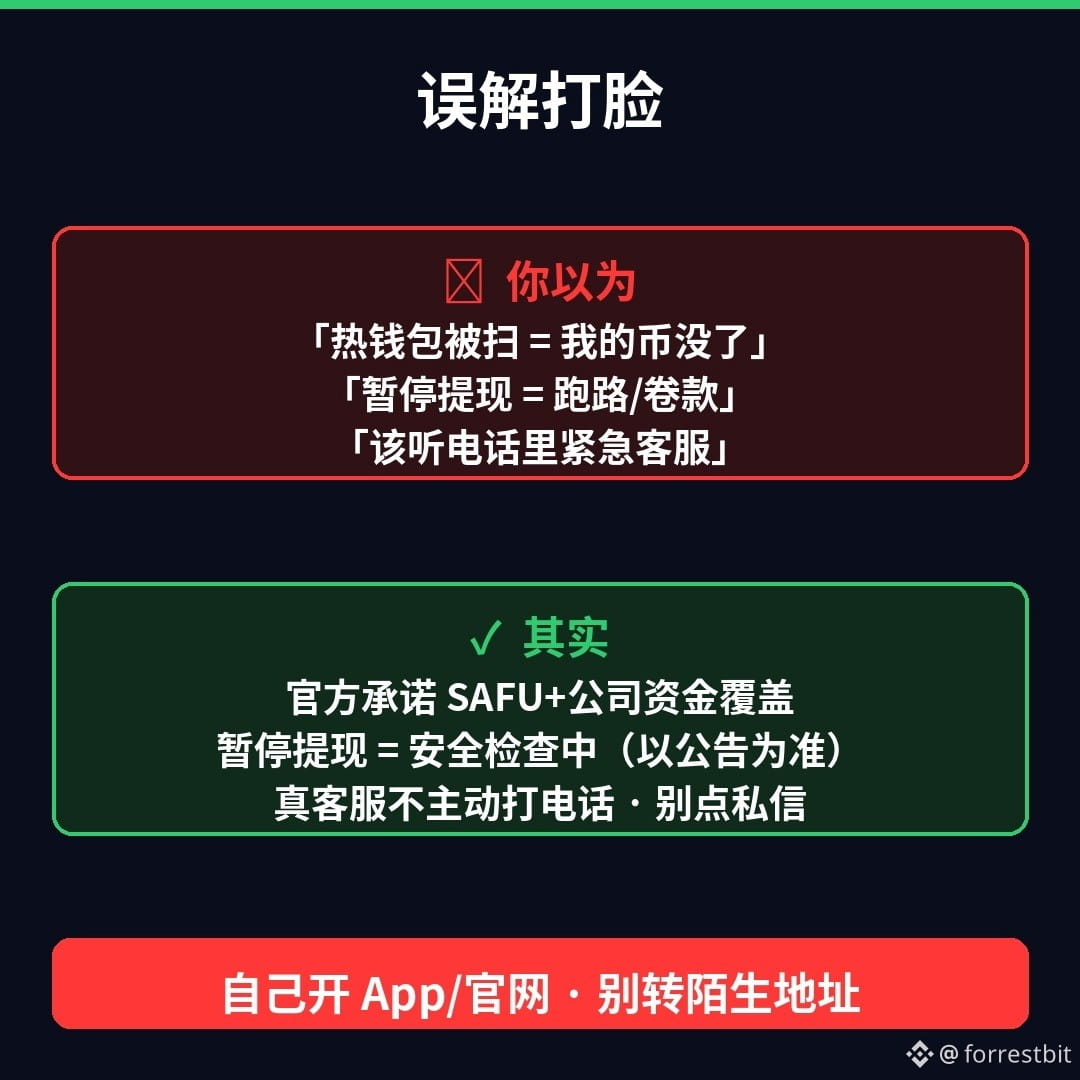
Don’t let sensational headlines mislead you: hot wallets being drained ≠ your account balance is void, and it ≠ Binance is running off with your money. The company’s official position is **SAFU + company funds fully covering the losses**, user funds are safe, and it will update its PoR. Deposits and withdrawals were paused for a time; deposits have gradually resumed, while withdrawals remain suspended for security checks. Withdrawals are paused during checks, not because funds are being taken; check the latest official announcement for when they’ll resume (an executive previously mentioned roughly 45 hours).
The real danger is the window after an incident: fake support calls, fake “official refunds,” and DMs telling you to “urgently transfer to a secure wallet” will spike. For real updates, only use the app or website you open yourself. Anyone who calls you out of the blue claiming to be Binance support, asks for your OTP, or tells you to transfer funds to an unfamiliar address—treat it as a scam.
Three things you can do tonight:
1) Don’t click “urgent links” in DMs or texts; don’t call back unfamiliar numbers claiming to be support.
2) Don’t follow anyone’s instructions to transfer funds to a “secure wallet” or share a verification code or seed phrase.
3) Want to check progress? Open the official app or website yourself and check the announcements and your account. Contact support through the app (don’t click links they send you).
Which worries you more: A) fake support calling you to take advantage of the situation, or B) fake “official refund/urgent withdrawal” links? Pick one in the comments (don’t post verification codes or seed phrases).
(For educational purposes; not investment advice. I don’t trade or give trading calls. Figures and statements paraphrase Binance’s official support announcements; check the latest announcement again before posting. This content was generated with AI assistance and edited by a human.)
$BNB $BTC
#加密安全 #防诈骗 #Web3 Education
Binance hot wallets drained for about $6.3 billion—would you click a DM saying “urgent customer support,” or open the app yourself to check the announcement first?
Since last night, U.S. Eastern time, Binance has confirmed unauthorized transfers across multiple chains from its hot wallets. The company estimates the impact at around **$6.3 billion**, and on-chain partners have helped freeze about **$3 billion**. The preliminary investigation points to a compromised DevOps laptop → service containers submitting unauthorized withdrawals. Binance says **there’s no evidence that wallet private keys were leaked**. It later mentioned finding more points of compromise and described the attack as complex. Some on-chain analysts have suggested links to a North Korean group—note: this is an analytical assessment, not a proven conviction.
Don’t let sensational headlines mislead you: hot wallets being drained ≠ your account balance is void, and it ≠ Binance is running off with your money. The company’s official position is **SAFU + company funds fully covering the losses**, user funds are safe, and it will update its PoR. Deposits and withdrawals were paused for a time; deposits have gradually resumed, while withdrawals remain suspended for security checks. Withdrawals are paused during checks, not because funds are being taken; check the latest official announcement for when they’ll resume (an executive previously mentioned roughly 45 hours).
The real danger is the window after an incident: fake support calls, fake “official refunds,” and DMs telling you to “urgently transfer to a secure wallet” will spike. For real updates, only use the app or website you open yourself. Anyone who calls you out of the blue claiming to be Binance support, asks for your OTP, or tells you to transfer funds to an unfamiliar address—treat it as a scam.
Three things you can do tonight:
1) Don’t click “urgent links” in DMs or texts; don’t call back unfamiliar numbers claiming to be support.
2) Don’t follow anyone’s instructions to transfer funds to a “secure wallet” or share a verification code or seed phrase.
3) Want to check progress? Open the official app or website yourself and check the announcements and your account. Contact support through the app (don’t click links they send you).
Which worries you more: A) fake support calling you to take advantage of the situation, or B) fake “official refund/urgent withdrawal” links? Pick one in the comments (don’t post verification codes or seed phrases).
(For educational purposes; not investment advice. I don’t trade or give trading calls. Figures and statements paraphrase Binance’s official support announcements; check the latest announcement again before posting. This content was generated with AI assistance and edited by a human.)
$BNB $BTC
#加密安全 #防诈骗 #Web3 Education
Since last night, U.S. Eastern time, Binance has confirmed unauthorized transfers across multiple chains from its hot wallets. The company estimates the impact at around **$6.3 billion**, and on-chain partners have helped freeze about **$3 billion**. The preliminary investigation points to a compromised DevOps laptop → service containers submitting unauthorized withdrawals. Binance says **there’s no evidence that wallet private keys were leaked**. It later mentioned finding more points of compromise and described the attack as complex. Some on-chain analysts have suggested links to a North Korean group—note: this is an analytical assessment, not a proven conviction.
Don’t let sensational headlines mislead you: hot wallets being drained ≠ your account balance is void, and it ≠ Binance is running off with your money. The company’s official position is **SAFU + company funds fully covering the losses**, user funds are safe, and it will update its PoR. Deposits and withdrawals were paused for a time; deposits have gradually resumed, while withdrawals remain suspended for security checks. Withdrawals are paused during checks, not because funds are being taken; check the latest official announcement for when they’ll resume (an executive previously mentioned roughly 45 hours).
The real danger is the window after an incident: fake support calls, fake “official refunds,” and DMs telling you to “urgently transfer to a secure wallet” will spike. For real updates, only use the app or website you open yourself. Anyone who calls you out of the blue claiming to be Binance support, asks for your OTP, or tells you to transfer funds to an unfamiliar address—treat it as a scam.
Three things you can do tonight:
1) Don’t click “urgent links” in DMs or texts; don’t call back unfamiliar numbers claiming to be support.
2) Don’t follow anyone’s instructions to transfer funds to a “secure wallet” or share a verification code or seed phrase.
3) Want to check progress? Open the official app or website yourself and check the announcements and your account. Contact support through the app (don’t click links they send you).
Which worries you more: A) fake support calling you to take advantage of the situation, or B) fake “official refund/urgent withdrawal” links? Pick one in the comments (don’t post verification codes or seed phrases).
(For educational purposes; not investment advice. I don’t trade or give trading calls. Figures and statements paraphrase Binance’s official support announcements; check the latest announcement again before posting. This content was generated with AI assistance and edited by a human.)
$BNB $BTC
#加密安全 #防诈骗 #Web3 Education
1
1
·
--
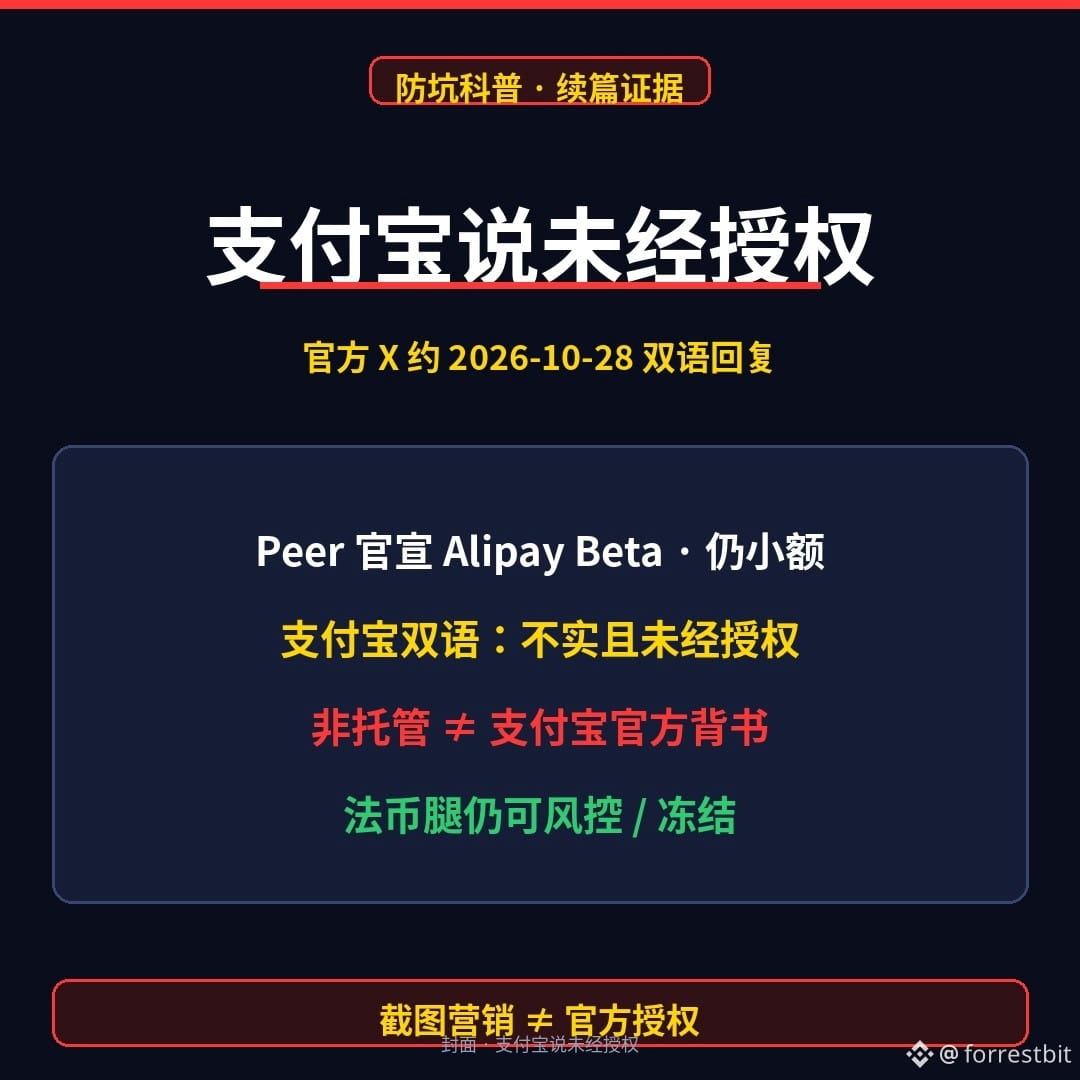
Alipay itself says “unauthorized”—and you still think this is an official on/off-ramp?
2026-10-27: Peer (@peerxyz / Chinese account @Peer_zh) announced that Alipay is live on Peer Beta. The mechanism in one sentence: the seller locks USDC in a Base contract → the buyer pays the seller in RMB via Alipay → the funds are released after TEE verification. Peer says there are about 45 buyers, 107 transactions, and roughly $7,094 in volume—very small, and still in Beta. Peer’s documentation also says there is no official partnership with Alipay.
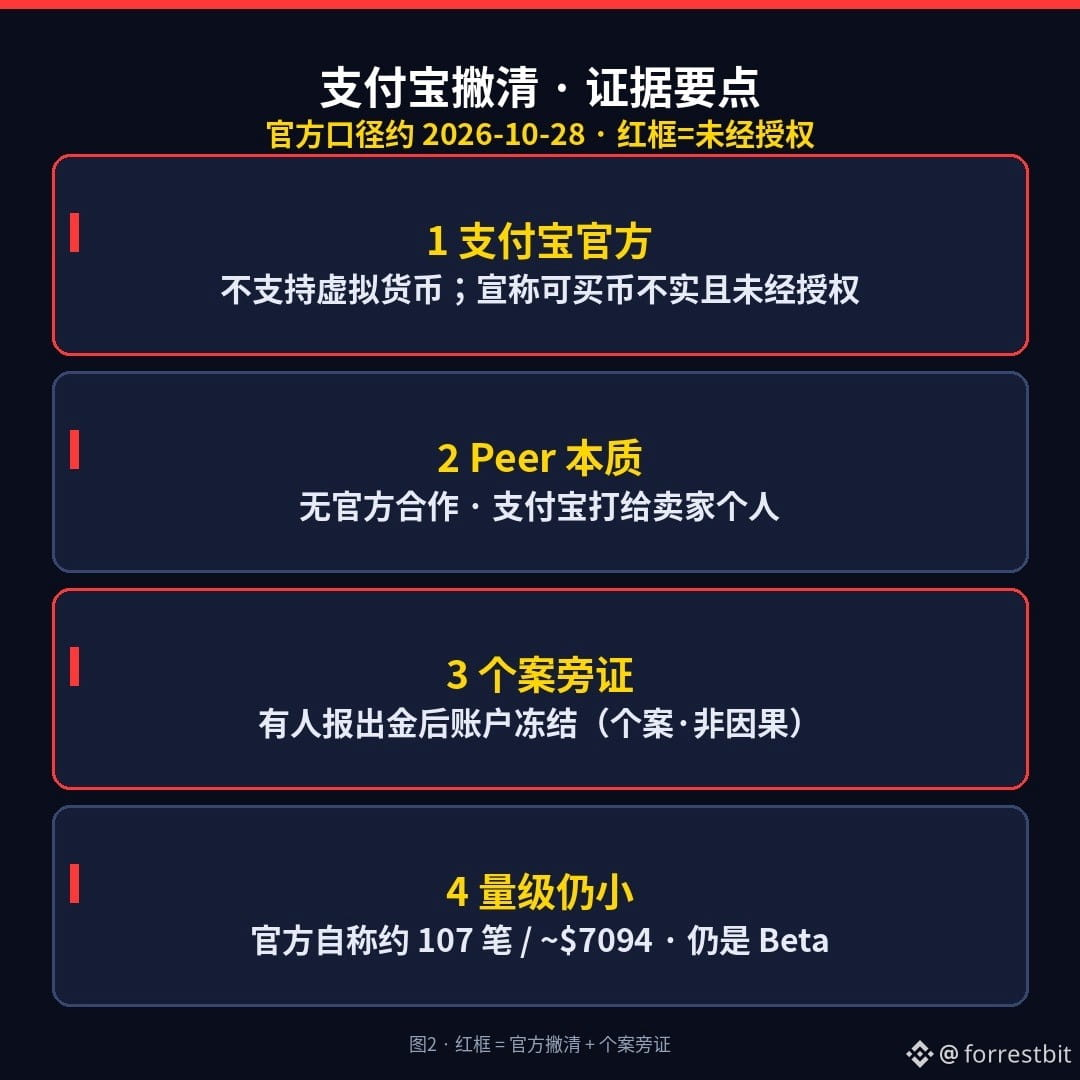
2026-10-28: Alipay’s official X account (@Alipay) replied in both Chinese and English to Peer’s announcement post. In essence: Alipay does not support any virtual-currency transactions or related services; any third party claiming that virtual currencies can be bought or sold through Alipay is making a false, unauthorized claim; users are urged to stay alert. A promotional screenshot ≠ authorization.
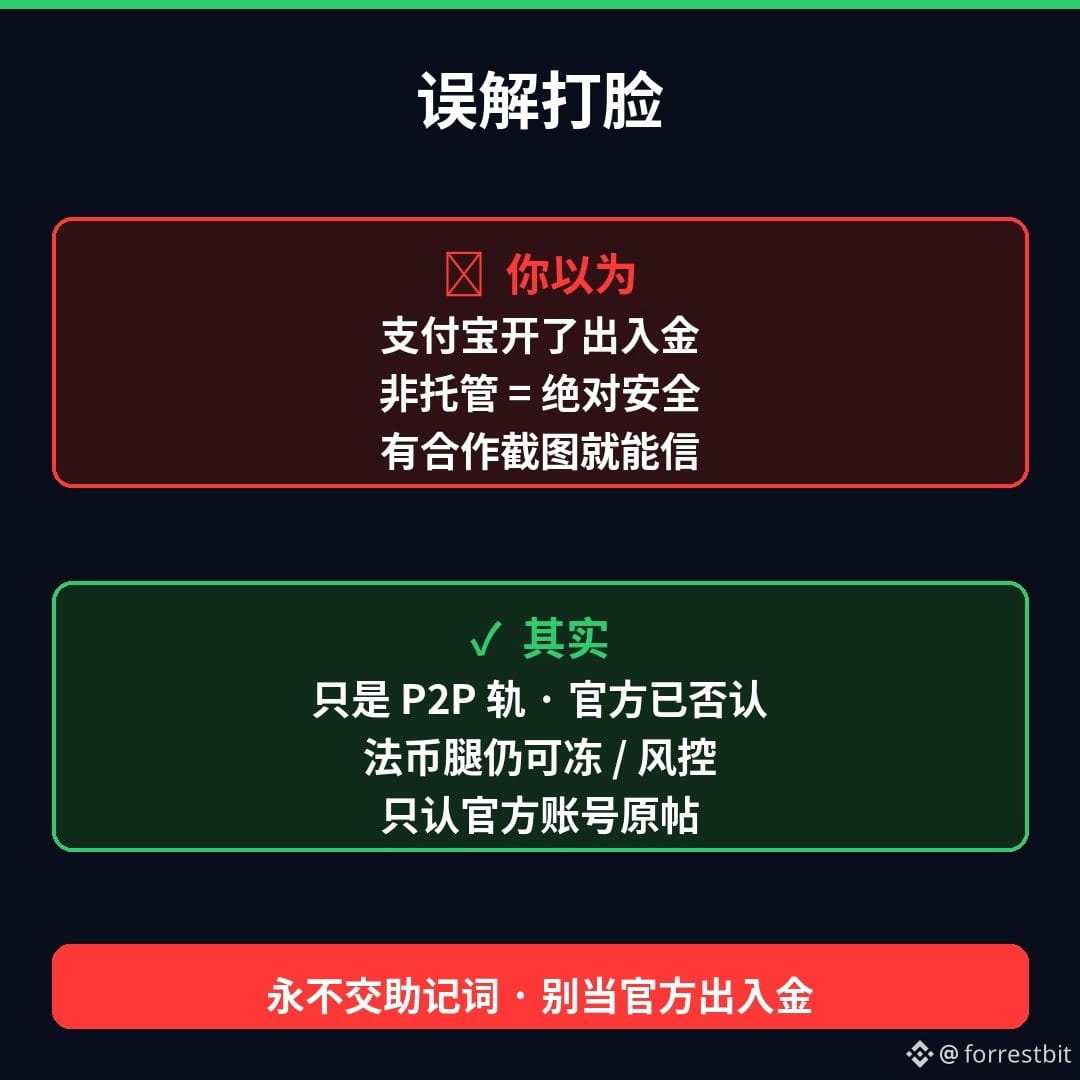
Three misconceptions, debunked: ① “Alipay has enabled crypto on/off-ramps” → It’s only a P2P payment rail; Alipay has denied any such support. ② “Non-custodial = completely safe” → On-chain non-custody doesn’t protect the fiat leg from risk controls; some people have reported their accounts being frozen after cashing out (anecdotal evidence, not proof of causation). ③ “A screenshot of a partnership is enough to trust it” → Trust only posts from Alipay’s official account; don’t trust reposted images.
One hard rule still applies: any “Peer / Alipay customer service / account unfreeze” webpage asking for your seed phrase or private key = phishing. I don’t trade, recommend “trying it out,” or explain how to deposit or withdraw—I only explain how it works and how to avoid scams.
Which worries you more: A, trusting a screenshot claiming an “official partnership,” or B, having your account frozen or flagged by risk controls after cashing out? Pick one in the comments (and never post your seed phrase or private key).
(Educational content; not investment advice. I don’t trade or give buy/sell signals. Figures and claims are based on Peer’s official X account around 2026-10-27, Alipay’s official X account around 2026-10-28, and information cited from Peer’s documentation. Please check for the latest statements before publishing. This content was generated with AI assistance and edited by a human.)
$USDC
#加密安全 #Web3科普 #ScamPrevention
Alipay itself says “unauthorized”—and you still think this is an official on/off-ramp?
2026-10-27: Peer (@peerxyz / Chinese account @Peer_zh) announced that Alipay is live on Peer Beta. The mechanism in one sentence: the seller locks USDC in a Base contract → the buyer pays the seller in RMB via Alipay → the funds are released after TEE verification. Peer says there are about 45 buyers, 107 transactions, and roughly $7,094 in volume—very small, and still in Beta. Peer’s documentation also says there is no official partnership with Alipay.
2026-10-28: Alipay’s official X account (@Alipay) replied in both Chinese and English to Peer’s announcement post. In essence: Alipay does not support any virtual-currency transactions or related services; any third party claiming that virtual currencies can be bought or sold through Alipay is making a false, unauthorized claim; users are urged to stay alert. A promotional screenshot ≠ authorization.
Three misconceptions, debunked: ① “Alipay has enabled crypto on/off-ramps” → It’s only a P2P payment rail; Alipay has denied any such support. ② “Non-custodial = completely safe” → On-chain non-custody doesn’t protect the fiat leg from risk controls; some people have reported their accounts being frozen after cashing out (anecdotal evidence, not proof of causation). ③ “A screenshot of a partnership is enough to trust it” → Trust only posts from Alipay’s official account; don’t trust reposted images.
One hard rule still applies: any “Peer / Alipay customer service / account unfreeze” webpage asking for your seed phrase or private key = phishing. I don’t trade, recommend “trying it out,” or explain how to deposit or withdraw—I only explain how it works and how to avoid scams.
Which worries you more: A, trusting a screenshot claiming an “official partnership,” or B, having your account frozen or flagged by risk controls after cashing out? Pick one in the comments (and never post your seed phrase or private key).
(Educational content; not investment advice. I don’t trade or give buy/sell signals. Figures and claims are based on Peer’s official X account around 2026-10-27, Alipay’s official X account around 2026-10-28, and information cited from Peer’s documentation. Please check for the latest statements before publishing. This content was generated with AI assistance and edited by a human.)
$USDC
#加密安全 #Web3科普 #ScamPrevention
2026-10-27: Peer (@peerxyz / Chinese account @Peer_zh) announced that Alipay is live on Peer Beta. The mechanism in one sentence: the seller locks USDC in a Base contract → the buyer pays the seller in RMB via Alipay → the funds are released after TEE verification. Peer says there are about 45 buyers, 107 transactions, and roughly $7,094 in volume—very small, and still in Beta. Peer’s documentation also says there is no official partnership with Alipay.
2026-10-28: Alipay’s official X account (@Alipay) replied in both Chinese and English to Peer’s announcement post. In essence: Alipay does not support any virtual-currency transactions or related services; any third party claiming that virtual currencies can be bought or sold through Alipay is making a false, unauthorized claim; users are urged to stay alert. A promotional screenshot ≠ authorization.
Three misconceptions, debunked: ① “Alipay has enabled crypto on/off-ramps” → It’s only a P2P payment rail; Alipay has denied any such support. ② “Non-custodial = completely safe” → On-chain non-custody doesn’t protect the fiat leg from risk controls; some people have reported their accounts being frozen after cashing out (anecdotal evidence, not proof of causation). ③ “A screenshot of a partnership is enough to trust it” → Trust only posts from Alipay’s official account; don’t trust reposted images.
One hard rule still applies: any “Peer / Alipay customer service / account unfreeze” webpage asking for your seed phrase or private key = phishing. I don’t trade, recommend “trying it out,” or explain how to deposit or withdraw—I only explain how it works and how to avoid scams.
Which worries you more: A, trusting a screenshot claiming an “official partnership,” or B, having your account frozen or flagged by risk controls after cashing out? Pick one in the comments (and never post your seed phrase or private key).
(Educational content; not investment advice. I don’t trade or give buy/sell signals. Figures and claims are based on Peer’s official X account around 2026-10-27, Alipay’s official X account around 2026-10-28, and information cited from Peer’s documentation. Please check for the latest statements before publishing. This content was generated with AI assistance and edited by a human.)
$USDC
#加密安全 #Web3科普 #ScamPrevention
1
74
·
--
Buy USDC directly with Alipay? Peer just brought its Beta to Chinese users—do you really believe “non-custodial = absolutely safe”?
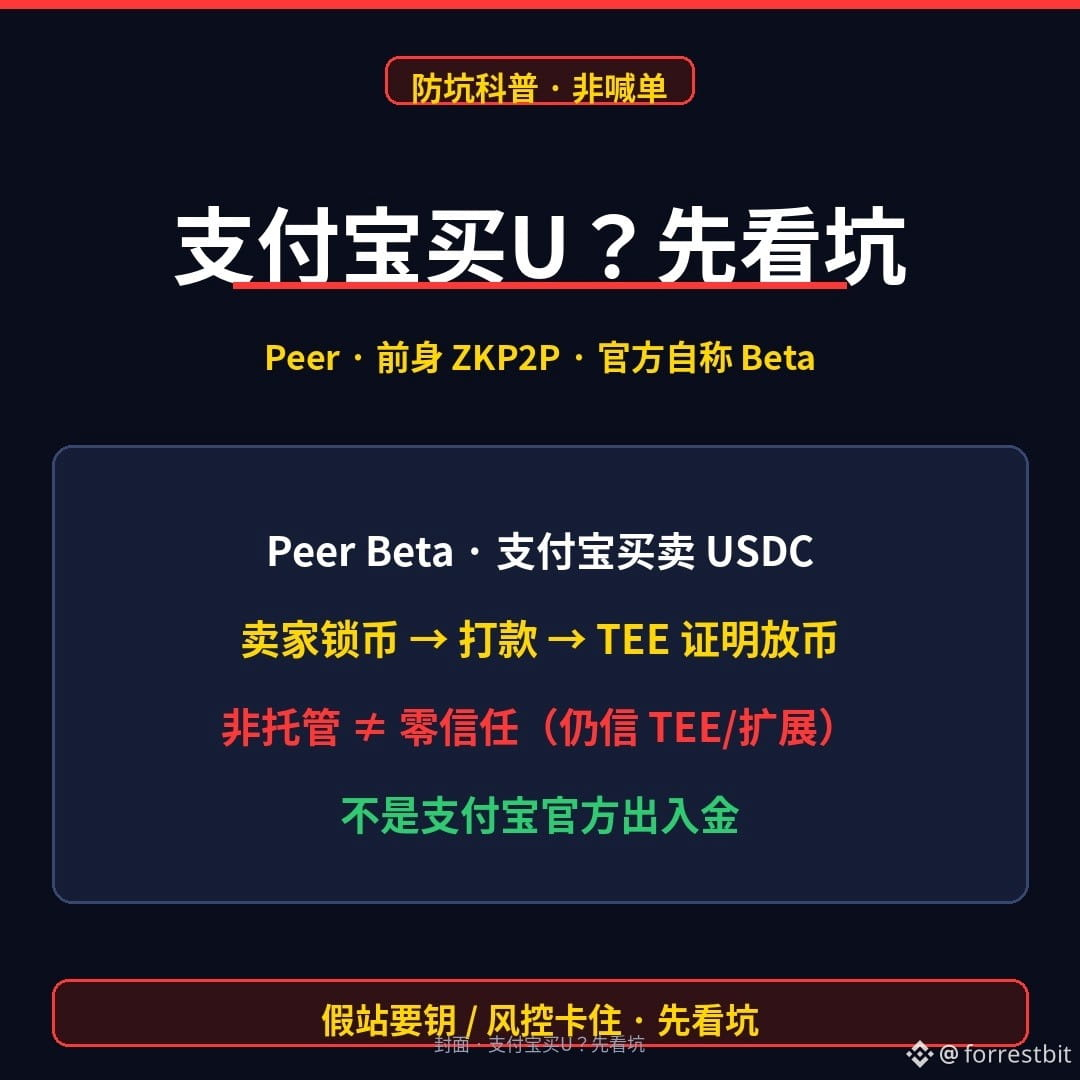
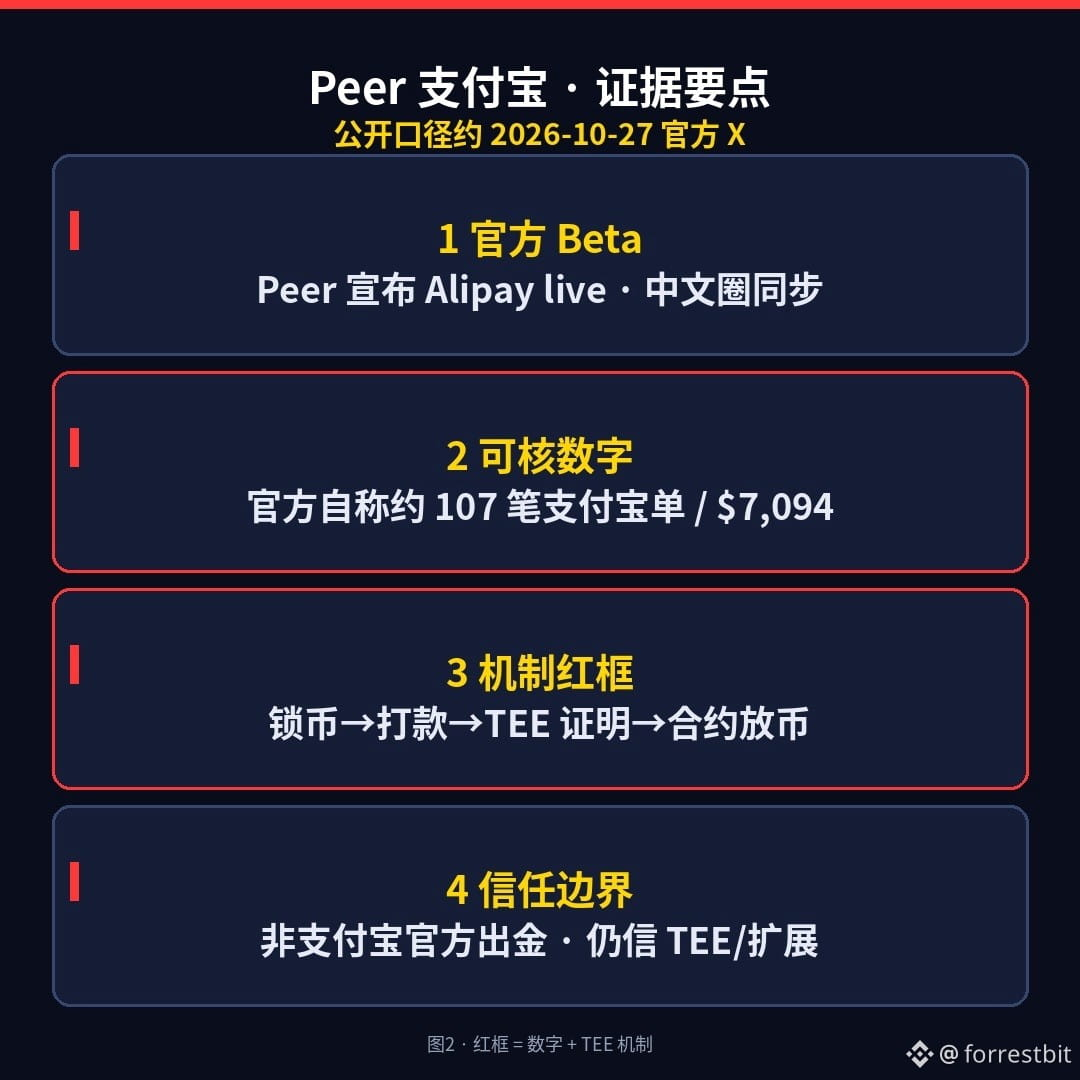
2026-10-27: Peer (formerly ZKP2P, which previously received grants related to the Ethereum Foundation/PSE) announced on its official account @peerxyz that Alipay is live on Peer Beta; the Chinese account @Peer_zh shared the news too. The mechanism in a nutshell: the seller locks USDC in a contract on Base → the buyer pays in RMB via Alipay → the contract releases the funds after receiving proof from a TEE. Peer says that since 8/21, there have been about 45 buyers, 107 Alipay orders, and roughly $7,094 in volume—still a very small amount, and it’s still Beta.
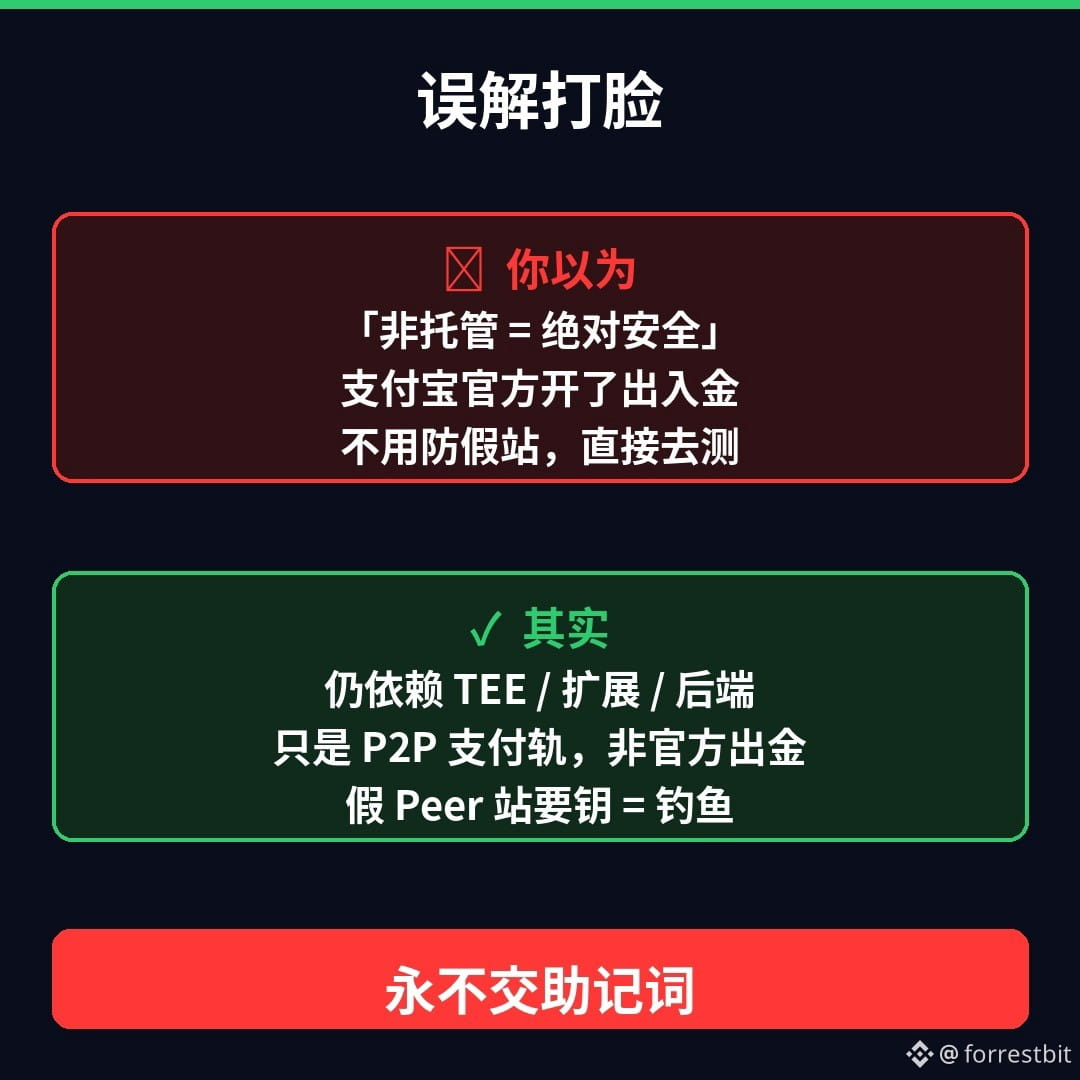
Three misconceptions, debunked: ① “Non-custodial = absolutely safe” → On-chain escrow is non-custodial, but V3 still depends on AWS Nitro TEE, a browser extension/app, and a quoting backend—it does not operate on a zero-trust assumption. ② “Alipay has officially enabled deposits and withdrawals” → Alipay is simply used as the P2P payment rail; this is not an official Alipay partnership for cashing out. ③ “No registration needed, completely bypasses exchanges” → You can sign in with a wallet, email, or social account; Alipay recipients still need to complete identity verification; the FAQ says taker fees can be up to around 0.95%.
One rule never changes: any website claiming to be “Peer / ZKP2P official” that asks for your seed phrase or private key is a phishing site. Only trust official domains you’ve bookmarked yourself. I’m not trading, recommending that anyone “go try it,” or providing a complete deposit/withdrawal walkthrough—just explaining how it works and how to avoid scams.
Which worries you more: A) a fake Peer site stealing your seed phrase, or B) your Alipay account getting flagged after you’ve paid? Pick one in the comments (never post your seed phrase/private key).
(For educational purposes only; not investment advice. I don’t trade or make calls. Figures and claims are based on Peer’s official X account around 2026-10-27 and paraphrased information from docs.peer.xyz / the FAQ; please check the latest announcements again before posting. This content was generated with AI assistance and edited by a human.)
$USDC
#加密安全 #Web3科普 #AntiScam
Buy USDC directly with Alipay? Peer just brought its Beta to Chinese users—do you really believe “non-custodial = absolutely safe”?
2026-10-27: Peer (formerly ZKP2P, which previously received grants related to the Ethereum Foundation/PSE) announced on its official account @peerxyz that Alipay is live on Peer Beta; the Chinese account @Peer_zh shared the news too. The mechanism in a nutshell: the seller locks USDC in a contract on Base → the buyer pays in RMB via Alipay → the contract releases the funds after receiving proof from a TEE. Peer says that since 8/21, there have been about 45 buyers, 107 Alipay orders, and roughly $7,094 in volume—still a very small amount, and it’s still Beta.
Three misconceptions, debunked: ① “Non-custodial = absolutely safe” → On-chain escrow is non-custodial, but V3 still depends on AWS Nitro TEE, a browser extension/app, and a quoting backend—it does not operate on a zero-trust assumption. ② “Alipay has officially enabled deposits and withdrawals” → Alipay is simply used as the P2P payment rail; this is not an official Alipay partnership for cashing out. ③ “No registration needed, completely bypasses exchanges” → You can sign in with a wallet, email, or social account; Alipay recipients still need to complete identity verification; the FAQ says taker fees can be up to around 0.95%.
One rule never changes: any website claiming to be “Peer / ZKP2P official” that asks for your seed phrase or private key is a phishing site. Only trust official domains you’ve bookmarked yourself. I’m not trading, recommending that anyone “go try it,” or providing a complete deposit/withdrawal walkthrough—just explaining how it works and how to avoid scams.
Which worries you more: A) a fake Peer site stealing your seed phrase, or B) your Alipay account getting flagged after you’ve paid? Pick one in the comments (never post your seed phrase/private key).
(For educational purposes only; not investment advice. I don’t trade or make calls. Figures and claims are based on Peer’s official X account around 2026-10-27 and paraphrased information from docs.peer.xyz / the FAQ; please check the latest announcements again before posting. This content was generated with AI assistance and edited by a human.)
$USDC
#加密安全 #Web3科普 #AntiScam
2026-10-27: Peer (formerly ZKP2P, which previously received grants related to the Ethereum Foundation/PSE) announced on its official account @peerxyz that Alipay is live on Peer Beta; the Chinese account @Peer_zh shared the news too. The mechanism in a nutshell: the seller locks USDC in a contract on Base → the buyer pays in RMB via Alipay → the contract releases the funds after receiving proof from a TEE. Peer says that since 8/21, there have been about 45 buyers, 107 Alipay orders, and roughly $7,094 in volume—still a very small amount, and it’s still Beta.
Three misconceptions, debunked: ① “Non-custodial = absolutely safe” → On-chain escrow is non-custodial, but V3 still depends on AWS Nitro TEE, a browser extension/app, and a quoting backend—it does not operate on a zero-trust assumption. ② “Alipay has officially enabled deposits and withdrawals” → Alipay is simply used as the P2P payment rail; this is not an official Alipay partnership for cashing out. ③ “No registration needed, completely bypasses exchanges” → You can sign in with a wallet, email, or social account; Alipay recipients still need to complete identity verification; the FAQ says taker fees can be up to around 0.95%.
One rule never changes: any website claiming to be “Peer / ZKP2P official” that asks for your seed phrase or private key is a phishing site. Only trust official domains you’ve bookmarked yourself. I’m not trading, recommending that anyone “go try it,” or providing a complete deposit/withdrawal walkthrough—just explaining how it works and how to avoid scams.
Which worries you more: A) a fake Peer site stealing your seed phrase, or B) your Alipay account getting flagged after you’ve paid? Pick one in the comments (never post your seed phrase/private key).
(For educational purposes only; not investment advice. I don’t trade or make calls. Figures and claims are based on Peer’s official X account around 2026-10-27 and paraphrased information from docs.peer.xyz / the FAQ; please check the latest announcements again before posting. This content was generated with AI assistance and edited by a human.)
$USDC
#加密安全 #Web3科普 #AntiScam
1
68
·
--
The email domain is correct—would you still dare paste your seed phrase into an “official recall” page?
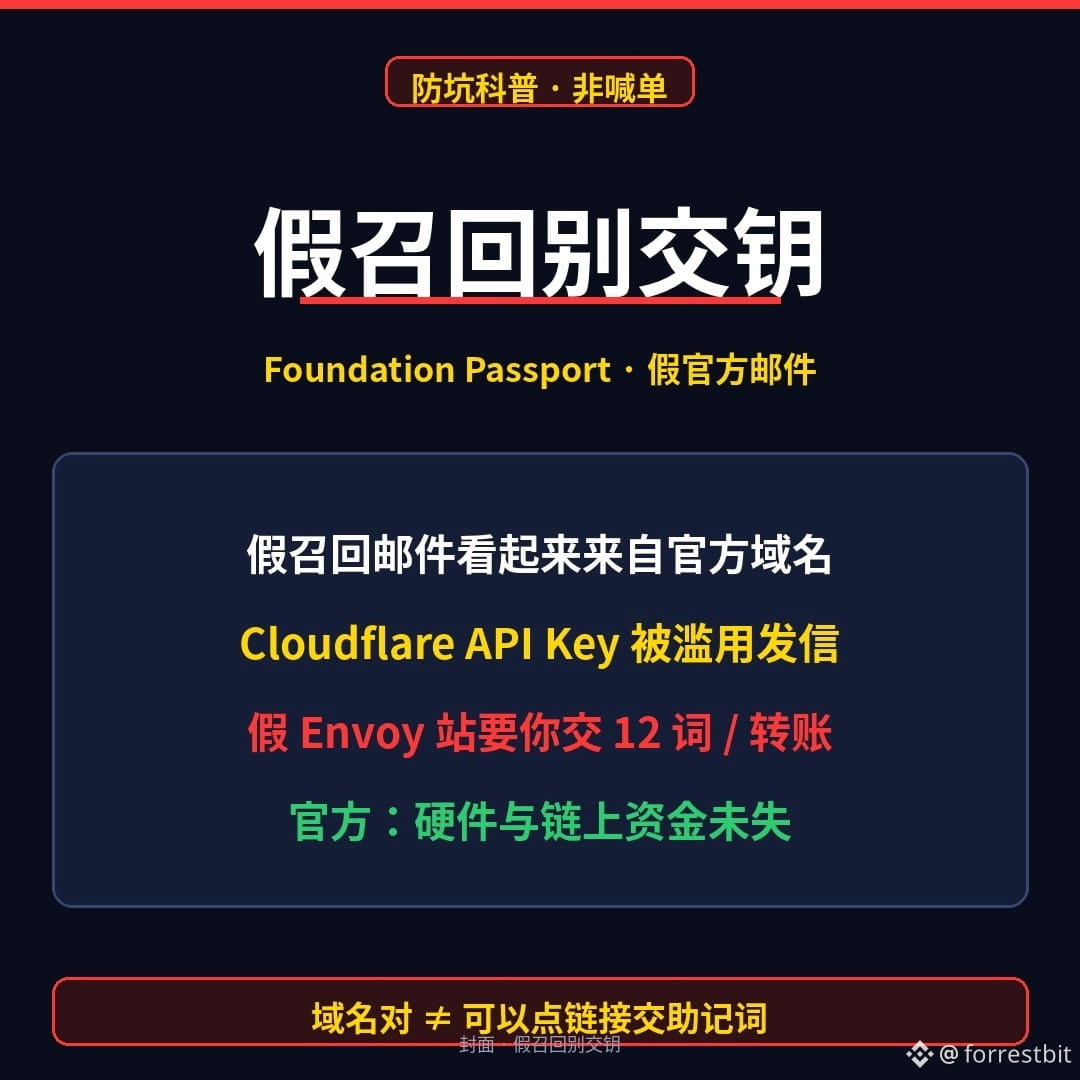
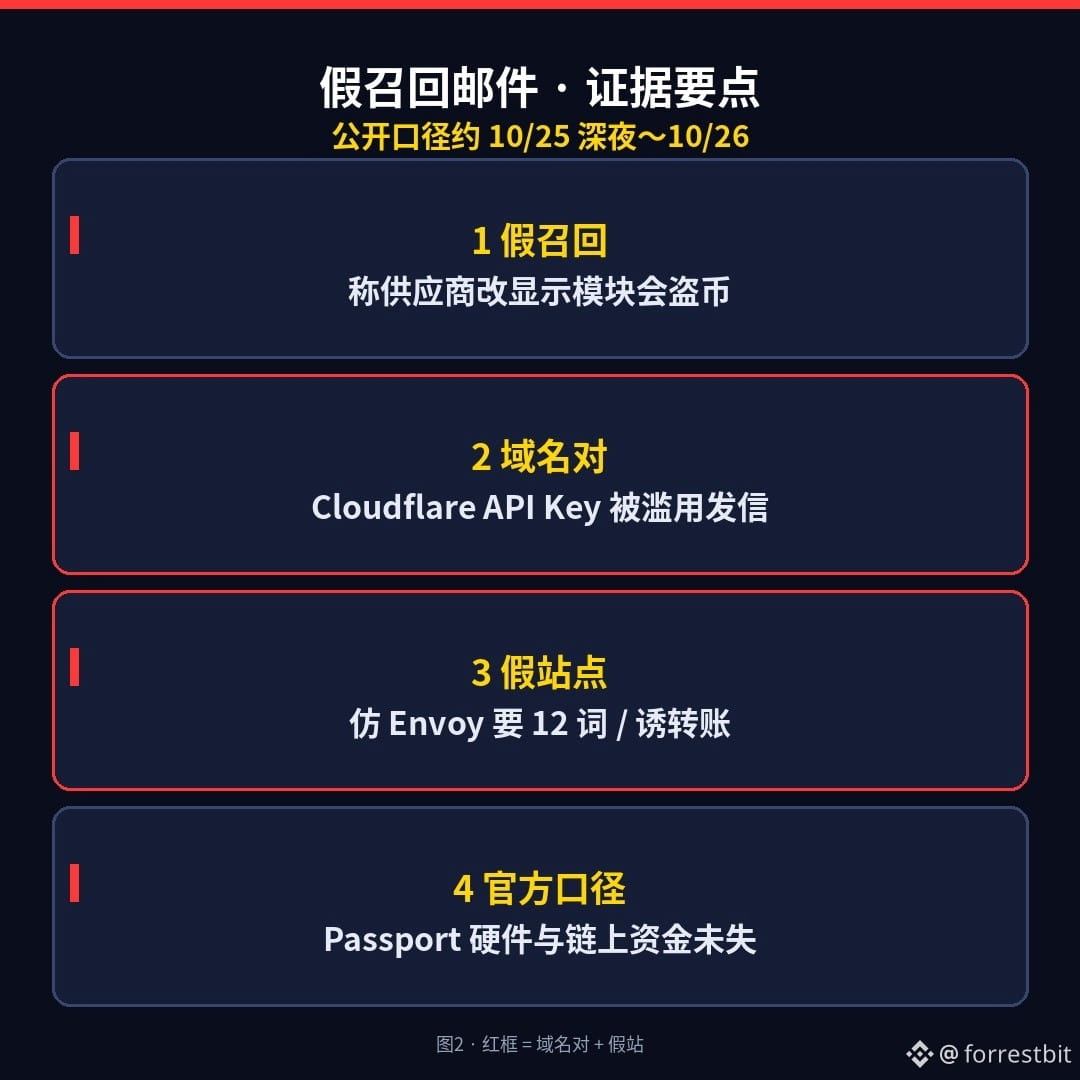
Around the night of 2026-10-25 into 10-26: users of the Foundation Passport hardware wallet began receiving fake “recall” emails—claiming the supplier had changed the display module and it would steal coins, then linking to a fake site resembling Envoy and asking you to hand over your 12 words or make a transfer to “save yourself.” What makes it scary is this: the sender appears to come from an official domain (Cloudflare API Key was abused); some emails even include real names/addresses/order details, making it look even more like social engineering.
The official response slapped it down in one sentence: the Passport hardware and on-chain funds were not compromised; the API Key has been revoked and the malicious domains taken offline. The CEO said a vulnerability in a self-custody application may have led to backend/customer-service email accounts being compromised—the issue was not the chip being altered, but that “emails with the right domain” can still be used for phishing.
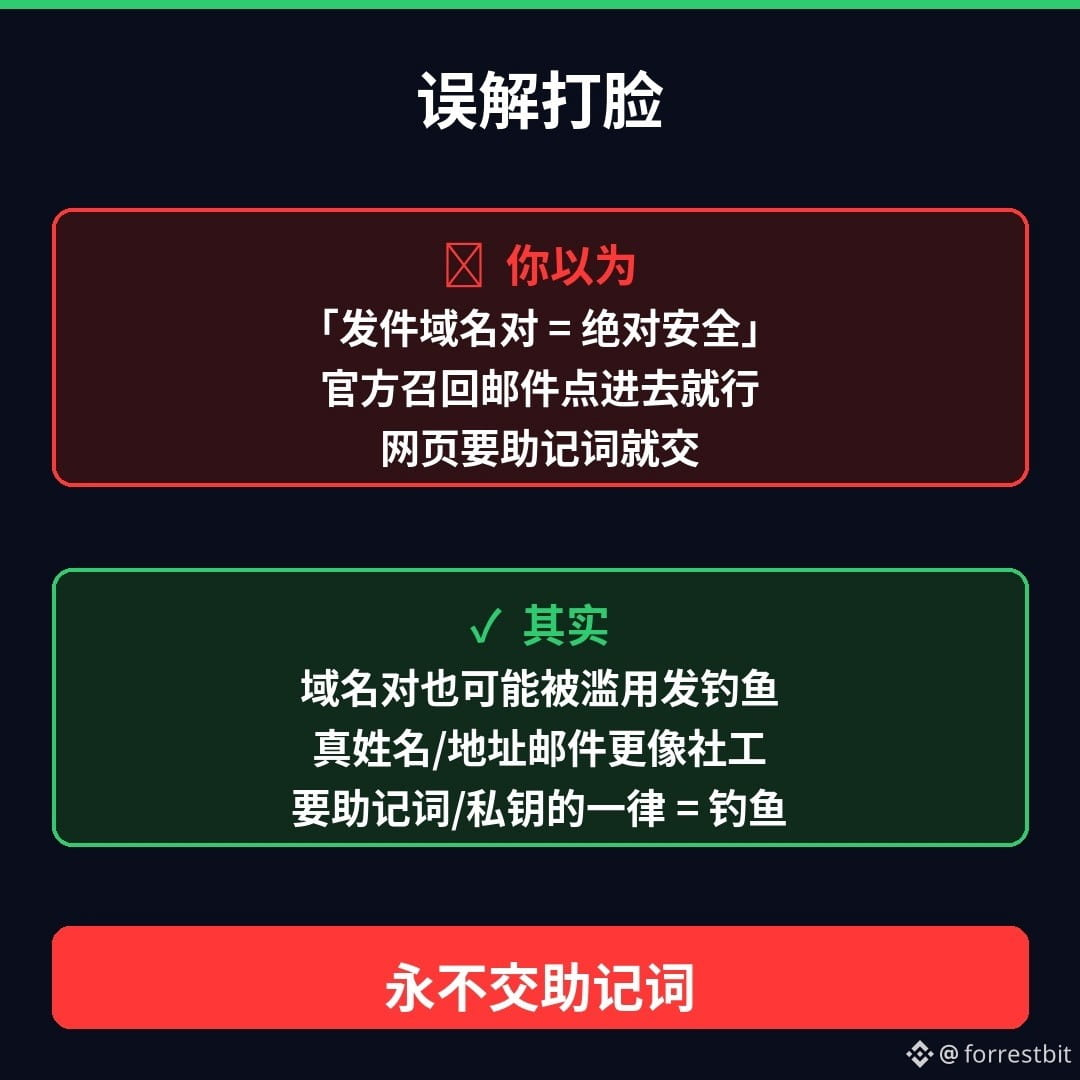
You think “sender domain is correct = safe”? In fact, a correct domain can still be abused to send phishing emails; emails containing real information are more dangerous, not more trustworthy. The iron rule remains unchanged: official parties will never ask for your seed phrase; any recall/customer-service page that asks for 12 words or a private key = phishing.
Three things you can do tonight:
1) If you receive an email about “Passport recall / display module replacement” → do not click the link; verify only through the official channels you saved yourself
2) Never enter your seed phrase on any webpage for “upgrade / migration / self-rescue”
3) If you have already given out your seed phrase: treat the wallet as compromised, create a new wallet with a new seed phrase, and transfer the remaining funds out (I do not trade; this is a mechanism reminder)
Which scares you more: A a fake recall email with the correct domain, or B a fake return/exchange phone call using your real shipping address? Pick one in the comments (and do not post your seed phrase/private key).
(For educational purposes only; not investment advice. I do not trade or shill. Dates and statements are based on Foundation’s official X around 10/25–26 and public reporting; please check the latest statement before posting. This content includes AI-assisted generation and has been manually reviewed.)
$BTC
#加密安全 #硬件钱包 #Web3Education
The email domain is correct—would you still dare paste your seed phrase into an “official recall” page?
Around the night of 2026-10-25 into 10-26: users of the Foundation Passport hardware wallet began receiving fake “recall” emails—claiming the supplier had changed the display module and it would steal coins, then linking to a fake site resembling Envoy and asking you to hand over your 12 words or make a transfer to “save yourself.” What makes it scary is this: the sender appears to come from an official domain (Cloudflare API Key was abused); some emails even include real names/addresses/order details, making it look even more like social engineering.
The official response slapped it down in one sentence: the Passport hardware and on-chain funds were not compromised; the API Key has been revoked and the malicious domains taken offline. The CEO said a vulnerability in a self-custody application may have led to backend/customer-service email accounts being compromised—the issue was not the chip being altered, but that “emails with the right domain” can still be used for phishing.
You think “sender domain is correct = safe”? In fact, a correct domain can still be abused to send phishing emails; emails containing real information are more dangerous, not more trustworthy. The iron rule remains unchanged: official parties will never ask for your seed phrase; any recall/customer-service page that asks for 12 words or a private key = phishing.
Three things you can do tonight:
1) If you receive an email about “Passport recall / display module replacement” → do not click the link; verify only through the official channels you saved yourself
2) Never enter your seed phrase on any webpage for “upgrade / migration / self-rescue”
3) If you have already given out your seed phrase: treat the wallet as compromised, create a new wallet with a new seed phrase, and transfer the remaining funds out (I do not trade; this is a mechanism reminder)
Which scares you more: A a fake recall email with the correct domain, or B a fake return/exchange phone call using your real shipping address? Pick one in the comments (and do not post your seed phrase/private key).
(For educational purposes only; not investment advice. I do not trade or shill. Dates and statements are based on Foundation’s official X around 10/25–26 and public reporting; please check the latest statement before posting. This content includes AI-assisted generation and has been manually reviewed.)
$BTC
#加密安全 #硬件钱包 #Web3Education
Around the night of 2026-10-25 into 10-26: users of the Foundation Passport hardware wallet began receiving fake “recall” emails—claiming the supplier had changed the display module and it would steal coins, then linking to a fake site resembling Envoy and asking you to hand over your 12 words or make a transfer to “save yourself.” What makes it scary is this: the sender appears to come from an official domain (Cloudflare API Key was abused); some emails even include real names/addresses/order details, making it look even more like social engineering.
The official response slapped it down in one sentence: the Passport hardware and on-chain funds were not compromised; the API Key has been revoked and the malicious domains taken offline. The CEO said a vulnerability in a self-custody application may have led to backend/customer-service email accounts being compromised—the issue was not the chip being altered, but that “emails with the right domain” can still be used for phishing.
You think “sender domain is correct = safe”? In fact, a correct domain can still be abused to send phishing emails; emails containing real information are more dangerous, not more trustworthy. The iron rule remains unchanged: official parties will never ask for your seed phrase; any recall/customer-service page that asks for 12 words or a private key = phishing.
Three things you can do tonight:
1) If you receive an email about “Passport recall / display module replacement” → do not click the link; verify only through the official channels you saved yourself
2) Never enter your seed phrase on any webpage for “upgrade / migration / self-rescue”
3) If you have already given out your seed phrase: treat the wallet as compromised, create a new wallet with a new seed phrase, and transfer the remaining funds out (I do not trade; this is a mechanism reminder)
Which scares you more: A a fake recall email with the correct domain, or B a fake return/exchange phone call using your real shipping address? Pick one in the comments (and do not post your seed phrase/private key).
(For educational purposes only; not investment advice. I do not trade or shill. Dates and statements are based on Foundation’s official X around 10/25–26 and public reporting; please check the latest statement before posting. This content includes AI-assisted generation and has been manually reviewed.)
$BTC
#加密安全 #硬件钱包 #Web3Education
1
234
·
--
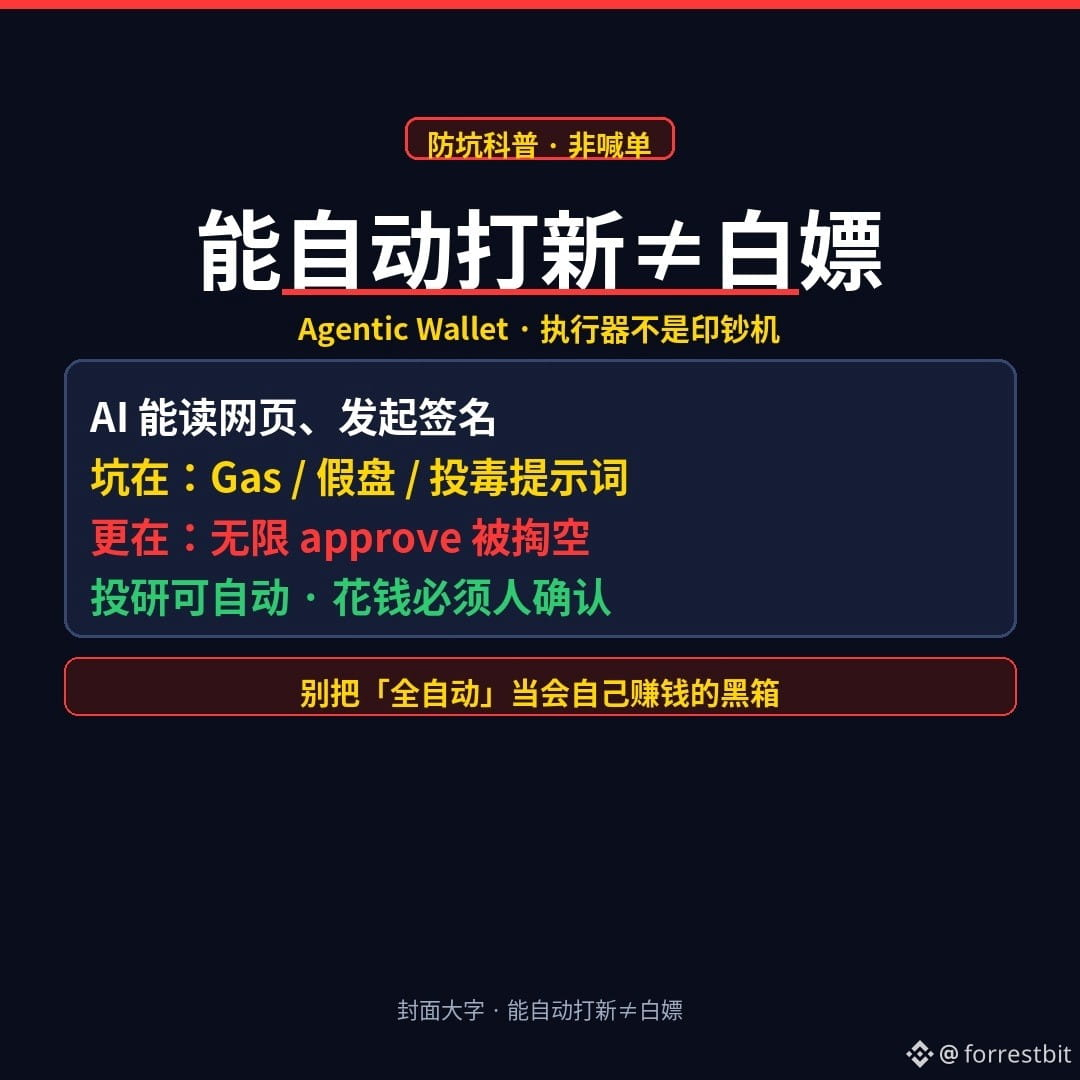
“Automatically buying new token launches” sounds tempting, but the real pitfalls usually aren’t about private keys
When people hear that “Agentic Wallet + AI” can automatically buy new token launches and conduct investment research 24/7, many think: Finally, I can make money for free without lifting a finger?
Let’s be clear.
What is an Agentic Wallet? (In plain English)
It’s not a “smarter cold wallet.” It connects an AI assistant to tasks like viewing pages, issuing instructions, and initiating signatures or transactions. The AI reads the URLs and tasks you give it, and the wallet actually executes them on-chain.
So essentially, it’s an executor with signing permissions—not a money-printing machine.
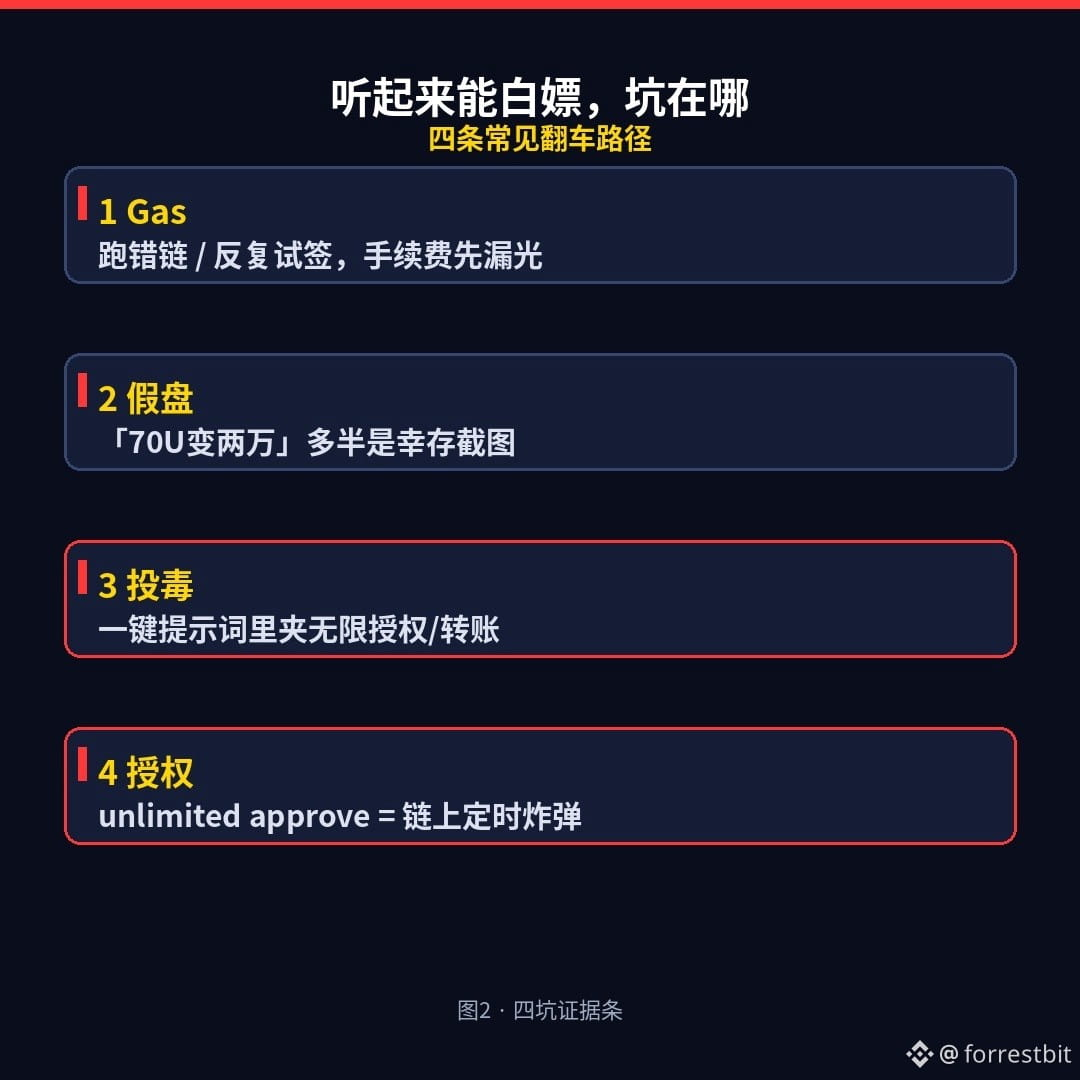
It sounds like a way to make money automatically. Where are the pitfalls?
1) Gas and fees: It won’t cover your gas fees. Use the wrong chain, keep retrying, or sign a scam project’s transactions several times, and your money starts leaking away in fees.
2) Fake projects / “100x gem” hype: Screenshots in group chats claiming “70 USDT turned into 20,000” are usually survivorship-bias examples; the people who lost everything in the same batch won’t post screenshots. If you can’t assess the depth of buyers willing to take the other side, don’t believe claims of “risk-free returns.”
3) Malicious instructions: Web pages, comments, and “one-click prompts” copied from other people may contain instructions like “grant unlimited approval / transfer to this address.” When the AI obediently follows them, you may think you’re buying a new launch, but you’re actually signing away your assets.
4) Drained through approvals (approve): When funds are drained on-chain, the classic route often isn’t a leaked seed phrase—it’s signing a transaction that lets “this contract move my tokens, with no spending limit.” That allowance stays on-chain and can be used at any time later.
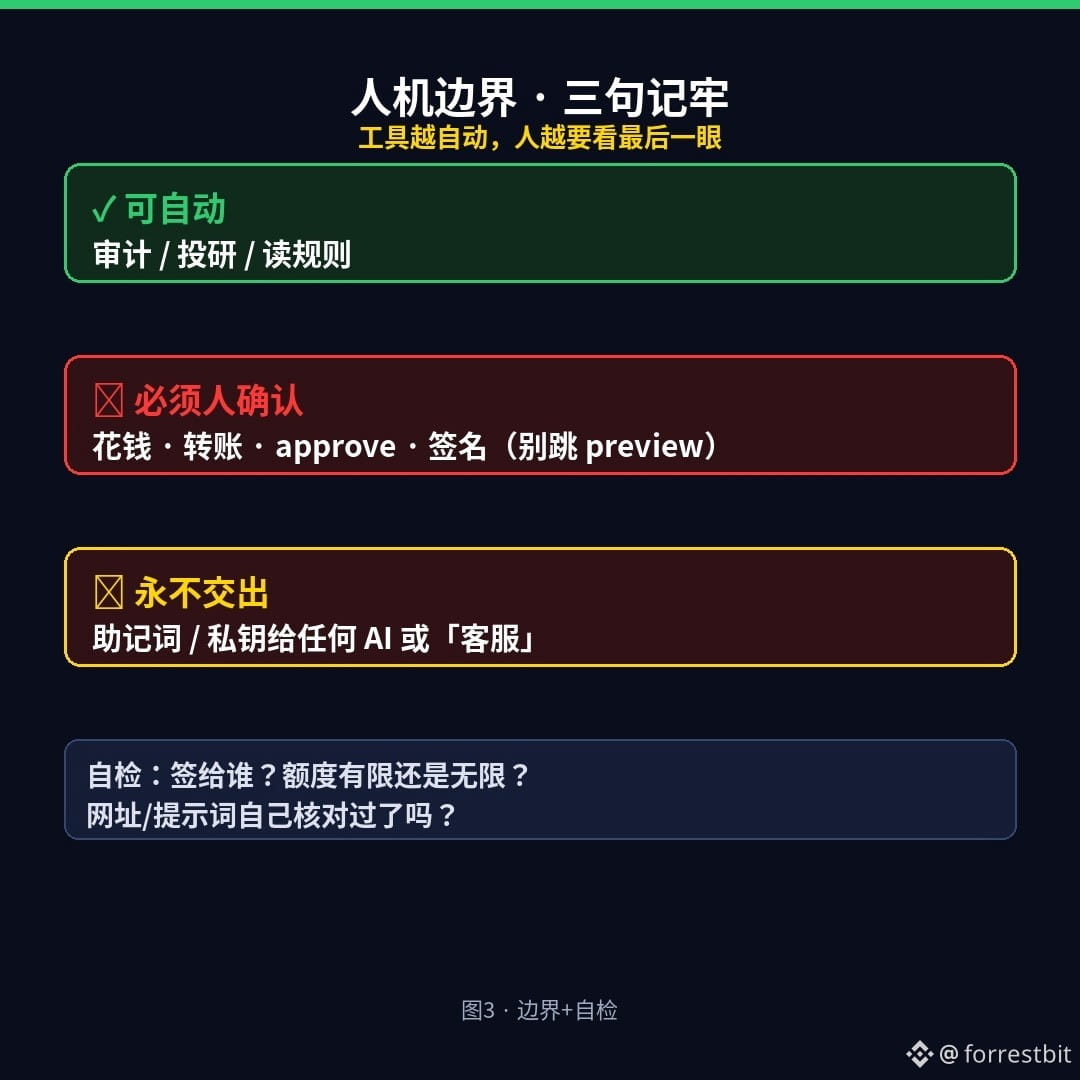
The human-machine boundary (just remember these three points)
- Auditing / investment research / reading rules: AI can automate these.
- Spending money, transferring funds, approving, signing: a human must confirm; don’t skip the preview.
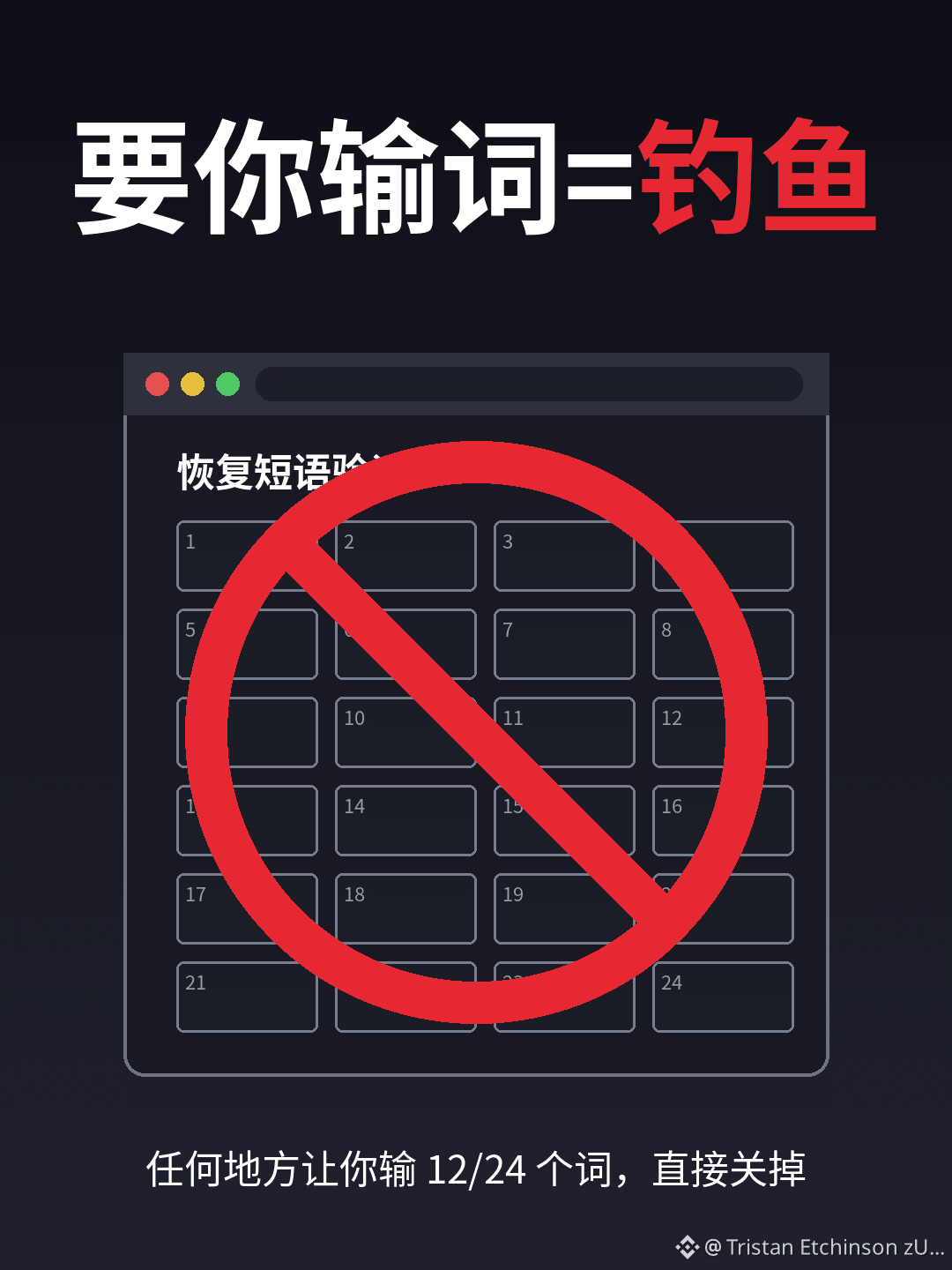
- Seed phrases / private keys: never give them to any AI, any “customer support agent,” or any tutorial bot. Even an official skill shouldn’t ask for them.
The more automated the tools become, the more important it is for you to take one last look: who are you signing for, what’s the allowance, and is it unlimited?
You don’t have to avoid using an Agentic Wallet; you just shouldn’t treat it as a “black box that makes money on its own.”
Reader self-check (run through this before posting)
□ Can I explain which contract I’m signing this time? Is the allowance limited or unlimited?
□ Did I open and verify the prompt/URL myself, rather than pasting it from a group chat?
□ If I only need investment research: have I disabled or rejected automatic spending and kept it read-only?
Which worries you more: A) a fake token-launch page tricking you into granting unlimited approval, or B) an “all-automatic” process burning through all your gas? Pick one in the comments (don’t post your seed phrase).
(For educational purposes only; not investment advice. I don’t trade or give token calls. This content was generated with AI assistance and edited by a human.)
$BTC
#加密安全 #AgenticWallet #Web3Education
“Automatically buying new token launches” sounds tempting, but the real pitfalls usually aren’t about private keys
When people hear that “Agentic Wallet + AI” can automatically buy new token launches and conduct investment research 24/7, many think: Finally, I can make money for free without lifting a finger?
Let’s be clear.
What is an Agentic Wallet? (In plain English)
It’s not a “smarter cold wallet.” It connects an AI assistant to tasks like viewing pages, issuing instructions, and initiating signatures or transactions. The AI reads the URLs and tasks you give it, and the wallet actually executes them on-chain.
So essentially, it’s an executor with signing permissions—not a money-printing machine.
It sounds like a way to make money automatically. Where are the pitfalls?
1) Gas and fees: It won’t cover your gas fees. Use the wrong chain, keep retrying, or sign a scam project’s transactions several times, and your money starts leaking away in fees.
2) Fake projects / “100x gem” hype: Screenshots in group chats claiming “70 USDT turned into 20,000” are usually survivorship-bias examples; the people who lost everything in the same batch won’t post screenshots. If you can’t assess the depth of buyers willing to take the other side, don’t believe claims of “risk-free returns.”
3) Malicious instructions: Web pages, comments, and “one-click prompts” copied from other people may contain instructions like “grant unlimited approval / transfer to this address.” When the AI obediently follows them, you may think you’re buying a new launch, but you’re actually signing away your assets.
4) Drained through approvals (approve): When funds are drained on-chain, the classic route often isn’t a leaked seed phrase—it’s signing a transaction that lets “this contract move my tokens, with no spending limit.” That allowance stays on-chain and can be used at any time later.
The human-machine boundary (just remember these three points)
- Auditing / investment research / reading rules: AI can automate these.
- Spending money, transferring funds, approving, signing: a human must confirm; don’t skip the preview.
- Seed phrases / private keys: never give them to any AI, any “customer support agent,” or any tutorial bot. Even an official skill shouldn’t ask for them.
The more automated the tools become, the more important it is for you to take one last look: who are you signing for, what’s the allowance, and is it unlimited?
You don’t have to avoid using an Agentic Wallet; you just shouldn’t treat it as a “black box that makes money on its own.”
Reader self-check (run through this before posting)
□ Can I explain which contract I’m signing this time? Is the allowance limited or unlimited?
□ Did I open and verify the prompt/URL myself, rather than pasting it from a group chat?
□ If I only need investment research: have I disabled or rejected automatic spending and kept it read-only?
Which worries you more: A) a fake token-launch page tricking you into granting unlimited approval, or B) an “all-automatic” process burning through all your gas? Pick one in the comments (don’t post your seed phrase).
(For educational purposes only; not investment advice. I don’t trade or give token calls. This content was generated with AI assistance and edited by a human.)
$BTC
#加密安全 #AgenticWallet #Web3Education
When people hear that “Agentic Wallet + AI” can automatically buy new token launches and conduct investment research 24/7, many think: Finally, I can make money for free without lifting a finger?
Let’s be clear.
What is an Agentic Wallet? (In plain English)
It’s not a “smarter cold wallet.” It connects an AI assistant to tasks like viewing pages, issuing instructions, and initiating signatures or transactions. The AI reads the URLs and tasks you give it, and the wallet actually executes them on-chain.
So essentially, it’s an executor with signing permissions—not a money-printing machine.
It sounds like a way to make money automatically. Where are the pitfalls?
1) Gas and fees: It won’t cover your gas fees. Use the wrong chain, keep retrying, or sign a scam project’s transactions several times, and your money starts leaking away in fees.
2) Fake projects / “100x gem” hype: Screenshots in group chats claiming “70 USDT turned into 20,000” are usually survivorship-bias examples; the people who lost everything in the same batch won’t post screenshots. If you can’t assess the depth of buyers willing to take the other side, don’t believe claims of “risk-free returns.”
3) Malicious instructions: Web pages, comments, and “one-click prompts” copied from other people may contain instructions like “grant unlimited approval / transfer to this address.” When the AI obediently follows them, you may think you’re buying a new launch, but you’re actually signing away your assets.
4) Drained through approvals (approve): When funds are drained on-chain, the classic route often isn’t a leaked seed phrase—it’s signing a transaction that lets “this contract move my tokens, with no spending limit.” That allowance stays on-chain and can be used at any time later.
The human-machine boundary (just remember these three points)
- Auditing / investment research / reading rules: AI can automate these.
- Spending money, transferring funds, approving, signing: a human must confirm; don’t skip the preview.
- Seed phrases / private keys: never give them to any AI, any “customer support agent,” or any tutorial bot. Even an official skill shouldn’t ask for them.
The more automated the tools become, the more important it is for you to take one last look: who are you signing for, what’s the allowance, and is it unlimited?
You don’t have to avoid using an Agentic Wallet; you just shouldn’t treat it as a “black box that makes money on its own.”
Reader self-check (run through this before posting)
□ Can I explain which contract I’m signing this time? Is the allowance limited or unlimited?
□ Did I open and verify the prompt/URL myself, rather than pasting it from a group chat?
□ If I only need investment research: have I disabled or rejected automatic spending and kept it read-only?
Which worries you more: A) a fake token-launch page tricking you into granting unlimited approval, or B) an “all-automatic” process burning through all your gas? Pick one in the comments (don’t post your seed phrase).
(For educational purposes only; not investment advice. I don’t trade or give token calls. This content was generated with AI assistance and edited by a human.)
$BTC
#加密安全 #AgenticWallet #Web3Education
116
·
--
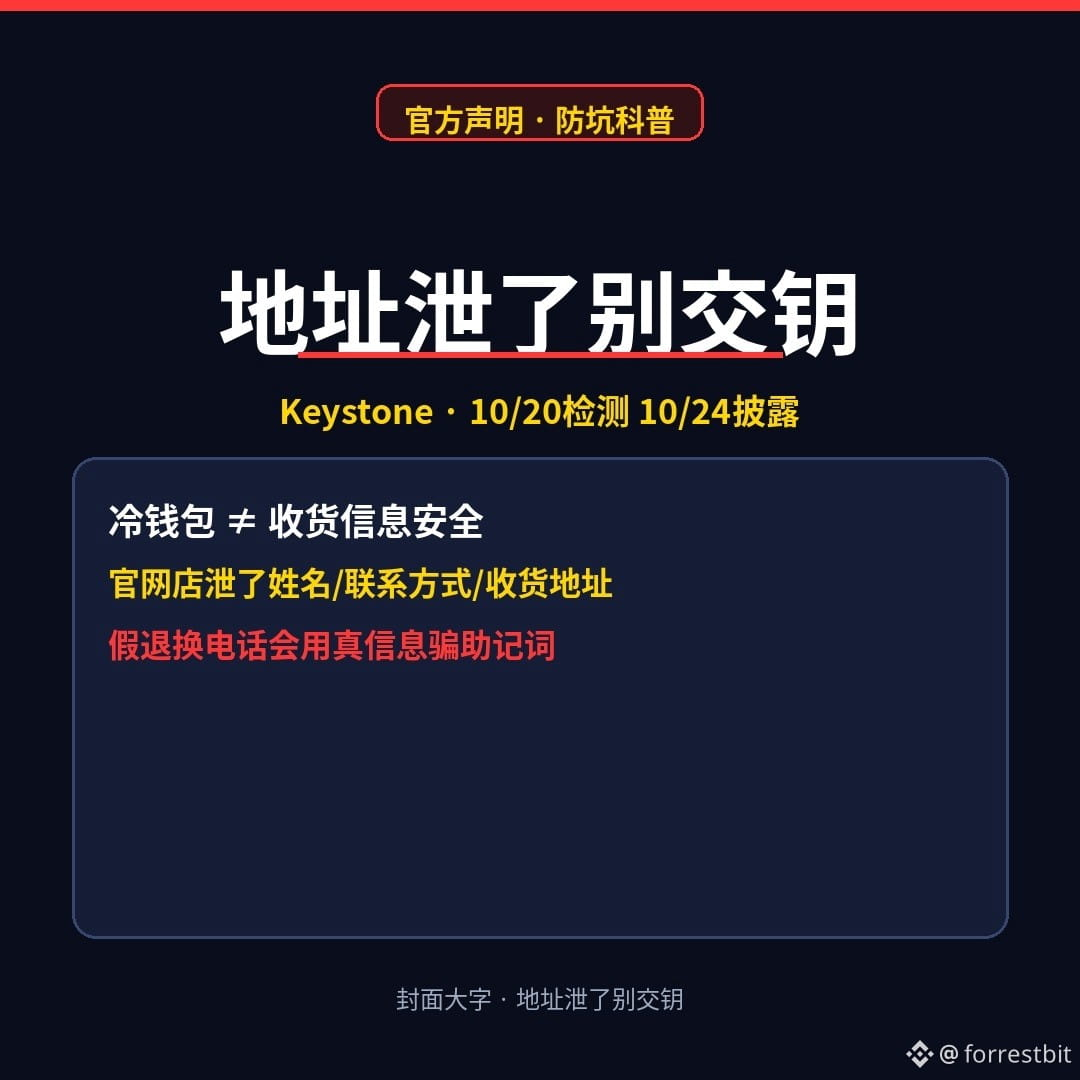
Keystone’s website leaked shipping addresses—would you hand over your seed phrase to a “official returns” phone call?
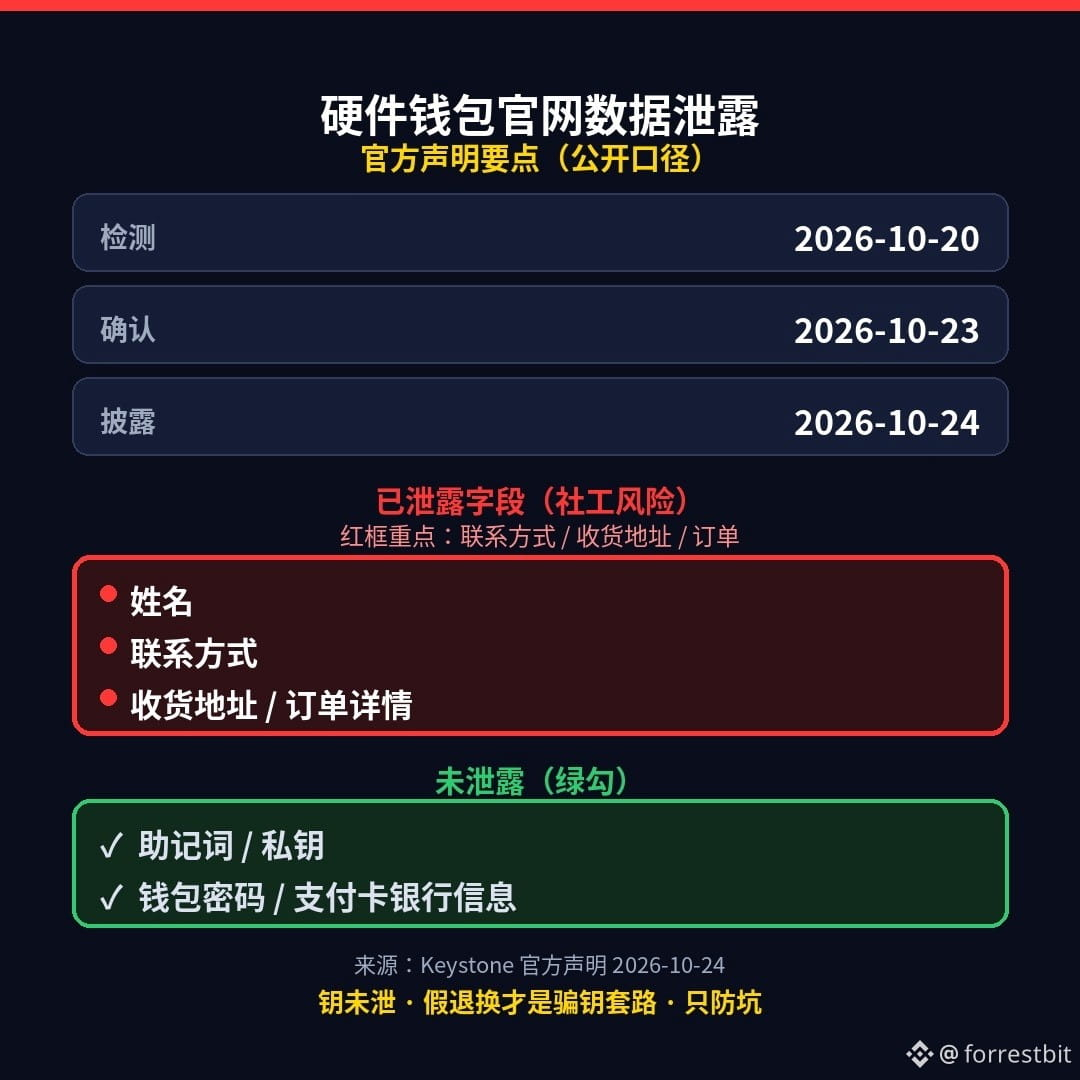
Public statement: Hardware wallet maker Keystone disclosed around 2026-10-24 that its online store data had been compromised. The issue was detected on 10/20 and confirmed on 10/23. Leaked: names, contact information, shipping addresses, and order details. Not leaked: payment card or bank information, seed phrases, private keys, or wallet passwords.
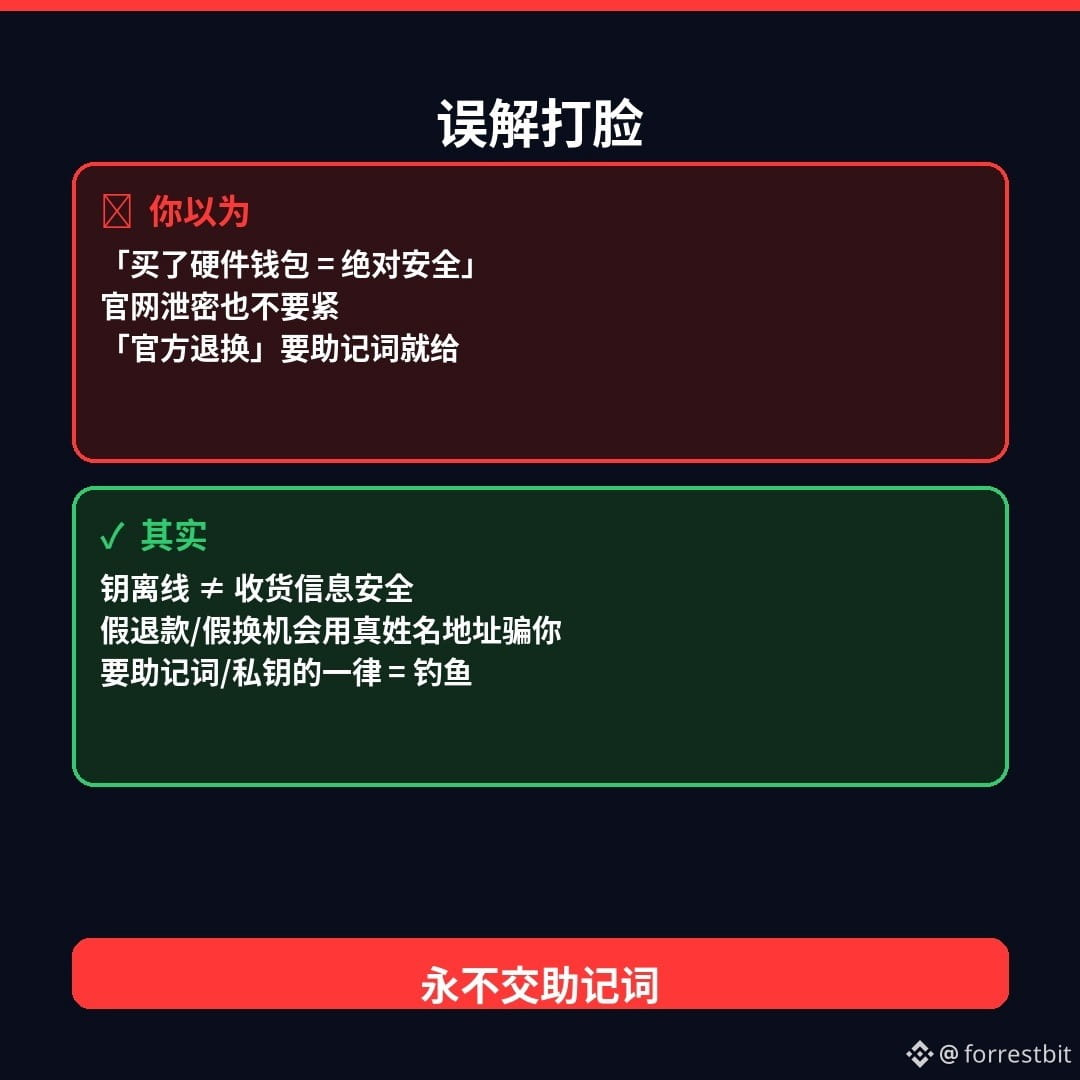
Many people think “buying a hardware wallet means you’re completely safe”—here’s the reality check: your keys can be kept offline, but your shipping information from the online store can still be leaked. Fake refund calls, fake replacement offers, and fake customer service numbers may use your real name and address to trick you into revealing your seed phrase. The golden rule is simple: any phone call, delivery link, or webpage that asks for your seed phrase or private key is phishing.
Three things you can do tonight:
1) If someone claiming to be from “official returns/refunds” calls and asks for your seed phrase → hang up, and verify through official channels you’ve saved yourself
2) Don’t click unfamiliar delivery or text-message links offering to “send you a replacement device”
3) Keep your seed phrase only on offline media; never say it aloud or photograph and send it to anyone
Risk notice: The dates and list of affected data fields are based on Keystone’s official statement and public reporting. Please check the latest information before posting. This is not investment advice. No coin recommendations or calls to trade. This content was generated with AI assistance and edited by a human.
Which worries you more: a call about an “official refund” or a delivery link offering to “send you a replacement device”? Pick one in the comments (and never post your seed phrase or private key).
$BTC
#加密安全 #硬件钱包 #Web3Education
Keystone’s website leaked shipping addresses—would you hand over your seed phrase to a “official returns” phone call?
Public statement: Hardware wallet maker Keystone disclosed around 2026-10-24 that its online store data had been compromised. The issue was detected on 10/20 and confirmed on 10/23. Leaked: names, contact information, shipping addresses, and order details. Not leaked: payment card or bank information, seed phrases, private keys, or wallet passwords.
Many people think “buying a hardware wallet means you’re completely safe”—here’s the reality check: your keys can be kept offline, but your shipping information from the online store can still be leaked. Fake refund calls, fake replacement offers, and fake customer service numbers may use your real name and address to trick you into revealing your seed phrase. The golden rule is simple: any phone call, delivery link, or webpage that asks for your seed phrase or private key is phishing.
Three things you can do tonight:
1) If someone claiming to be from “official returns/refunds” calls and asks for your seed phrase → hang up, and verify through official channels you’ve saved yourself
2) Don’t click unfamiliar delivery or text-message links offering to “send you a replacement device”
3) Keep your seed phrase only on offline media; never say it aloud or photograph and send it to anyone
Risk notice: The dates and list of affected data fields are based on Keystone’s official statement and public reporting. Please check the latest information before posting. This is not investment advice. No coin recommendations or calls to trade. This content was generated with AI assistance and edited by a human.
Which worries you more: a call about an “official refund” or a delivery link offering to “send you a replacement device”? Pick one in the comments (and never post your seed phrase or private key).
$BTC
#加密安全 #硬件钱包 #Web3Education
Public statement: Hardware wallet maker Keystone disclosed around 2026-10-24 that its online store data had been compromised. The issue was detected on 10/20 and confirmed on 10/23. Leaked: names, contact information, shipping addresses, and order details. Not leaked: payment card or bank information, seed phrases, private keys, or wallet passwords.
Many people think “buying a hardware wallet means you’re completely safe”—here’s the reality check: your keys can be kept offline, but your shipping information from the online store can still be leaked. Fake refund calls, fake replacement offers, and fake customer service numbers may use your real name and address to trick you into revealing your seed phrase. The golden rule is simple: any phone call, delivery link, or webpage that asks for your seed phrase or private key is phishing.
Three things you can do tonight:
1) If someone claiming to be from “official returns/refunds” calls and asks for your seed phrase → hang up, and verify through official channels you’ve saved yourself
2) Don’t click unfamiliar delivery or text-message links offering to “send you a replacement device”
3) Keep your seed phrase only on offline media; never say it aloud or photograph and send it to anyone
Risk notice: The dates and list of affected data fields are based on Keystone’s official statement and public reporting. Please check the latest information before posting. This is not investment advice. No coin recommendations or calls to trade. This content was generated with AI assistance and edited by a human.
Which worries you more: a call about an “official refund” or a delivery link offering to “send you a replacement device”? Pick one in the comments (and never post your seed phrase or private key).
$BTC
#加密安全 #硬件钱包 #Web3Education
1
175
·
--
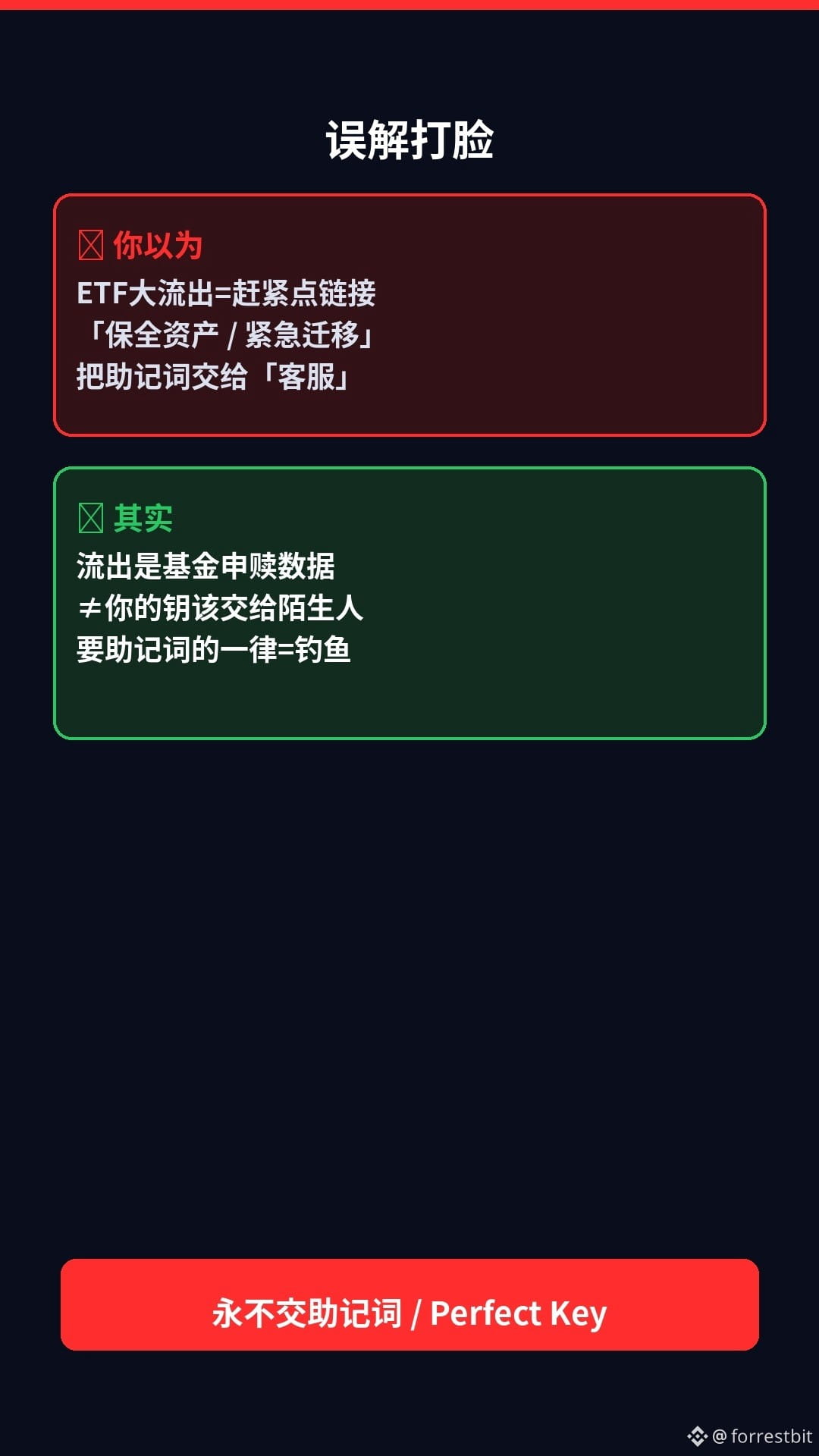
ETFs saw over $600 million in outflows in a single day—would you hand your recovery phrase to a DM claiming to “secure your assets”?
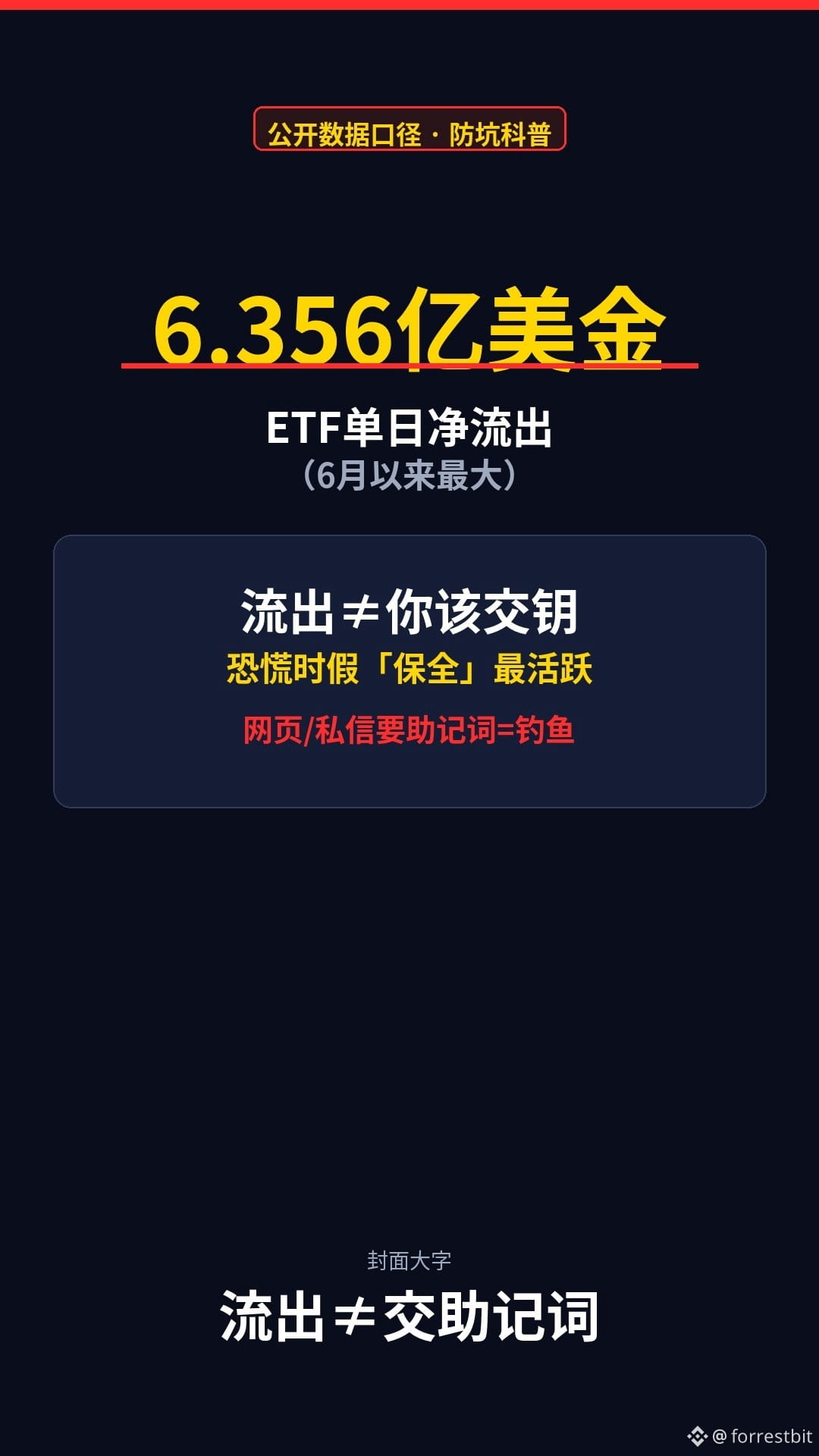
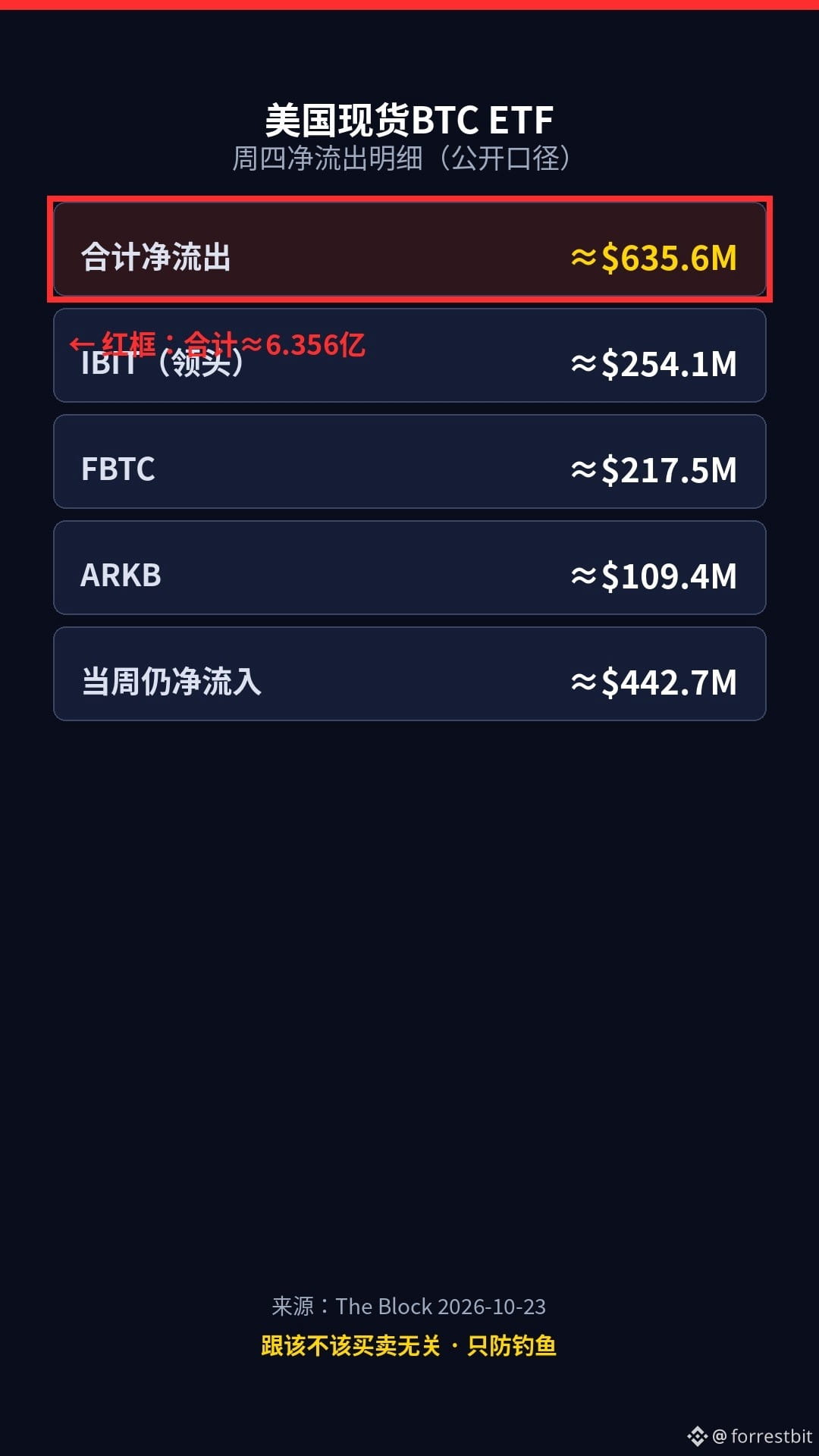
Publicly reported figures: U.S. spot Bitcoin ETFs saw net outflows of around $635.6 million on Thursday ($635.6M), reportedly their largest single-day outflow since June. IBIT led the way, with about $254 million in outflows. A lot of people panic when they see “massive outflows”—but here’s the reality check: redemption data ≠ a reason to hand your keys to someone offering “emergency asset protection.”
During periods of panic, fake customer support, fake “asset transfers,” and scam DMs often surge at the same time. The golden rule is simple: any link, phone call, or website asking for your recovery phrase or Perfect Key = phishing.
Three things you can do tonight:
1) Don’t click unfamiliar links offering to “secure” or “transfer” your assets.
2) Check data only through bookmarks you saved yourself or official apps.
3) If someone calls asking for your recovery phrase → hang up and verify through official channels.
Risk warning: These figures are based on public reports about ETF flows. Please check the latest figures before posting. This is not investment advice. No coin recommendations or trading calls. This content was generated with AI assistance and edited by a human.
When prices fall, what worries you more: accidentally clicking a “secure your assets” link, or getting a call from fake customer support? Pick one in the comments (and never post your recovery phrase or private key).
$BTC $IBIT
#加密安全 #钱包安全 #Web3Education
ETFs saw over $600 million in outflows in a single day—would you hand your recovery phrase to a DM claiming to “secure your assets”?
Publicly reported figures: U.S. spot Bitcoin ETFs saw net outflows of around $635.6 million on Thursday ($635.6M), reportedly their largest single-day outflow since June. IBIT led the way, with about $254 million in outflows. A lot of people panic when they see “massive outflows”—but here’s the reality check: redemption data ≠ a reason to hand your keys to someone offering “emergency asset protection.”
During periods of panic, fake customer support, fake “asset transfers,” and scam DMs often surge at the same time. The golden rule is simple: any link, phone call, or website asking for your recovery phrase or Perfect Key = phishing.
Three things you can do tonight:
1) Don’t click unfamiliar links offering to “secure” or “transfer” your assets.
2) Check data only through bookmarks you saved yourself or official apps.
3) If someone calls asking for your recovery phrase → hang up and verify through official channels.
Risk warning: These figures are based on public reports about ETF flows. Please check the latest figures before posting. This is not investment advice. No coin recommendations or trading calls. This content was generated with AI assistance and edited by a human.
When prices fall, what worries you more: accidentally clicking a “secure your assets” link, or getting a call from fake customer support? Pick one in the comments (and never post your recovery phrase or private key).
$BTC $IBIT
#加密安全 #钱包安全 #Web3Education
Publicly reported figures: U.S. spot Bitcoin ETFs saw net outflows of around $635.6 million on Thursday ($635.6M), reportedly their largest single-day outflow since June. IBIT led the way, with about $254 million in outflows. A lot of people panic when they see “massive outflows”—but here’s the reality check: redemption data ≠ a reason to hand your keys to someone offering “emergency asset protection.”
During periods of panic, fake customer support, fake “asset transfers,” and scam DMs often surge at the same time. The golden rule is simple: any link, phone call, or website asking for your recovery phrase or Perfect Key = phishing.
Three things you can do tonight:
1) Don’t click unfamiliar links offering to “secure” or “transfer” your assets.
2) Check data only through bookmarks you saved yourself or official apps.
3) If someone calls asking for your recovery phrase → hang up and verify through official channels.
Risk warning: These figures are based on public reports about ETF flows. Please check the latest figures before posting. This is not investment advice. No coin recommendations or trading calls. This content was generated with AI assistance and edited by a human.
When prices fall, what worries you more: accidentally clicking a “secure your assets” link, or getting a call from fake customer support? Pick one in the comments (and never post your recovery phrase or private key).
$BTC $IBIT
#加密安全 #钱包安全 #Web3Education
1
55
·
--
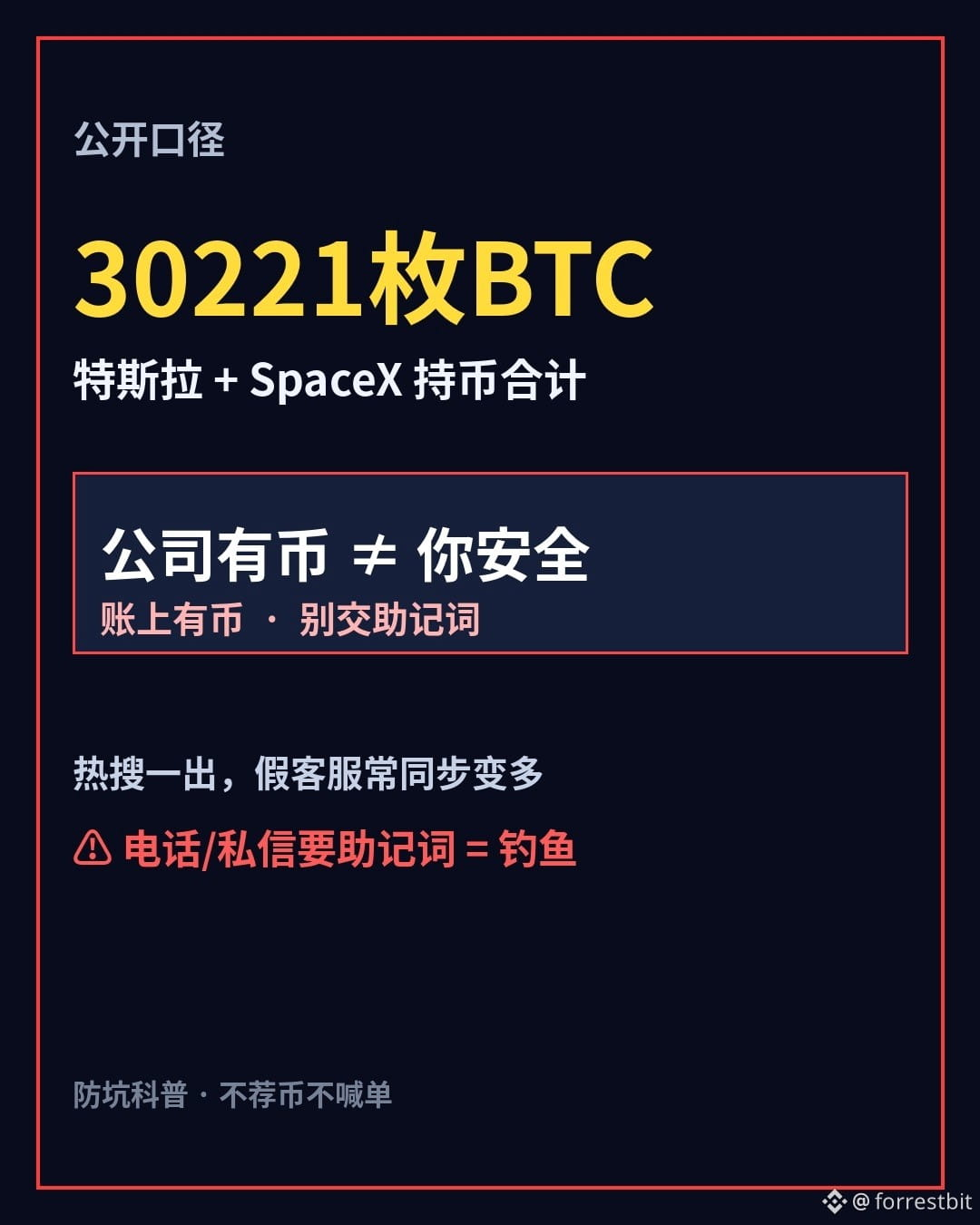
Musk’s two companies hold a combined 30,000 BTC—would you trust your seed phrase to “trending-topic customer support”?
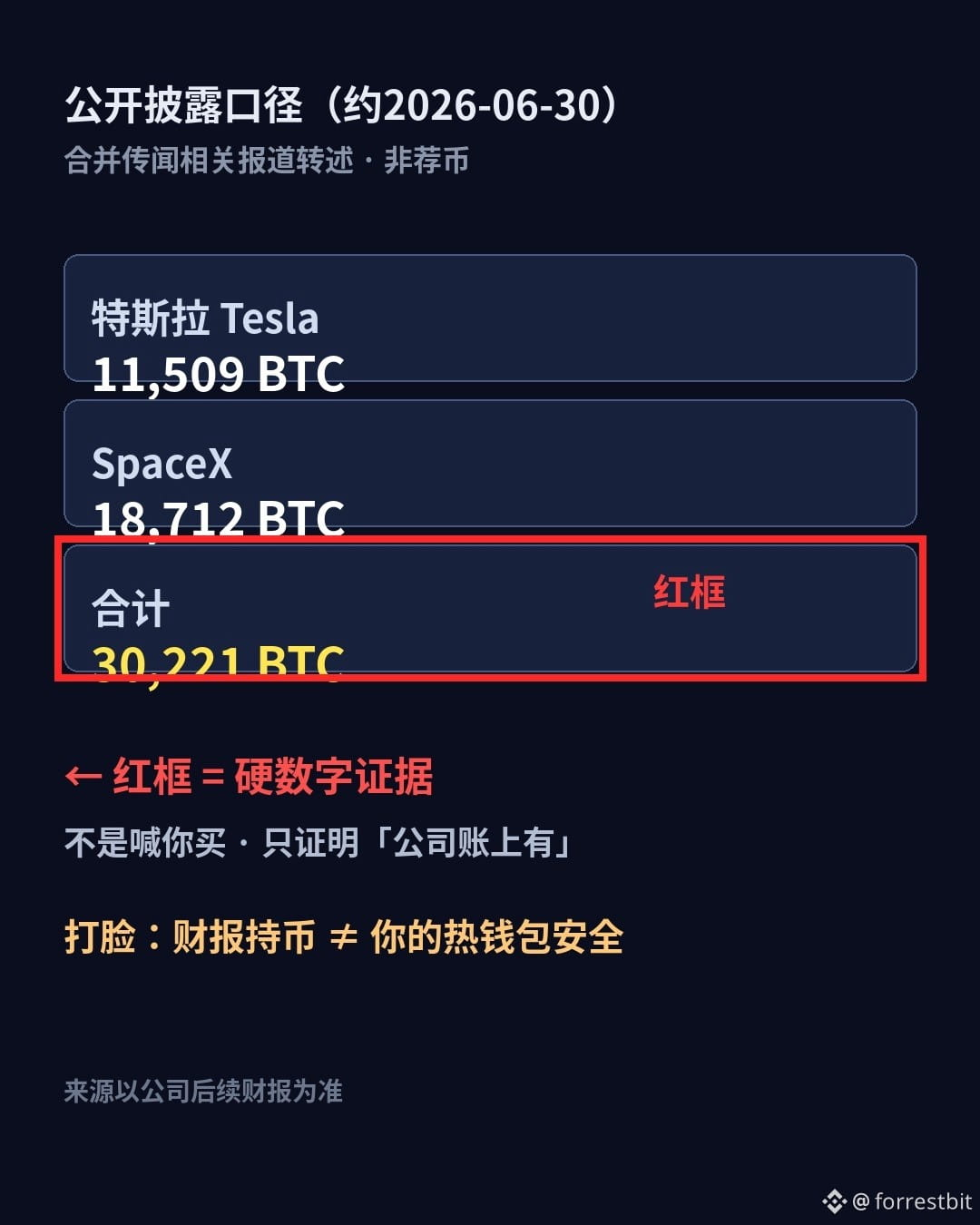
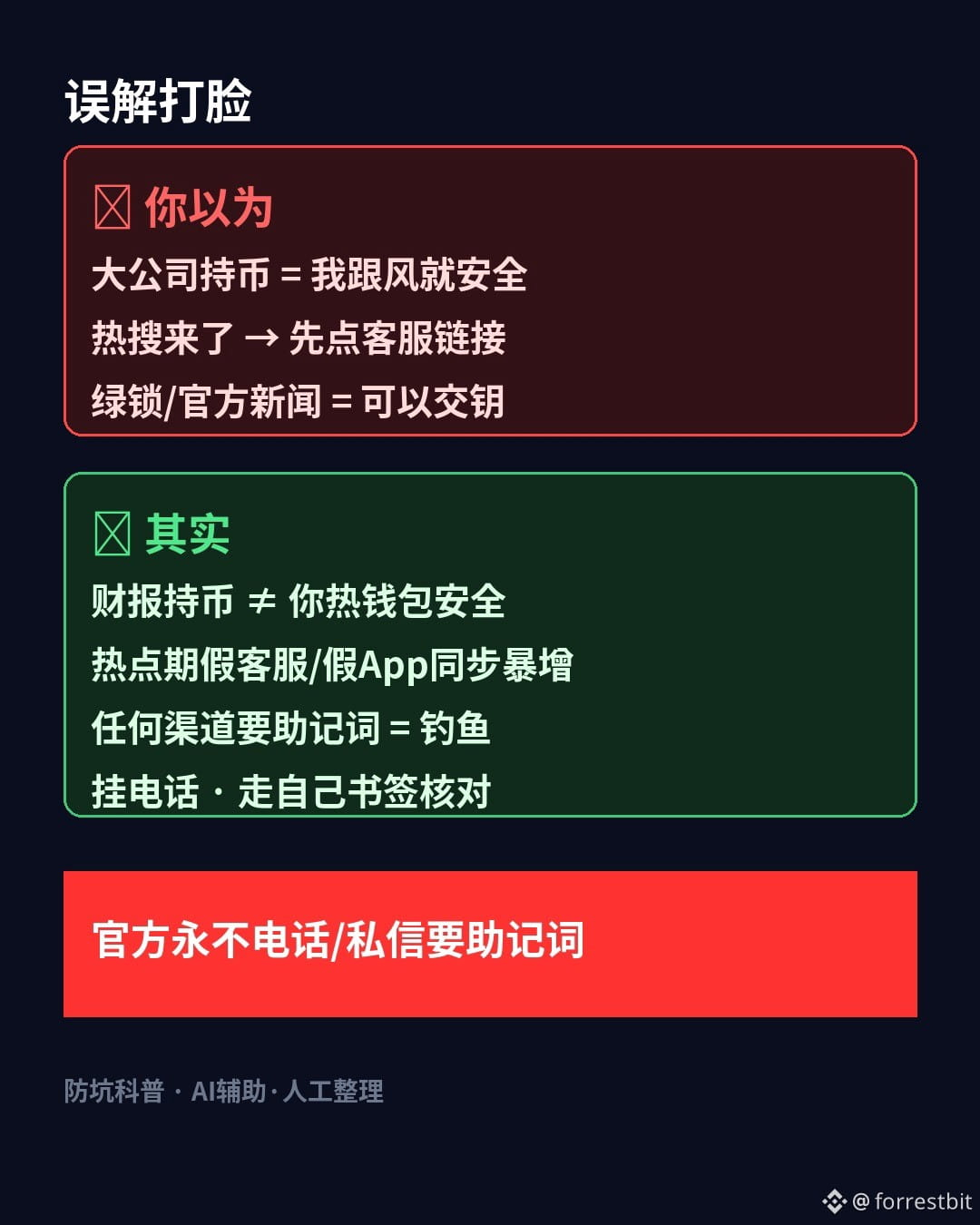
Based on figures cited in public reports: Tesla holds about 11,509 + SpaceX about 18,712 ≈ 30,221 BTC (disclosed around 2026-06-30; the merger is still under discussion, and terms have not been finalized). When people see that “a big company really is holding onto it,” they let their guard down—but here’s the reality check: a company holding crypto on its balance sheet ≠ your hot wallet being safe.
When a topic starts trending, fake support agents, fake apps, and fake verification links often multiply too. The golden rule is simple: any call, DM, or webpage asking for your seed phrase or “Perfect Key” is phishing.
Three things you can do tonight:
1) Don’t click unfamiliar “support/airdrop/merger registration” links under trending topics
2) Check announcements only through the official app or bookmarks you saved yourself
3) If you get a call asking for your seed phrase → hang up and verify through an official channel
Risk notice: The holdings figures are based on public reports relaying disclosures; refer to the companies’ future financial reports. The merger has not been finalized. This is not a coin recommendation or a call to trade. This content was created with AI assistance and edited by a human.
When a topic is trending, are you more worried about clicking the wrong link or getting a fake customer-service call? Pick one in the comments (never post your seed phrase/private key).
$BTC $TSLA
#加密安全 #钱包安全 #Web3 Education
Musk’s two companies hold a combined 30,000 BTC—would you trust your seed phrase to “trending-topic customer support”?
Based on figures cited in public reports: Tesla holds about 11,509 + SpaceX about 18,712 ≈ 30,221 BTC (disclosed around 2026-06-30; the merger is still under discussion, and terms have not been finalized). When people see that “a big company really is holding onto it,” they let their guard down—but here’s the reality check: a company holding crypto on its balance sheet ≠ your hot wallet being safe.
When a topic starts trending, fake support agents, fake apps, and fake verification links often multiply too. The golden rule is simple: any call, DM, or webpage asking for your seed phrase or “Perfect Key” is phishing.
Three things you can do tonight:
1) Don’t click unfamiliar “support/airdrop/merger registration” links under trending topics
2) Check announcements only through the official app or bookmarks you saved yourself
3) If you get a call asking for your seed phrase → hang up and verify through an official channel
Risk notice: The holdings figures are based on public reports relaying disclosures; refer to the companies’ future financial reports. The merger has not been finalized. This is not a coin recommendation or a call to trade. This content was created with AI assistance and edited by a human.
When a topic is trending, are you more worried about clicking the wrong link or getting a fake customer-service call? Pick one in the comments (never post your seed phrase/private key).
$BTC $TSLA
#加密安全 #钱包安全 #Web3 Education
Based on figures cited in public reports: Tesla holds about 11,509 + SpaceX about 18,712 ≈ 30,221 BTC (disclosed around 2026-06-30; the merger is still under discussion, and terms have not been finalized). When people see that “a big company really is holding onto it,” they let their guard down—but here’s the reality check: a company holding crypto on its balance sheet ≠ your hot wallet being safe.
When a topic starts trending, fake support agents, fake apps, and fake verification links often multiply too. The golden rule is simple: any call, DM, or webpage asking for your seed phrase or “Perfect Key” is phishing.
Three things you can do tonight:
1) Don’t click unfamiliar “support/airdrop/merger registration” links under trending topics
2) Check announcements only through the official app or bookmarks you saved yourself
3) If you get a call asking for your seed phrase → hang up and verify through an official channel
Risk notice: The holdings figures are based on public reports relaying disclosures; refer to the companies’ future financial reports. The merger has not been finalized. This is not a coin recommendation or a call to trade. This content was created with AI assistance and edited by a human.
When a topic is trending, are you more worried about clicking the wrong link or getting a fake customer-service call? Pick one in the comments (never post your seed phrase/private key).
$BTC $TSLA
#加密安全 #钱包安全 #Web3 Education
2
184
·
--
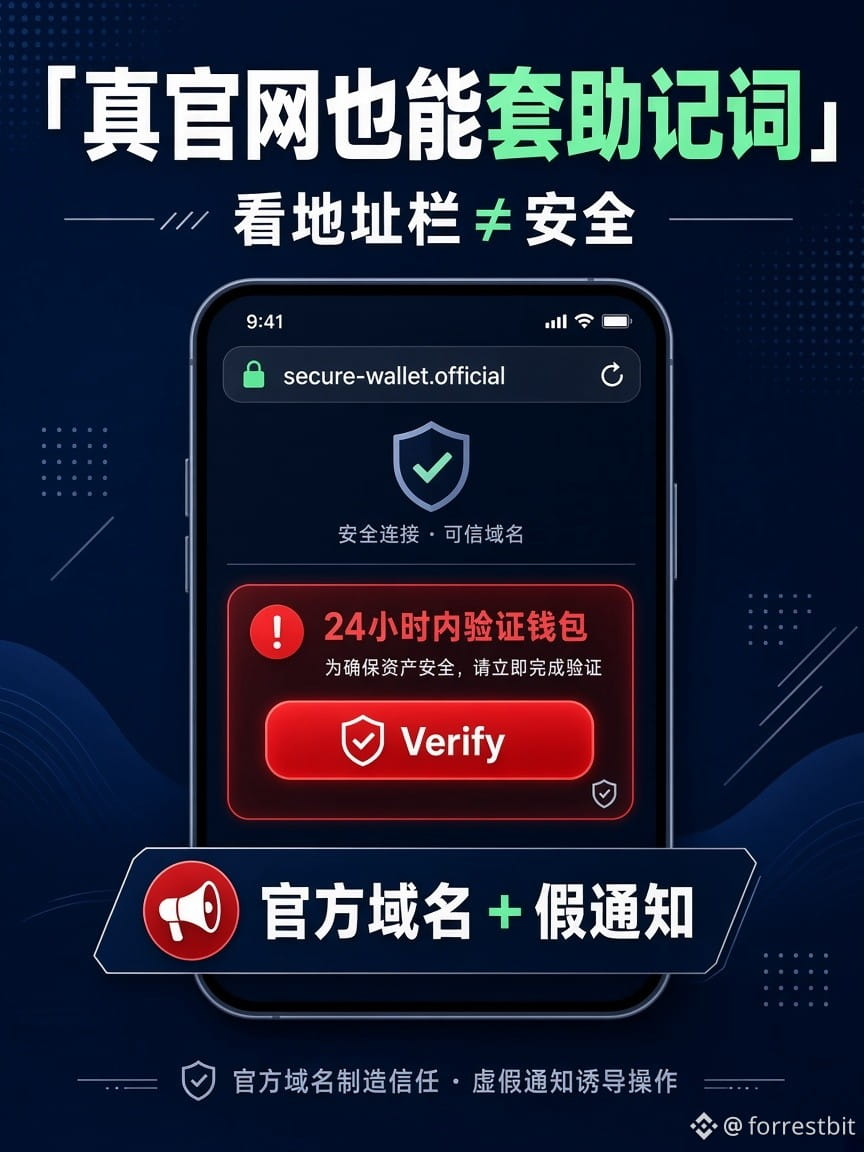
The address bar looks official, and there’s a green lock—would you dare enter your recovery phrase on a webpage?
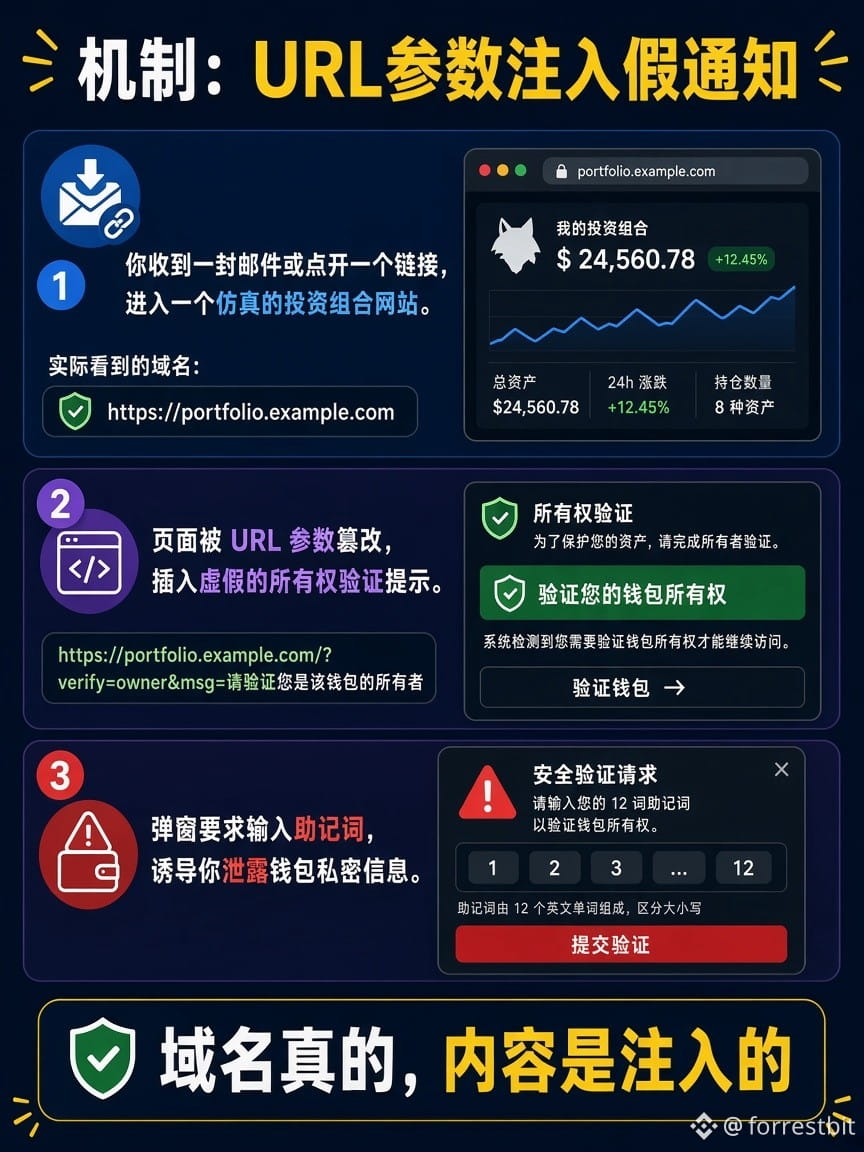
Many people think taking a quick look at the domain is enough. This week proved otherwise: a phishing email linked to the real MetaMask Portfolio domain, used URL parameters to inject a fake “Verify within 24 hours or your account will be disabled” notice, and then asked users to enter their recovery phrase. The issue was reportedly fixed around 10/15–10/19.
The golden rule: If any webpage (even an official one) asks for your recovery phrase, it’s phishing. The green lock only proves you’re connected to that domain; it doesn’t prove that every line on the screen was written by the official site.
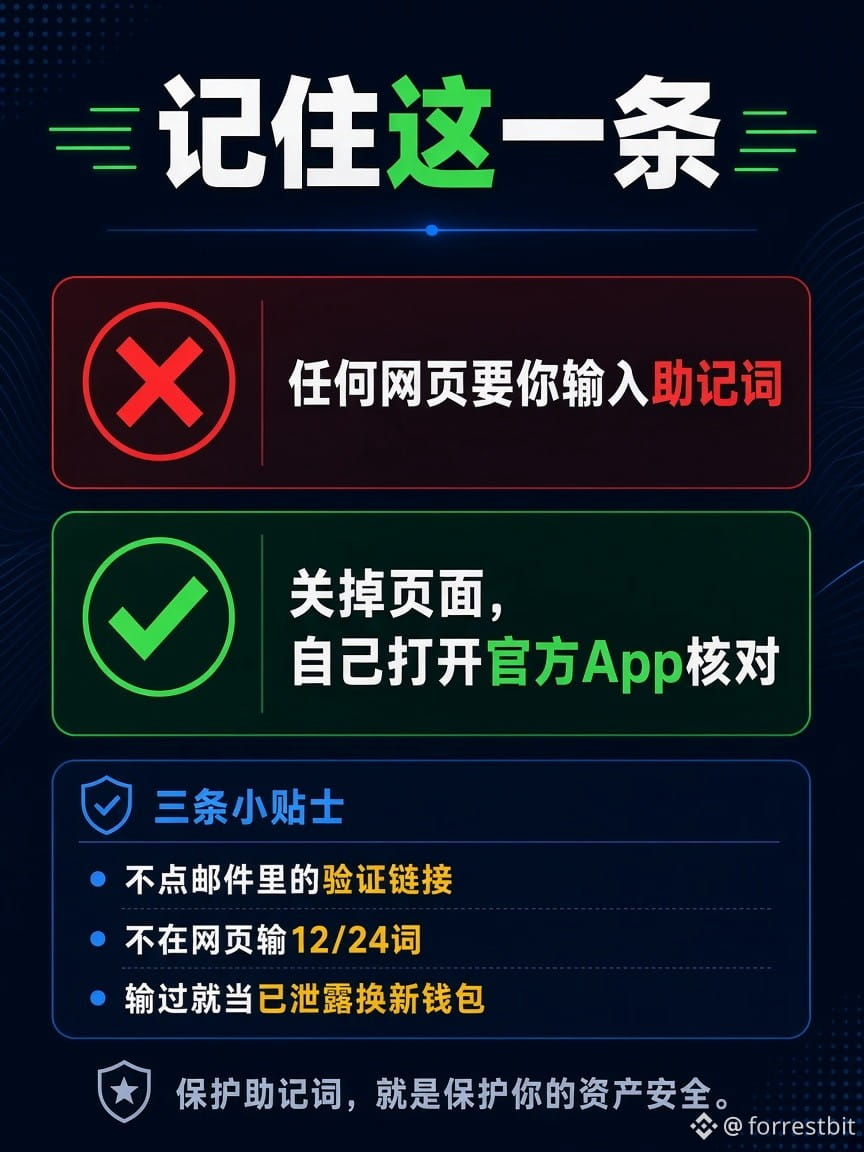
Three things you can do tonight:
1) Never click “verify/restore wallet” links in emails, DMs, or group messages.
2) Check announcements only through the official app or your bookmarks—don’t follow links.
3) If you’ve entered your recovery phrase on a webpage, assume it’s compromised. Create a new wallet with a new recovery phrase and move your assets.
Risk note: The incident timeline is based on a public security review; refer to the official follow-up for the definitive account. No coin recommendations or trading signals. This content was AI-assisted and edited by a human.
Have you ever fallen for a link that “looked like the official site”? Tell us in the comments how you checked it (and never post your recovery phrase).
$BTC $ETH
#加密安全 #防钓鱼 #WalletSecurity
The address bar looks official, and there’s a green lock—would you dare enter your recovery phrase on a webpage?
Many people think taking a quick look at the domain is enough. This week proved otherwise: a phishing email linked to the real MetaMask Portfolio domain, used URL parameters to inject a fake “Verify within 24 hours or your account will be disabled” notice, and then asked users to enter their recovery phrase. The issue was reportedly fixed around 10/15–10/19.
The golden rule: If any webpage (even an official one) asks for your recovery phrase, it’s phishing. The green lock only proves you’re connected to that domain; it doesn’t prove that every line on the screen was written by the official site.
Three things you can do tonight:
1) Never click “verify/restore wallet” links in emails, DMs, or group messages.
2) Check announcements only through the official app or your bookmarks—don’t follow links.
3) If you’ve entered your recovery phrase on a webpage, assume it’s compromised. Create a new wallet with a new recovery phrase and move your assets.
Risk note: The incident timeline is based on a public security review; refer to the official follow-up for the definitive account. No coin recommendations or trading signals. This content was AI-assisted and edited by a human.
Have you ever fallen for a link that “looked like the official site”? Tell us in the comments how you checked it (and never post your recovery phrase).
$BTC $ETH
#加密安全 #防钓鱼 #WalletSecurity
Many people think taking a quick look at the domain is enough. This week proved otherwise: a phishing email linked to the real MetaMask Portfolio domain, used URL parameters to inject a fake “Verify within 24 hours or your account will be disabled” notice, and then asked users to enter their recovery phrase. The issue was reportedly fixed around 10/15–10/19.
The golden rule: If any webpage (even an official one) asks for your recovery phrase, it’s phishing. The green lock only proves you’re connected to that domain; it doesn’t prove that every line on the screen was written by the official site.
Three things you can do tonight:
1) Never click “verify/restore wallet” links in emails, DMs, or group messages.
2) Check announcements only through the official app or your bookmarks—don’t follow links.
3) If you’ve entered your recovery phrase on a webpage, assume it’s compromised. Create a new wallet with a new recovery phrase and move your assets.
Risk note: The incident timeline is based on a public security review; refer to the official follow-up for the definitive account. No coin recommendations or trading signals. This content was AI-assisted and edited by a human.
Have you ever fallen for a link that “looked like the official site”? Tell us in the comments how you checked it (and never post your recovery phrase).
$BTC $ETH
#加密安全 #防钓鱼 #WalletSecurity
1
318
·
--
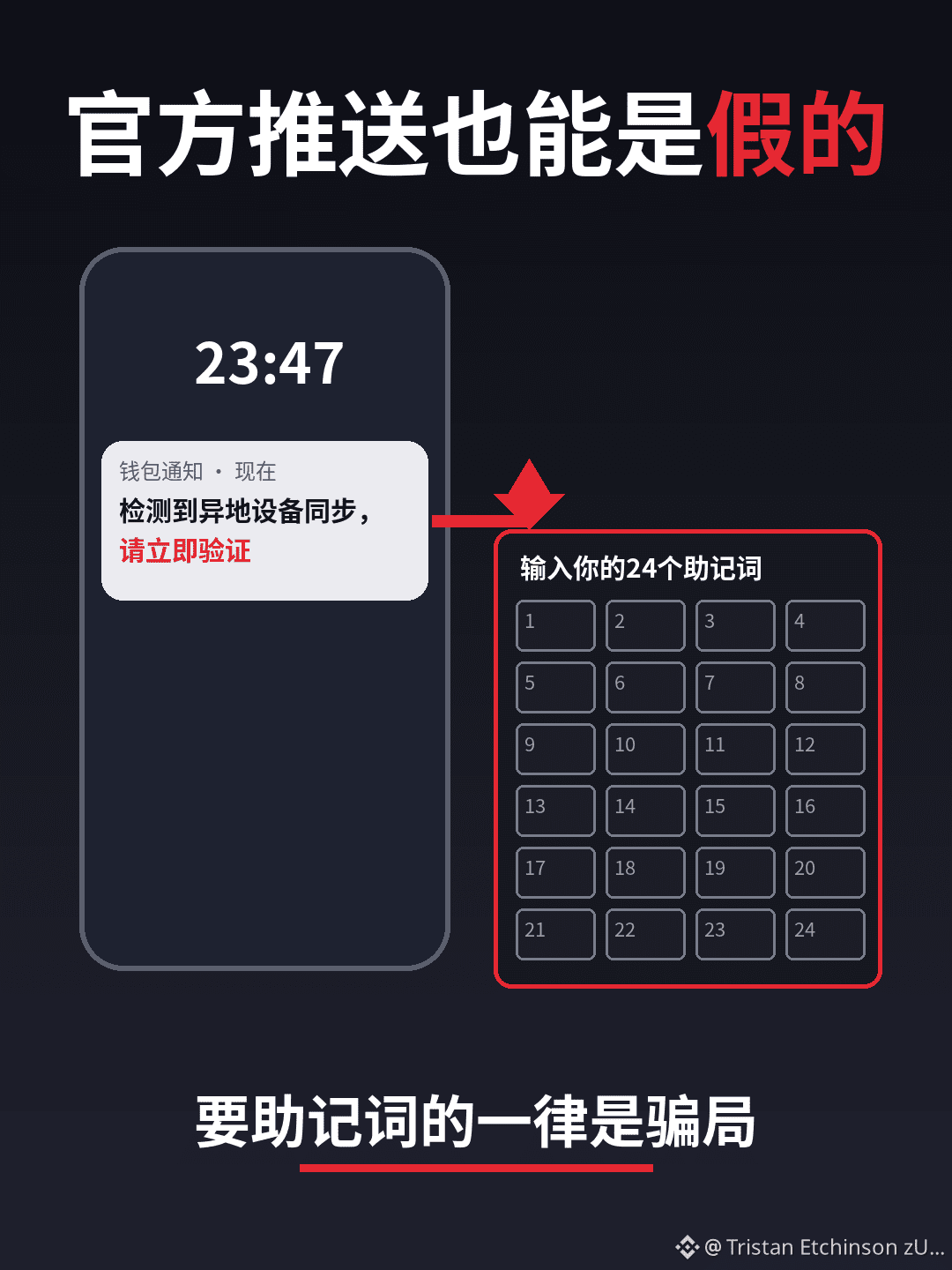
Fake push notifications can impersonate official ones
Even push notifications from an official app can be fake. Fake alerts often say “Syncing from another location” or “Verify now,” then trick people into visiting a webpage that asks for their recovery phrase.
Remember this: genuine alerts never ask you to enter your recovery phrase on a webpage.
This content was generated with AI assistance.$BTC $ETH
Have you ever received a push notification saying “Urgently verify your wallet”?
#加密安全 #硬件钱包 #防钓鱼 #BinanceSquare
Fake push notifications can impersonate official ones
Even push notifications from an official app can be fake. Fake alerts often say “Syncing from another location” or “Verify now,” then trick people into visiting a webpage that asks for their recovery phrase.
Remember this: genuine alerts never ask you to enter your recovery phrase on a webpage.
This content was generated with AI assistance.$BTC $ETH
Have you ever received a push notification saying “Urgently verify your wallet”?
#加密安全 #硬件钱包 #防钓鱼 #BinanceSquare
Even push notifications from an official app can be fake. Fake alerts often say “Syncing from another location” or “Verify now,” then trick people into visiting a webpage that asks for their recovery phrase.
Remember this: genuine alerts never ask you to enter your recovery phrase on a webpage.
This content was generated with AI assistance.$BTC $ETH
Have you ever received a push notification saying “Urgently verify your wallet”?
#加密安全 #硬件钱包 #防钓鱼 #BinanceSquare
119
·
--
High Gas Fees Aren’t Arbitrary
Many people think the platform just deducts whatever it wants for Gas. More accurately, when the network is congested, transactions have to compete to be included in a block, and users bid higher to get ahead, driving up fees. Here’s an example using $ETH to explain how this works. It’s included for easy lookup, not as investment advice.
My observation: Complaining about “arbitrary fees” won’t ease congestion. Understanding how bidding works can help you avoid costly mistakes.
Risk warning: Fees vary with network conditions. Refer to what’s actually shown on-chain or in your wallet. This content was created with AI assistance.
What’s the most expensive Gas fee you’ve ever paid, and what was the situation? Share in the comments.
#Gas #以太坊 #区块链科普 #BinanceSquare
High Gas Fees Aren’t Arbitrary
Many people think the platform just deducts whatever it wants for Gas. More accurately, when the network is congested, transactions have to compete to be included in a block, and users bid higher to get ahead, driving up fees. Here’s an example using $ETH to explain how this works. It’s included for easy lookup, not as investment advice.
My observation: Complaining about “arbitrary fees” won’t ease congestion. Understanding how bidding works can help you avoid costly mistakes.
Risk warning: Fees vary with network conditions. Refer to what’s actually shown on-chain or in your wallet. This content was created with AI assistance.
What’s the most expensive Gas fee you’ve ever paid, and what was the situation? Share in the comments.
#Gas #以太坊 #区块链科普 #BinanceSquare
Many people think the platform just deducts whatever it wants for Gas. More accurately, when the network is congested, transactions have to compete to be included in a block, and users bid higher to get ahead, driving up fees. Here’s an example using $ETH to explain how this works. It’s included for easy lookup, not as investment advice.
My observation: Complaining about “arbitrary fees” won’t ease congestion. Understanding how bidding works can help you avoid costly mistakes.
Risk warning: Fees vary with network conditions. Refer to what’s actually shown on-chain or in your wallet. This content was created with AI assistance.
What’s the most expensive Gas fee you’ve ever paid, and what was the situation? Share in the comments.
#Gas #以太坊 #区块链科普 #BinanceSquare
119
·
--
Official pop-ups can trick you into revealing your seed phrase too
Many people think: if a warning pops up in the wallet’s official app, it must be safe.
This week, two hardware wallet companies proved otherwise:
SecuX officially admitted that a banner in its app had been altered by hackers. Tapping it took users to a fake site asking them to enter their 12 or 24 words;
NGRAVE’s push notification service was compromised. A fake notification claimed, “Your assets have been synced with a phone in Moscow,” then directed people to a webpage asking for their seed phrase. Public tracking estimates that 84 wallets were drained of about $2.65 million—the hardware itself wasn’t hacked.
Here’s how I see it: a cold wallet keeps your private keys locked inside the device, but it can’t stop you from typing your seed phrase somewhere yourself. No matter how official the channel looks, if it asks you to enter your seed phrase on a webpage, it’s phishing.
Three things you can do today:
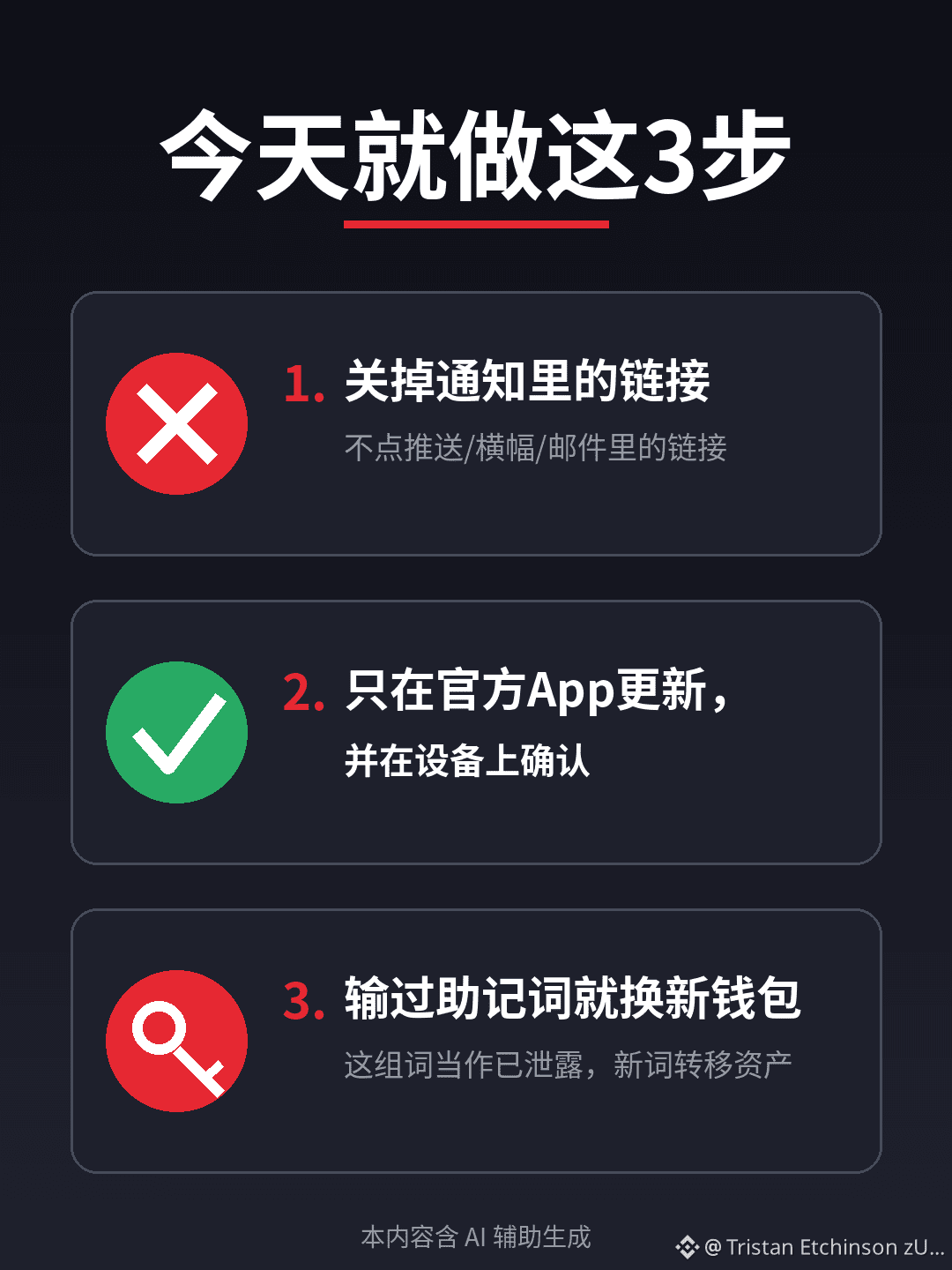
1) If any notification, banner, email, or webpage asks you to enter your 12 or 24 words, close it immediately.
2) Update firmware only through the official app, and confirm the update on your device’s screen. Don’t click links in notifications.
3) If you’ve already entered your seed phrase, treat it as compromised and transfer your assets to a new wallet with a new seed phrase.
Risk disclaimer: Loss figures are estimates based on public reports and on-chain tracking. Refer to any subsequent official disclosures. No brands are endorsed. This content was generated with AI assistance and edited by a human.
Have you ever received a “wallet verification required” or “urgent update” notification on your phone? Tell us what kind in the comments (and never post your seed phrase).
$BTC $ETH
#加密安全 #硬件钱包 #防钓鱼 #币安广场
Official pop-ups can trick you into revealing your seed phrase too
Many people think: if a warning pops up in the wallet’s official app, it must be safe.
This week, two hardware wallet companies proved otherwise:
SecuX officially admitted that a banner in its app had been altered by hackers. Tapping it took users to a fake site asking them to enter their 12 or 24 words;
NGRAVE’s push notification service was compromised. A fake notification claimed, “Your assets have been synced with a phone in Moscow,” then directed people to a webpage asking for their seed phrase. Public tracking estimates that 84 wallets were drained of about $2.65 million—the hardware itself wasn’t hacked.
Here’s how I see it: a cold wallet keeps your private keys locked inside the device, but it can’t stop you from typing your seed phrase somewhere yourself. No matter how official the channel looks, if it asks you to enter your seed phrase on a webpage, it’s phishing.
Three things you can do today:
1) If any notification, banner, email, or webpage asks you to enter your 12 or 24 words, close it immediately.
2) Update firmware only through the official app, and confirm the update on your device’s screen. Don’t click links in notifications.
3) If you’ve already entered your seed phrase, treat it as compromised and transfer your assets to a new wallet with a new seed phrase.
Risk disclaimer: Loss figures are estimates based on public reports and on-chain tracking. Refer to any subsequent official disclosures. No brands are endorsed. This content was generated with AI assistance and edited by a human.
Have you ever received a “wallet verification required” or “urgent update” notification on your phone? Tell us what kind in the comments (and never post your seed phrase).
$BTC $ETH
#加密安全 #硬件钱包 #防钓鱼 #币安广场
Many people think: if a warning pops up in the wallet’s official app, it must be safe.
This week, two hardware wallet companies proved otherwise:
SecuX officially admitted that a banner in its app had been altered by hackers. Tapping it took users to a fake site asking them to enter their 12 or 24 words;
NGRAVE’s push notification service was compromised. A fake notification claimed, “Your assets have been synced with a phone in Moscow,” then directed people to a webpage asking for their seed phrase. Public tracking estimates that 84 wallets were drained of about $2.65 million—the hardware itself wasn’t hacked.
Here’s how I see it: a cold wallet keeps your private keys locked inside the device, but it can’t stop you from typing your seed phrase somewhere yourself. No matter how official the channel looks, if it asks you to enter your seed phrase on a webpage, it’s phishing.
Three things you can do today:
1) If any notification, banner, email, or webpage asks you to enter your 12 or 24 words, close it immediately.
2) Update firmware only through the official app, and confirm the update on your device’s screen. Don’t click links in notifications.
3) If you’ve already entered your seed phrase, treat it as compromised and transfer your assets to a new wallet with a new seed phrase.
Risk disclaimer: Loss figures are estimates based on public reports and on-chain tracking. Refer to any subsequent official disclosures. No brands are endorsed. This content was generated with AI assistance and edited by a human.
Have you ever received a “wallet verification required” or “urgent update” notification on your phone? Tell us what kind in the comments (and never post your seed phrase).
$BTC $ETH
#加密安全 #硬件钱包 #防钓鱼 #币安广场
217
·
--
【Connectivity Test】Uncle Agan · The posting channel for Binance Square is now connected. This is only an API test post; you can ignore it. #Test
【Connectivity Test】Uncle Agan · The posting channel for Binance Square is now connected. This is only an API test post; you can ignore it. #Test
4
·
--
#CryptoMeteorShower Thank you for being with us every step of the way. Here's to growing together over eight years: #BinanceTurns8 Binance's 8th Anniversary Celebration · Share in $2,888,888 worth of crypto meteor shower rewards! https://www.marketwebb.red/activity/binance-turns-8?ref=GRO_19600_ALGRP
#CryptoMeteorShower Thank you for being with us every step of the way. Here's to growing together over eight years: #BinanceTurns8 Binance's 8th Anniversary Celebration · Share in $2,888,888 worth of crypto meteor shower rewards! https://www.marketwebb.red/activity/binance-turns-8?ref=GRO_19600_ALGRP
8
8
·
--
#BinanceTurns8 Collect #BinanceTurns8 cryptocurrency constellation symbols, and you will have a chance to win extra BNB rewards! https://www.marketwebb.red/activity/binance-turns-8?ref=GRO_19600_ALGRP
#BinanceTurns8 Collect #BinanceTurns8 cryptocurrency constellation symbols, and you will have a chance to win extra BNB rewards! https://www.marketwebb.red/activity/binance-turns-8?ref=GRO_19600_ALGRP
6
6
·
--
#BinanceTurns8 Collect #BinanceTurns8 cryptocurrency constellation symbols, and you may have a chance to win extra BNB rewards! https://www.marketwebb.red/activity/binance-turns-8?ref=GRO_19600_ALGRP
#BinanceTurns8 Collect #BinanceTurns8 cryptocurrency constellation symbols, and you may have a chance to win extra BNB rewards! https://www.marketwebb.red/activity/binance-turns-8?ref=GRO_19600_ALGRP
5
5
Log in to explore more content
Join global crypto users on Binance Square
⚡️ Get latest and useful information about crypto.
💬 Trusted by the world’s largest crypto exchange.
👍 Discover real insights from verified creators.
Email / Phone number
Trending Topics
BinanceReports80%Recoveryof$6.3BillioninLossesfromHackIncident
9,332 views
107 Discussing
Security Incident Update #2 (2026-10-30)
Binance Announcement
·970 Likes
·1.1M views
HeYiSaysWithdrawalsExpectedtoResumeWithin42Hours
18,326 views
350 Discussing
CZSaysCompensationIsinPlaceUsersAreProtected
15,981 views
265 Discussing