

A stop-loss is the simplest way to limit a loss on Binance. Here's how to set one with a Stop Limit order, using a real example. If you don't have an account yet, sign up with Binance referral code SIGNUP2027 for a lifetime 20% fee discount.
Where to Find Stop-Loss Orders on Binance
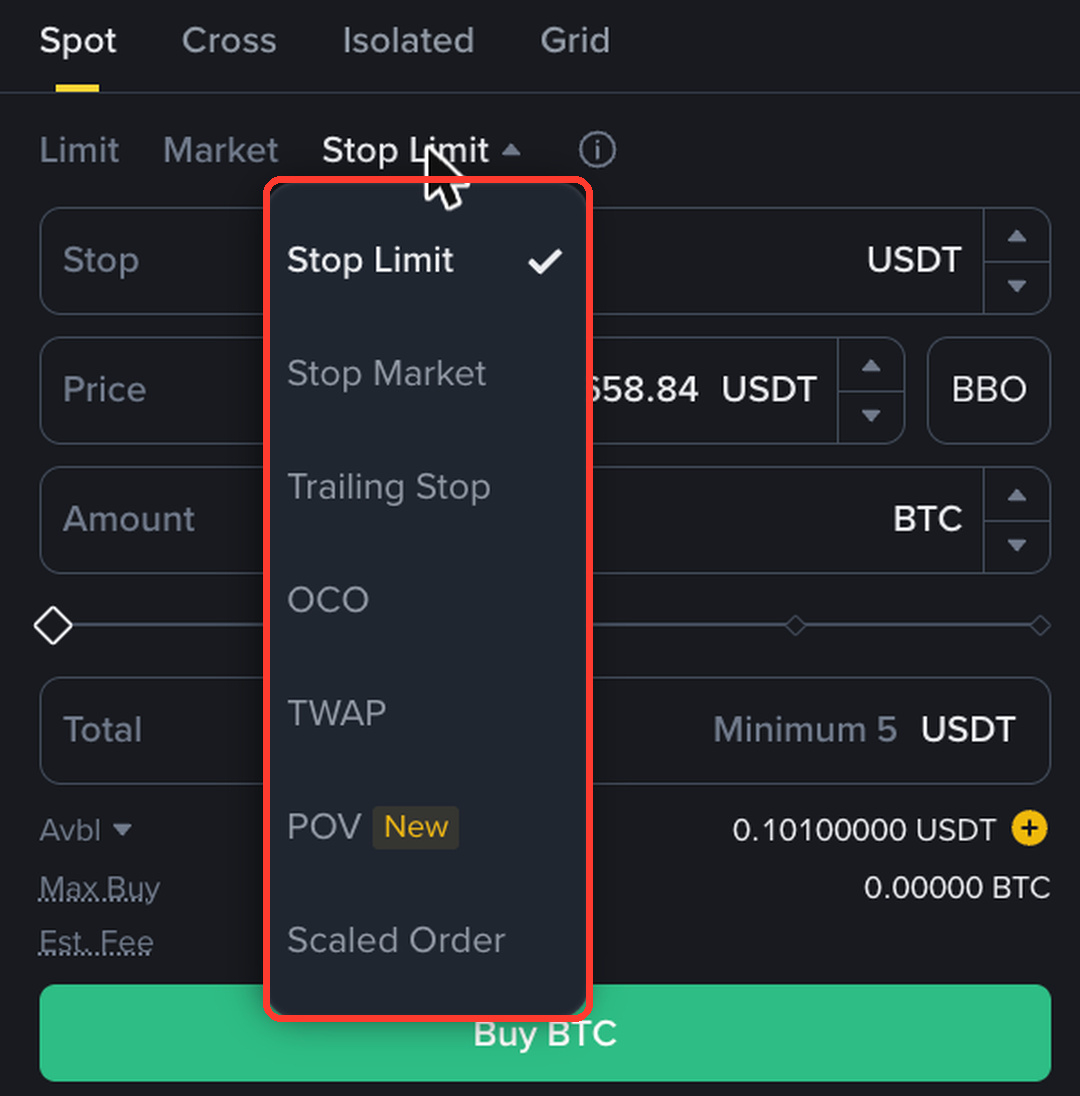
On the Spot page, open the Stop Limit menu above the order form. You'll see Stop Limit, Stop Market, Trailing Stop, OCO, TWAP, POV and Scaled Order.
Stop-Loss Example on BTC/USDT
Stop: 62,000 USDT (the trigger)
Price: 61,900 USDT (the limit sell price)
Amount: 0.001 BTC
Total: 61.9 USDT, Est. Fee 0.046425 USDT
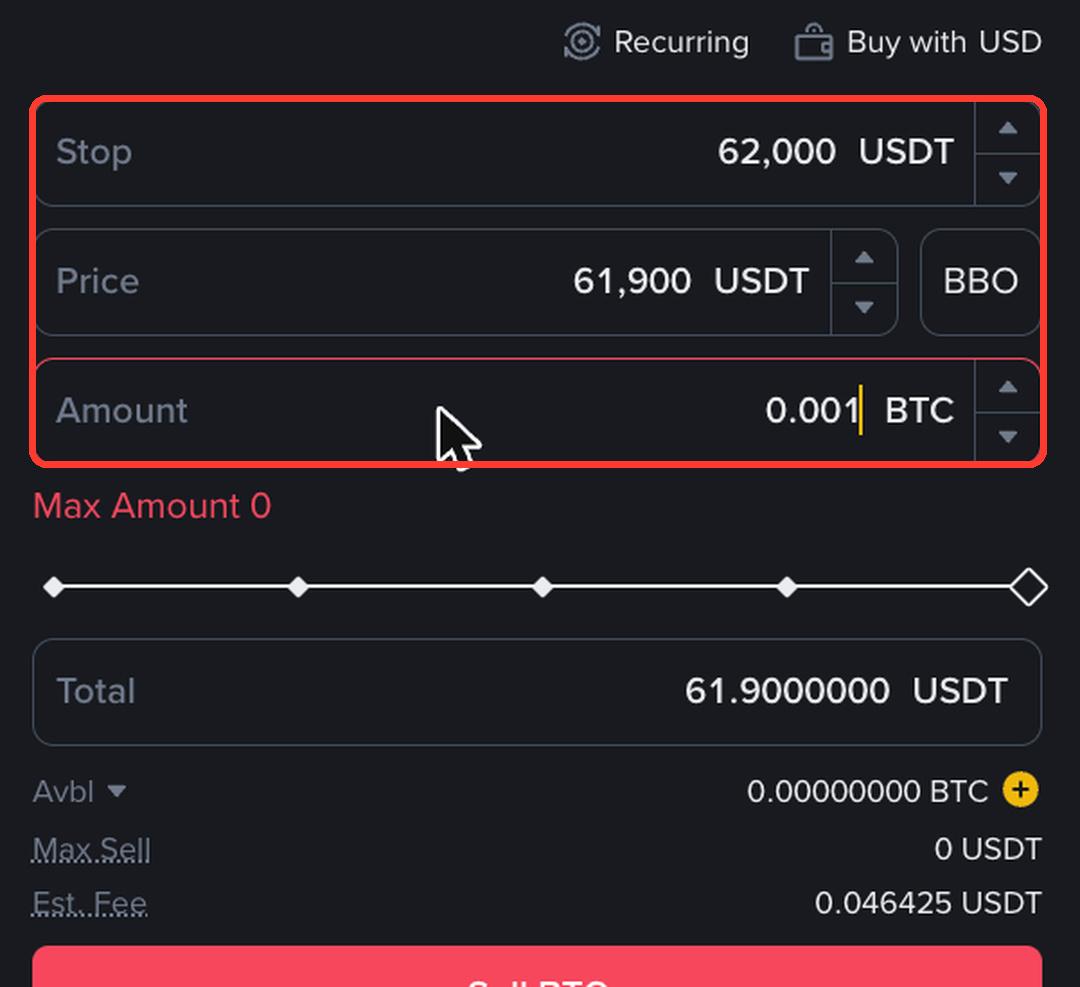
When BTC trades at 62,000, Binance places your sell limit at 61,900. The 100 USDT gap helps the order fill if the price drops fast.
Stop Limit vs Stop Market vs OCO
Stop Limit: you control the price, but it may not fill in a crash.
Stop Market: always fills, but the price can slip.
OCO: take profit and stop-loss together; when one fills, the other is cancelled.
Stop-Loss on Futures
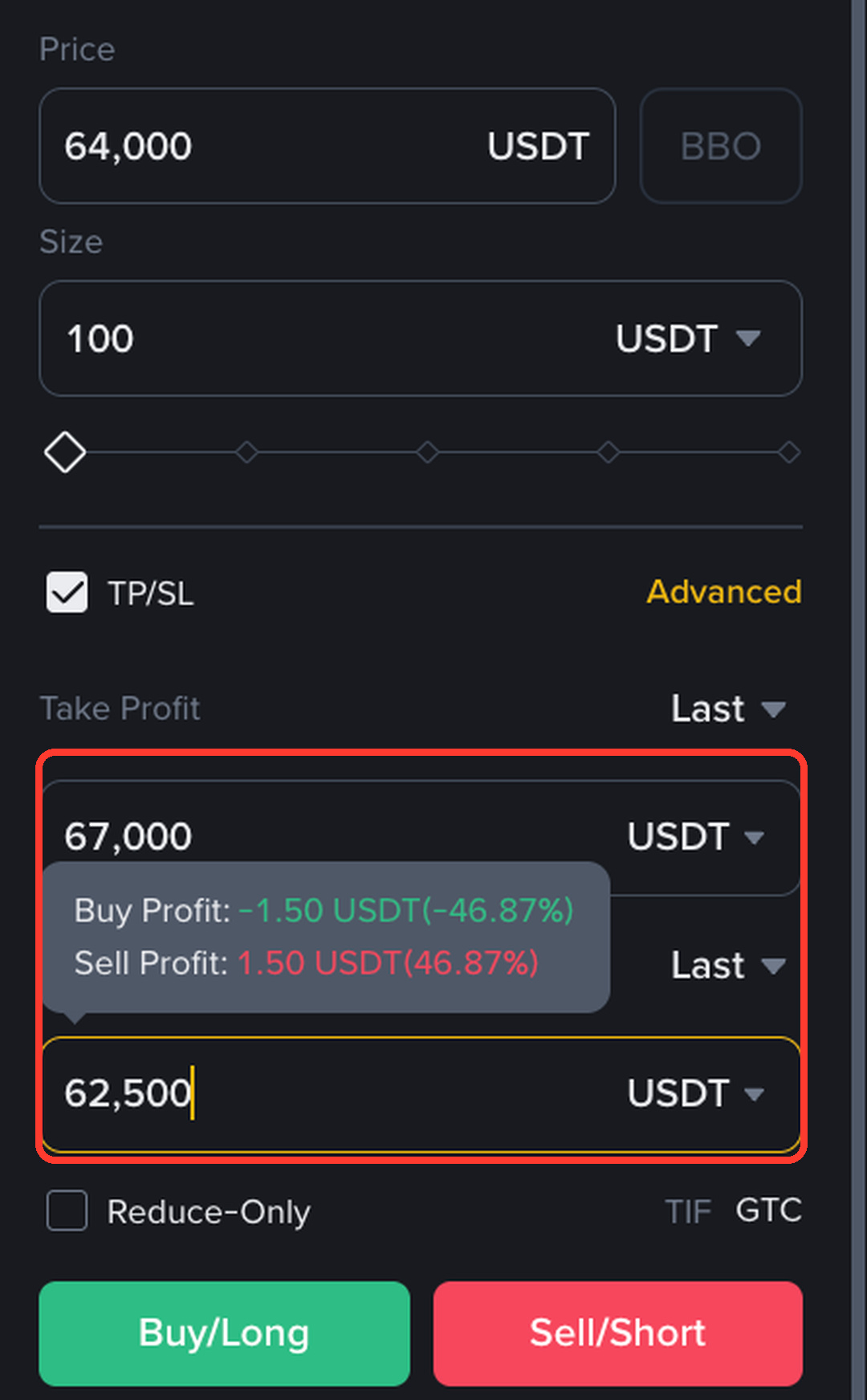
On Futures, tick TP/SL in the order form and type the Stop Loss price before you open the position.
Protect every trade and pay less in fees. Open the SIGNUP2027 sign-up page.
Disclosure: SIGNUP2027 is my referral code, and I may earn commission from qualifying activity. This is an independent guide, not an official Binance post. Rewards depend on Binance's terms, your region and your eligibility. Crypto and Futures trading carry high risk, and leverage can wipe out your margin. Not financial advice. DYOR.