Okay, I was asked to let people copy my trades. First of all… I wish I could always guarantee you profits, but I’m honest, and that’s impossible. Lately, I’ve done very well with $MAGMA , but it’s not always like that….
That said, here are the steps to copy my trades:
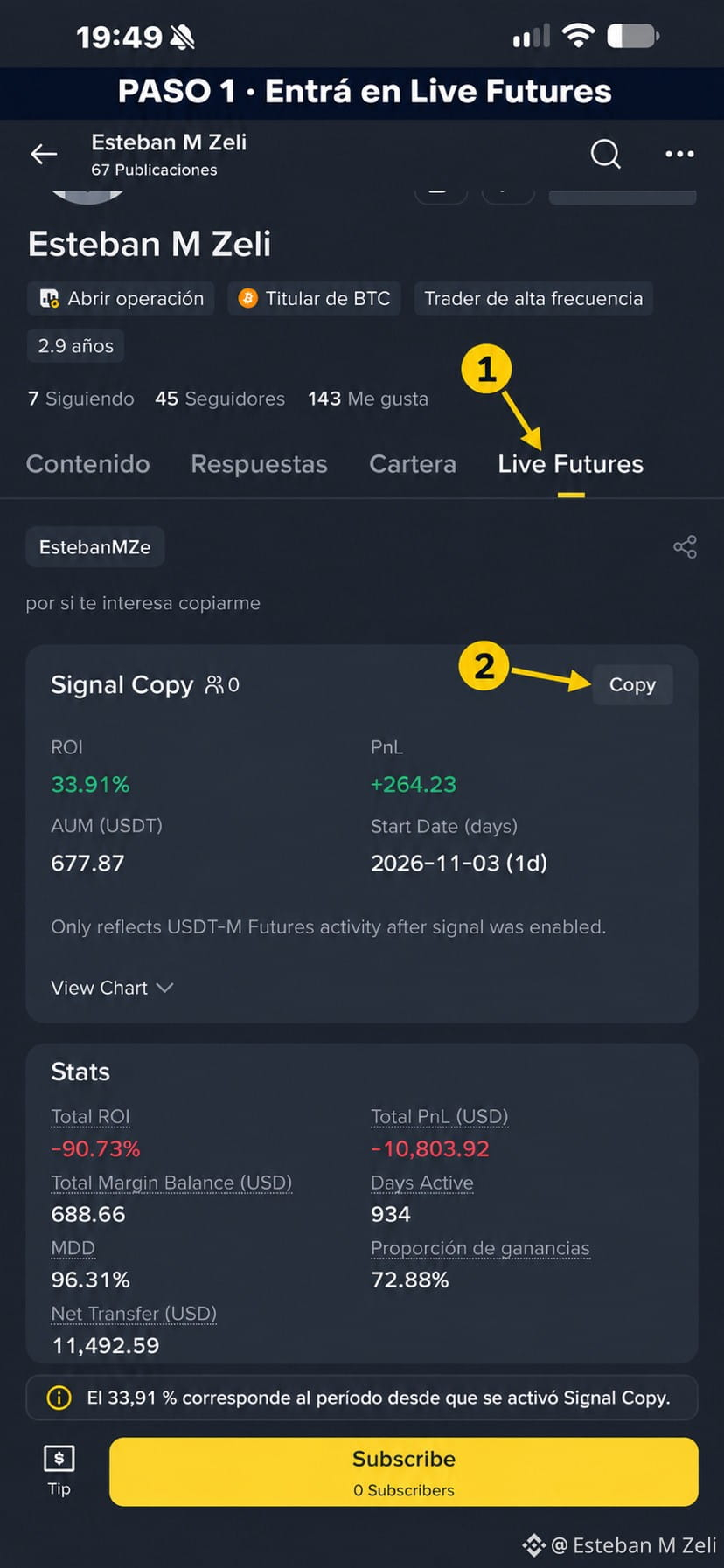
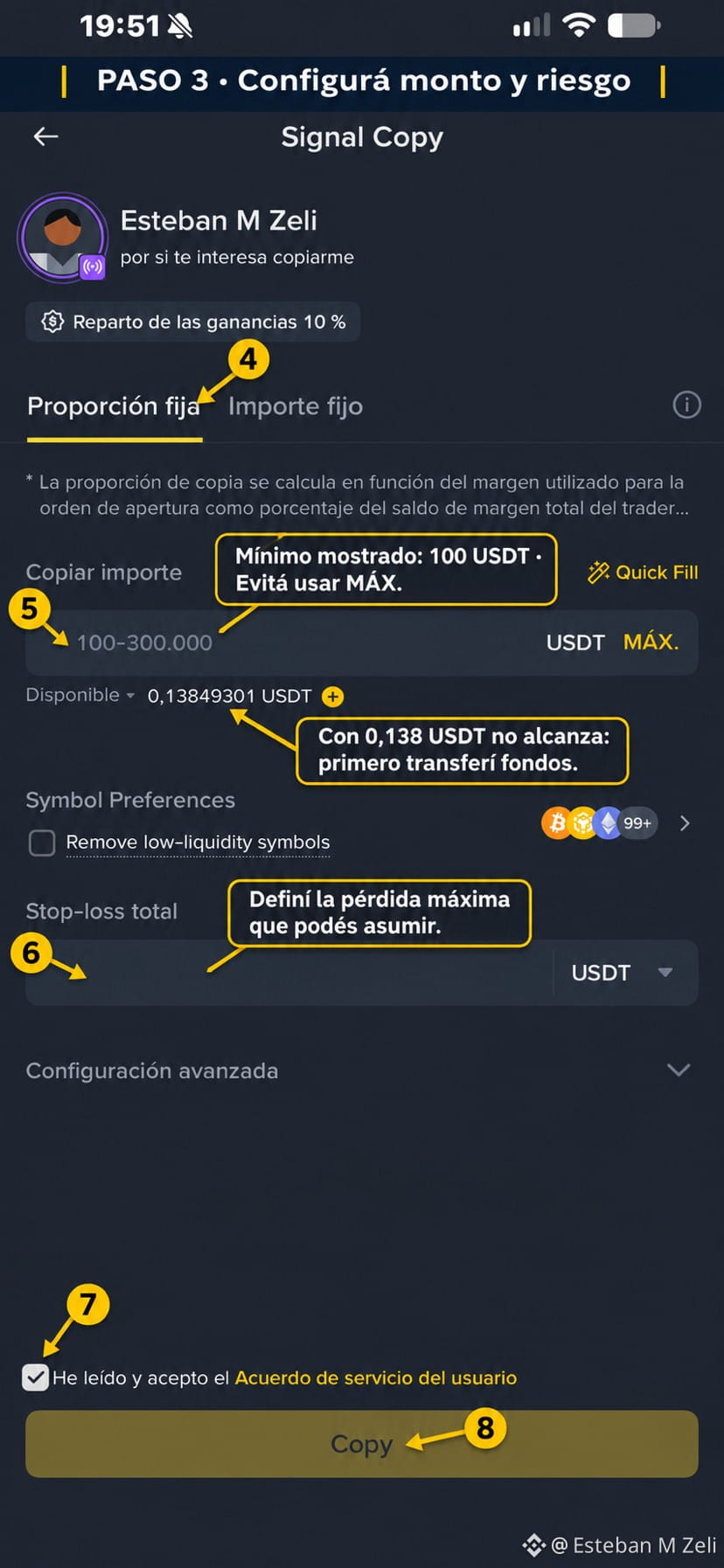
1. Have USDT available. A minimum of 100 USDT is required; the 0.138 USDT shown in the example isn’t enough.
2. Go to my profile, open Live Futures, and tap Copy.
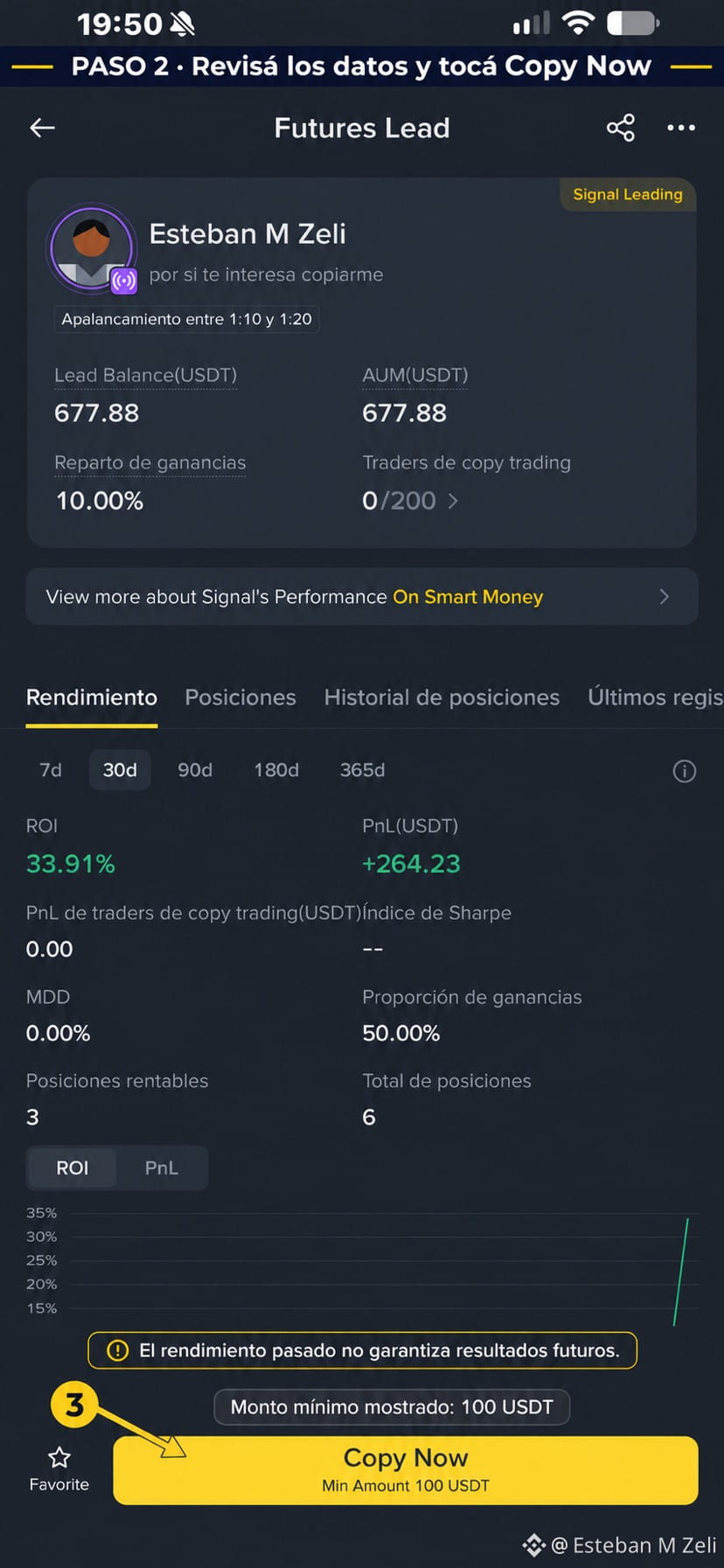
3. Review the terms: a 10% profit share, the stated leverage, and the performance. The +33.91% applies only to the period since you activated Signal Copy, not your entire history.
4. Tap Copy Now.
5. Choose Fixed Ratio. This is the most sensible option because it adjusts each position to the allocated capital. With “Fixed Amount,” on the other hand, a predetermined amount is used for each trade, regardless of the size I use.
6. Enter the total capital you want to allocate to copying my trades. It’s best not to use MAX or commit your entire balance.
7. Set the overall stop-loss to the maximum loss you can personally afford to take. It shouldn’t be left blank.
8. For low-liquidity symbols:
* Selected: Some altcoins may be excluded, and not all trades will be copied.
* Unselected: It will try to copy more symbols, but the risk of slippage or failed executions increases.
9. Open “Advanced Settings” and review the slippage protection. Binance states that this protection applies to entries, not necessarily exits.
10. Accept the agreement and tap Copy. From then on, openings, closings, and position-size changes are replicated automatically. However, the TP/SL changes I make as the lead trader aren’t synchronized; each follower must maintain their own risk controls. (I’ll keep you updated as well.) #USMidtermElections #BinanceReopensWithdrawalsForMoreAssets