


During trading on Binance #TradFi on Binance you can use different margin modes (these are the funds you transferred to your futures account), including Cross and Isolated margin. The main difference is how the margin is used and how closely your position is related to other funds in your futures account.
Cross Margin
In Cross mode, the available funds in your futures account are shared to support all open positions opened in the same cross margin mode. Let’s use trading Brent crude oil contracts $BZ as an example. Suppose we have $100 in our futures account and want to open a short position (assuming the price of oil will fall), using half of our funds—$50—with 20x leverage. Our position size would then be $50 × 20 = $1,000, and we would have $50 left to support the position. Under these conditions, with an entry price of $98, the liquidation price would be $107, meaning you have some room for the price not to fall immediately. Note that the entry parameters used here are considered high-risk.
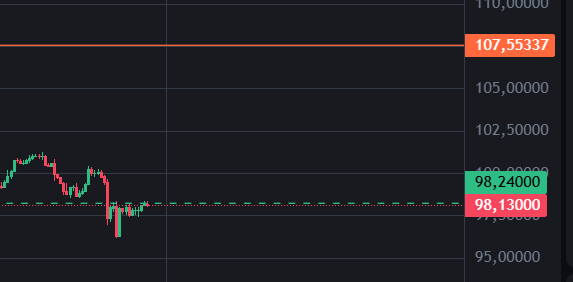
Now let’s enter a position using 5% of the funds in the account, or $5, leaving the remaining $95 as supporting margin. As we can see, the liquidation price is now much higher and the risk of liquidation is significantly lower, but the potential profit is also lower.
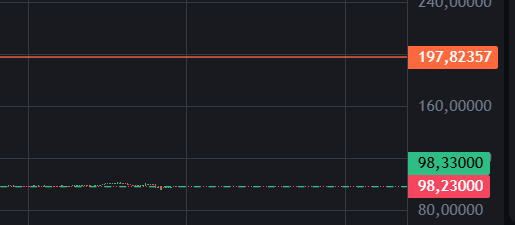
We can open another position, for example on NVIDIA $NVDA for $5. Then we’ll have $90 in supporting margin for both positions.
In summary, cross margin mode lets you trade with a low level of risk if you have sufficient funds in your account, but it uses all the funds in your futures account.
Isolated Margin
In Isolated Margin mode, a separate amount of funds is allocated to each position—the amount you’re willing to commit to that position. Other funds in your futures account are not automatically used to support the position.
Let’s enter a position in isolated margin mode. We can see that with 20x leverage, the liquidation price is quite close because only the allocated funds are involved; in effect, there is no supporting margin. However, you risk only the specific amount of funds allocated, so you don’t need to worry about the rest. This trading mode can therefore be useful in some situations.
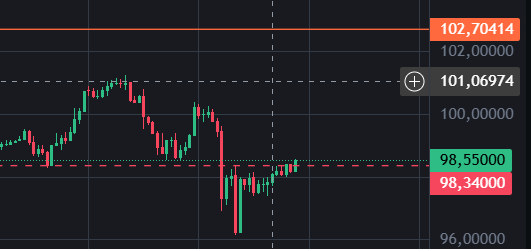
It’s worth noting that you can also add supporting margin in isolated margin mode to move the liquidation price farther away.
On the open position, click the edit icon next to the margin trading wallet.
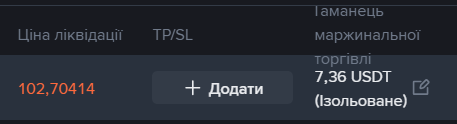
Add funds here, and we can see that the liquidation price is now $107.
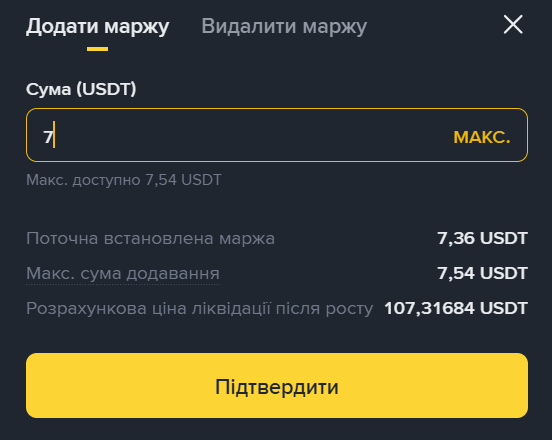
You can use this strategy if you don’t want to risk all the funds in your futures account but want to move the liquidation price farther away. Enter a position using part of the desired amount in isolated margin mode, then add more supporting margin to move the liquidation price farther away.