

#antiphishingcode
antiphishingcode
26,537 views
40 Discussing
Hot
Latest
·
--
Beginner's paranoia alert!
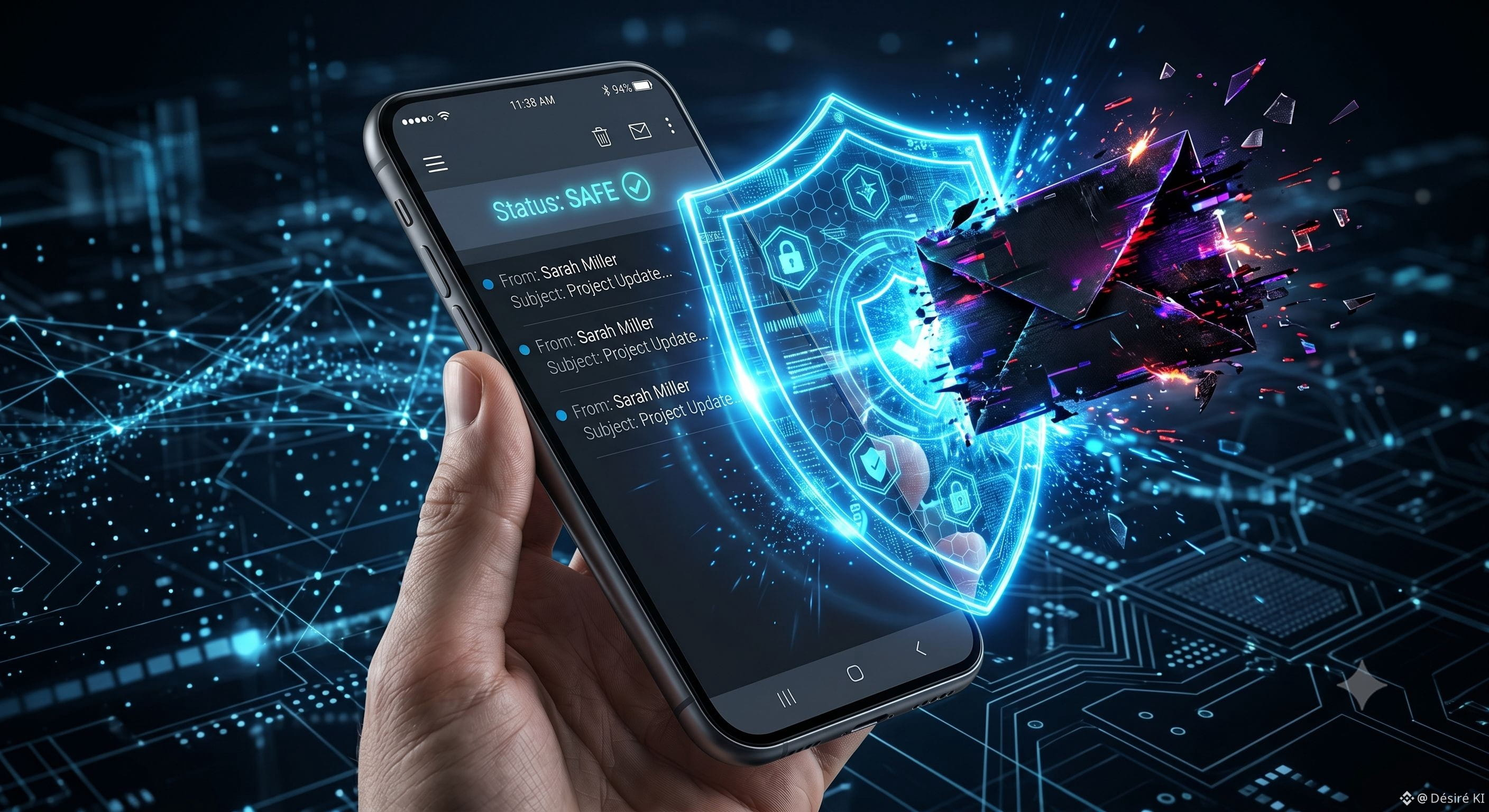
This morning, I received an email that looked exactly like an official message from Binance, asking me to "verify my account urgently". I almost clicked it.
While digging through the app settings, I found an awesome option: the "Anti-Phishing Code".
I set up a secret word (that only I know). Now, if an email really comes from Binance, that secret word shows up in it. If it's not there: it's a scammer. Straight to the trash!
For other beginners reading this: go activate that right now. It takes 2 minutes. For the veterans, what's the most common scam we absolutely need to avoid here? 👇
#sécurité #BinanceTips #AntiPhishingCode #CryptoDebutant
Beginner's paranoia alert!
This morning, I received an email that looked exactly like an official message from Binance, asking me to "verify my account urgently". I almost clicked it.
While digging through the app settings, I found an awesome option: the "Anti-Phishing Code".
I set up a secret word (that only I know). Now, if an email really comes from Binance, that secret word shows up in it. If it's not there: it's a scammer. Straight to the trash!
For other beginners reading this: go activate that right now. It takes 2 minutes. For the veterans, what's the most common scam we absolutely need to avoid here? 👇
#sécurité #BinanceTips #AntiPhishingCode #CryptoDebutant
This morning, I received an email that looked exactly like an official message from Binance, asking me to "verify my account urgently". I almost clicked it.
While digging through the app settings, I found an awesome option: the "Anti-Phishing Code".
I set up a secret word (that only I know). Now, if an email really comes from Binance, that secret word shows up in it. If it's not there: it's a scammer. Straight to the trash!
For other beginners reading this: go activate that right now. It takes 2 minutes. For the veterans, what's the most common scam we absolutely need to avoid here? 👇
#sécurité #BinanceTips #AntiPhishingCode #CryptoDebutant
2
252

·
--
📥 Malvertising & Fake App Threats: Ensuring Authentic Software Downloads
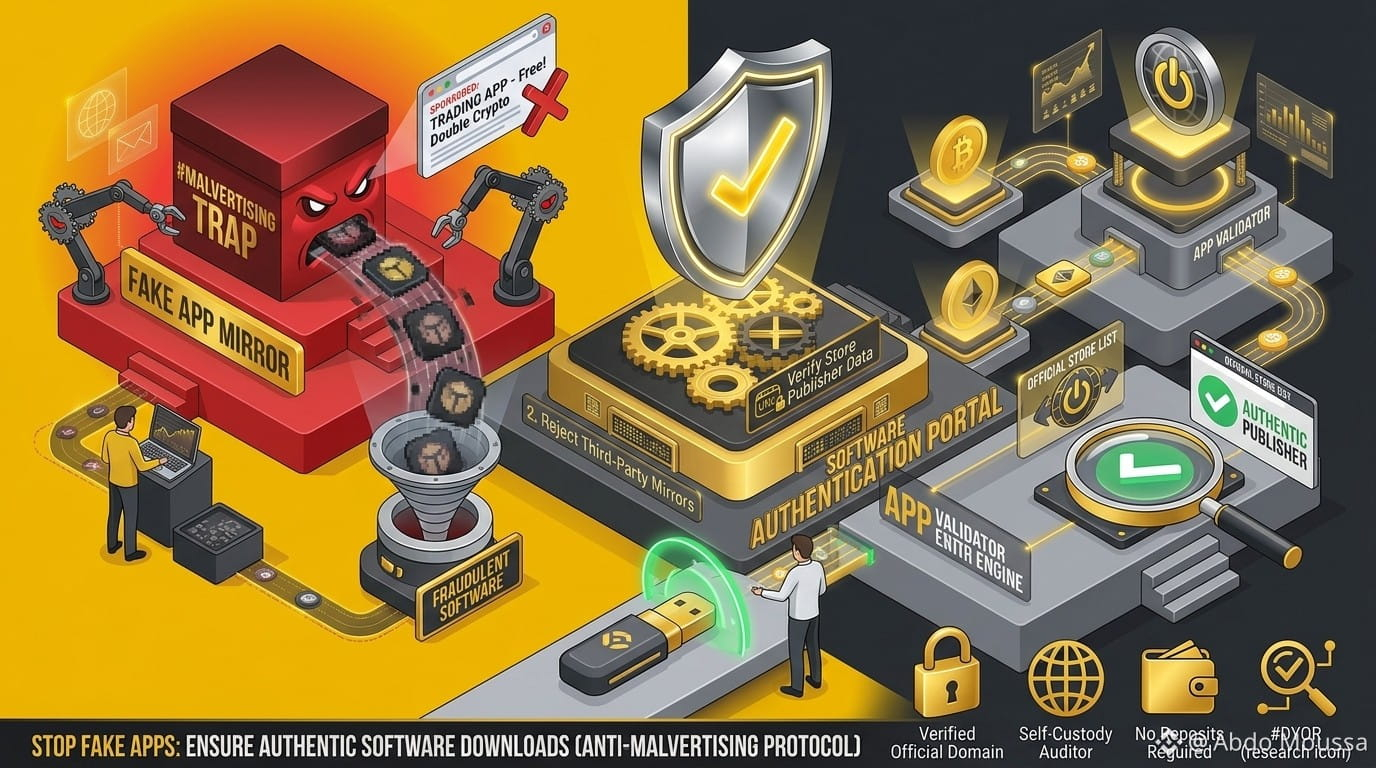
Bad actors frequently leverage sponsored search engine ad slots—known as Malvertising—and malicious third-party mirrors to trick users into downloading counterfeit trading applications designed to harvest account credentials.
💡 Core Protocols for Software Authenticity
Avoid Sponsored Ad Links: When using search engines, bypass top "Sponsored" ad results and navigate directly to official verified web domains.
Verify Store Publisher Data: When installing applications from official stores (Google Play or Apple App Store), verify the publisher entity name and download metrics.
Reject External APK Installs: Avoid downloading third-party android package files (.apk) or software installers distributed via messaging platforms or unverified forums.
Cross-Check Developer Signatures: Ensure device security settings block side-loading of unknown applications.
⚠️ Security & Educational Disclaimer
Ensuring software integrity prevents remote keylogging and credential theft, This publication is prepared strictly for educational and security awareness purposes.
[https://www.binance.com/en/academy/glossary/malware](https://www.binance.com/en/academy/glossary/malware)
Verify your download origins, protect your endpoints, and always DYOR (Do Your Own Research) 💡
#Binance #security #AntiPhishingCode #CryptoSafety #dyor
📥 Malvertising & Fake App Threats: Ensuring Authentic Software Downloads
Bad actors frequently leverage sponsored search engine ad slots—known as Malvertising—and malicious third-party mirrors to trick users into downloading counterfeit trading applications designed to harvest account credentials.
💡 Core Protocols for Software Authenticity
Avoid Sponsored Ad Links: When using search engines, bypass top "Sponsored" ad results and navigate directly to official verified web domains.
Verify Store Publisher Data: When installing applications from official stores (Google Play or Apple App Store), verify the publisher entity name and download metrics.
Reject External APK Installs: Avoid downloading third-party android package files (.apk) or software installers distributed via messaging platforms or unverified forums.
Cross-Check Developer Signatures: Ensure device security settings block side-loading of unknown applications.
⚠️ Security & Educational Disclaimer
Ensuring software integrity prevents remote keylogging and credential theft, This publication is prepared strictly for educational and security awareness purposes.
https://www.binance.com/en/academy/glossary/malware
Verify your download origins, protect your endpoints, and always DYOR (Do Your Own Research) 💡
#Binance #security #AntiPhishingCode #CryptoSafety #dyor
Bad actors frequently leverage sponsored search engine ad slots—known as Malvertising—and malicious third-party mirrors to trick users into downloading counterfeit trading applications designed to harvest account credentials.
💡 Core Protocols for Software Authenticity
Avoid Sponsored Ad Links: When using search engines, bypass top "Sponsored" ad results and navigate directly to official verified web domains.
Verify Store Publisher Data: When installing applications from official stores (Google Play or Apple App Store), verify the publisher entity name and download metrics.
Reject External APK Installs: Avoid downloading third-party android package files (.apk) or software installers distributed via messaging platforms or unverified forums.
Cross-Check Developer Signatures: Ensure device security settings block side-loading of unknown applications.
⚠️ Security & Educational Disclaimer
Ensuring software integrity prevents remote keylogging and credential theft, This publication is prepared strictly for educational and security awareness purposes.
https://www.binance.com/en/academy/glossary/malware
Verify your download origins, protect your endpoints, and always DYOR (Do Your Own Research) 💡
#Binance #security #AntiPhishingCode #CryptoSafety #dyor
7
68

·
--
Article
What Is an Anti-Phishing Code and How to Set It up on Binance?Most people lose accounts before they lose trades.
Phishing is still the easiest way to get wiped, especially if you trade actively and check email on autopilot.
That’s where Binance Anti-Phishing Code comes in.
This isn’t anything complex. It’s a simple security layer that filters real vs fake emails instantly.
What the Anti-Phishing Code actually is
It’s a custom code you set yourself inside Binance.
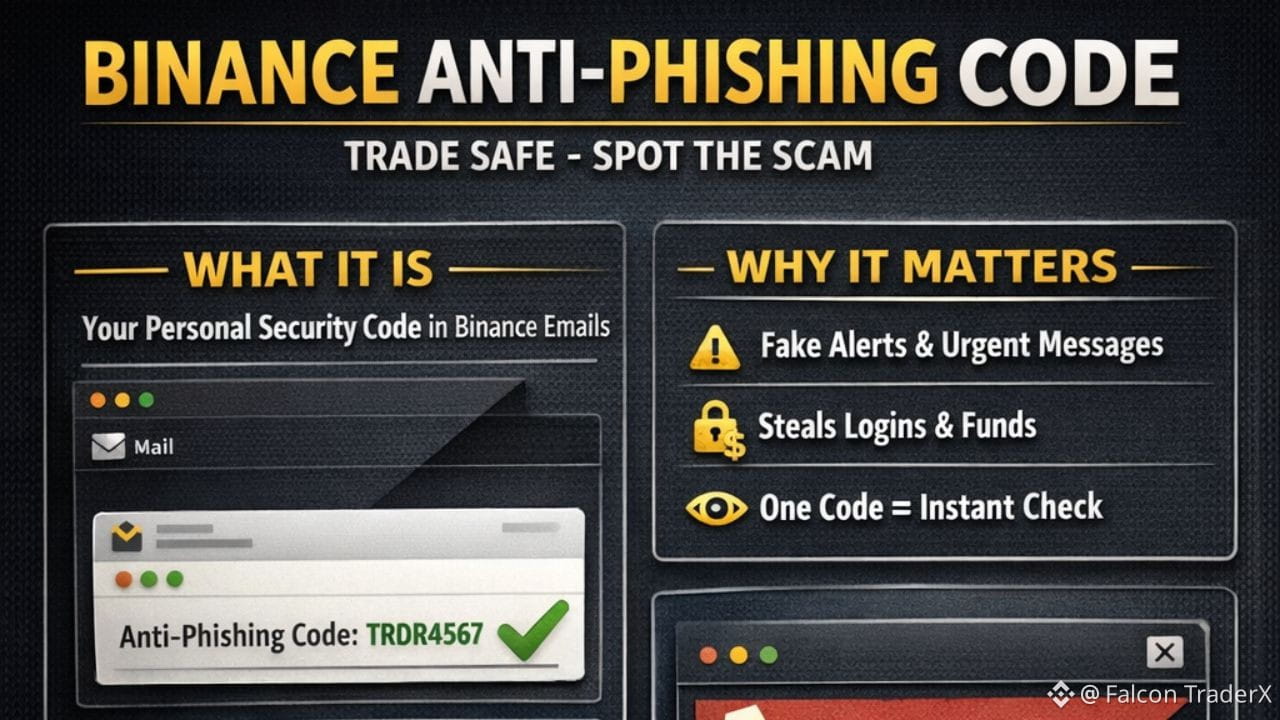
Once enabled, every legitimate email from Binance will contain that exact code somewhere in the message.
If an email claims to be from Binance and:
doesn’t show your codeshows the wrong code
→ it’s not from Binance. Period.
No analysis needed. No guessing.
Scammers can copy:
email designsender nameformattinglinks
They cannot know your private code.
Why this matters for traders specifically
If you trade regularly:
you get frequent Binance emailsyou move fastyou don’t read every word
That’s exactly how phishing works.
They create urgency:
“Suspicious activity detected”
“Withdrawals temporarily disabled”
“Verify now to avoid liquidation”
One click → fake page → login → account gone.
Anti-phishing code removes that risk.
You check one line. That’s it.
How to set it up on Binance (proper way)
Web or App — same process
Log in to BinanceGo to ProfileOpen SecurityFind Anti-Phishing CodeEnable itCreate your codemix letters + numbersavoid your name, handle, or anything obvious.Confirm with 2FA / email
Once this is done, it’s active immediately.
What a real vs fake email looks like
Real Binance email
Correct brandingNormal toneYour anti-phishing code shown clearly
Fake email
May look identicalOften urgentNo code or wrong code
If the code isn’t there → close the email.
Don’t click. Don’t reply. Don’t “check just in case”.
Important rules (read this carefully)
Never share your anti-phishing codeDon’t reuse it anywhere elseIf you ever receive a “Binance” email without it, assume compromise attempt.
Also remember:
Binance will never ask you for:
password2FA codeseed phrasesending funds to “secure” or “verification” wallets
Anyone asking = scam.
Final takeaway
This isn’t advanced security.
It’s baseline trader hygiene.
If you’e trading size, holding funds, or running multiple accounts and you don’t have this enabled, you’re leaving a door open for no reason.
Set it once.
Forget about phishing emails forever.
Stay disciplined — on charts and security.
#WhenWillBTCRebound #AntiPhishingCode #security #Binance $MYX $BULLA $SOL
What Is an Anti-Phishing Code and How to Set It up on Binance?
Most people lose accounts before they lose trades.
Phishing is still the easiest way to get wiped, especially if you trade actively and check email on autopilot.
That’s where Binance Anti-Phishing Code comes in.
This isn’t anything complex. It’s a simple security layer that filters real vs fake emails instantly.
What the Anti-Phishing Code actually is
It’s a custom code you set yourself inside Binance.
Once enabled, every legitimate email from Binance will contain that exact code somewhere in the message.
If an email claims to be from Binance and:
doesn’t show your codeshows the wrong code
→ it’s not from Binance. Period.
No analysis needed. No guessing.
Scammers can copy:
email designsender nameformattinglinks
They cannot know your private code.
Why this matters for traders specifically
If you trade regularly:
you get frequent Binance emailsyou move fastyou don’t read every word
That’s exactly how phishing works.
They create urgency:
“Suspicious activity detected”
“Withdrawals temporarily disabled”
“Verify now to avoid liquidation”
One click → fake page → login → account gone.
Anti-phishing code removes that risk.
You check one line. That’s it.
How to set it up on Binance (proper way)
Web or App — same process
Log in to BinanceGo to ProfileOpen SecurityFind Anti-Phishing CodeEnable itCreate your codemix letters + numbersavoid your name, handle, or anything obvious.Confirm with 2FA / email
Once this is done, it’s active immediately.
What a real vs fake email looks like
Real Binance email
Correct brandingNormal toneYour anti-phishing code shown clearly
Fake email
May look identicalOften urgentNo code or wrong code
If the code isn’t there → close the email.
Don’t click. Don’t reply. Don’t “check just in case”.
Important rules (read this carefully)
Never share your anti-phishing codeDon’t reuse it anywhere elseIf you ever receive a “Binance” email without it, assume compromise attempt.
Also remember:
Binance will never ask you for:
password2FA codeseed phrasesending funds to “secure” or “verification” wallets
Anyone asking = scam.
Final takeaway
This isn’t advanced security.
It’s baseline trader hygiene.
If you’e trading size, holding funds, or running multiple accounts and you don’t have this enabled, you’re leaving a door open for no reason.
Set it once.
Forget about phishing emails forever.
Stay disciplined — on charts and security.
#WhenWillBTCRebound #AntiPhishingCode #security #Binance $MYX $BULLA $SOL
Phishing is still the easiest way to get wiped, especially if you trade actively and check email on autopilot.
That’s where Binance Anti-Phishing Code comes in.
This isn’t anything complex. It’s a simple security layer that filters real vs fake emails instantly.
What the Anti-Phishing Code actually is
It’s a custom code you set yourself inside Binance.
Once enabled, every legitimate email from Binance will contain that exact code somewhere in the message.
If an email claims to be from Binance and:
doesn’t show your codeshows the wrong code
→ it’s not from Binance. Period.
No analysis needed. No guessing.
Scammers can copy:
email designsender nameformattinglinks
They cannot know your private code.
Why this matters for traders specifically
If you trade regularly:
you get frequent Binance emailsyou move fastyou don’t read every word
That’s exactly how phishing works.
They create urgency:
“Suspicious activity detected”
“Withdrawals temporarily disabled”
“Verify now to avoid liquidation”
One click → fake page → login → account gone.
Anti-phishing code removes that risk.
You check one line. That’s it.
How to set it up on Binance (proper way)
Web or App — same process
Log in to BinanceGo to ProfileOpen SecurityFind Anti-Phishing CodeEnable itCreate your codemix letters + numbersavoid your name, handle, or anything obvious.Confirm with 2FA / email
Once this is done, it’s active immediately.
What a real vs fake email looks like
Real Binance email
Correct brandingNormal toneYour anti-phishing code shown clearly
Fake email
May look identicalOften urgentNo code or wrong code
If the code isn’t there → close the email.
Don’t click. Don’t reply. Don’t “check just in case”.
Important rules (read this carefully)
Never share your anti-phishing codeDon’t reuse it anywhere elseIf you ever receive a “Binance” email without it, assume compromise attempt.
Also remember:
Binance will never ask you for:
password2FA codeseed phrasesending funds to “secure” or “verification” wallets
Anyone asking = scam.
Final takeaway
This isn’t advanced security.
It’s baseline trader hygiene.
If you’e trading size, holding funds, or running multiple accounts and you don’t have this enabled, you’re leaving a door open for no reason.
Set it once.
Forget about phishing emails forever.
Stay disciplined — on charts and security.
#WhenWillBTCRebound #AntiPhishingCode #security #Binance $MYX $BULLA $SOL
2
121
Log in to explore more content
Join global crypto users on Binance Square
⚡️ Get latest and useful information about crypto.
💬 Trusted by the world’s largest crypto exchange.
👍 Discover real insights from verified creators.
Email / Phone number
Trending Topics
1
#Nikkei225Jumps2.5%ToThreeMonthHigh
13,795 views
307 Discussing
2
#DriftHackVictimsBeginClaims
91,746 views
992 Discussing
3
#SolanaTokenizedStockVolumeTops$4.4BInSeptember
8,619 views
98 Discussing
4
#BitcoinSpotETFsDraw$6.34BInflowsInQ3
30,609 views
212 Discussing
5
#EthereumValidatorExitQueueJumps392%
235,089 views
2,009 Discussing
6
#IMFApprovesElSalvador$138MWithBitcoinWaiver
21,909 views
124 Discussing
7
#SECHaltsCryptoETFReviewsAmidFundingLapse
355,236 views
2,686 Discussing
8
#ZcashETFPostsFirstWeeklyOutflow$93.6M
107,737 views
286 Discussing
9
#GreekPoliceBustCryptoScamRingArrest17
484,098 views
3,238 Discussing
10
#BitcoinRejectedAt$87K
246,117 views
368 Discussing