Corporate clients should select “Sign up as an entity” when registering through your referral link to enter Binance’s entity onboarding process.
Entity onboarding requires the completion of Know Your Business (KYB) verification covering the company, its ownership structure, and relevant representatives.
Make sure the referral is correctly bound before the client begins trading so eligible activity is attributed according to the applicable referral terms.

Products and services may not be available in your jurisdiction. Terms and conditions apply.
Referring a corporate client to Binance starts with selecting the correct account type. The standard registration screen defaults to the individual account flow, while companies and other legal entities need to select the entity option to complete the appropriate verification process.
Following the entity path from the start helps avoid unnecessary onboarding issues and gives eligible corporate clients access to Binance’s institutional products and services. This guide covers the process from generating a referral link to completing entity verification, confirming referral binding, and tracking the referral.
Binance has a dedicated onboarding process for companies, funds, and other legal entities. While an individual account verifies a natural person through Know Your Customer (KYC), entity onboarding uses Know Your Business (KYB) to verify a corporate registered entity and relevant people associated with it.
The two account types are designed for different users and verification requirements. Entity onboarding also gives eligible corporate clients access to Binance’s institutional products and services, including execution services and benefits under the Binance VIP Program.
Eligible clients can access Binance OTC and Execution Services, including Spot and Options Request for Quote (RFQ), bespoke execution, and Indication of Interest (IOI). These services support larger or more specialized transactions where execution size, price, and market impact may be important considerations.
Eligible corporate clients can qualify for the Binance VIP Program, which offers tier-based benefits including lower fees, higher limits, priority support, advanced insights, selected VIP opportunities, and event invitations.
OTC activity can also contribute toward VIP qualification. Under the Binance VIP Program Criteria Update: Lower VIP 3 Holding Threshold and Integrate OTC Trading Volume into Spot Volume, OTC Spot Trading Volume counts at a 4x multiplier toward Spot Trading Volume for VIP qualification from VIP 1 through VIP 9.
The entity path provides a verification process designed for legal entities, covering business registration, KYB documentation, ownership information, and authorized signatories.
The table below summarizes the main differences between the two account types.
The referral process involves five steps, from generating the referral link to confirming that the client is correctly attributed to your account.
Start by creating a referral link through Referral Pro:
Log in to your Binance account on the website or app.
Go to Profile > Referral > Referral Pro.
Select Links > Create Link.
Set the Spot and Futures commission ratio.
Optionally, add a custom referral code and a note, such as the client’s company name, for easier tracking.
Select Create, then copy the generated link.
You can create up to 50 Spot referral codes with different commission ratios, which can be useful when managing multiple client referrals.
Send the referral link directly to your corporate client and make sure they understand that it should be used to register an entity account rather than an individual account.
When they reach the registration page, they should select “Sign up as an entity.”
On the registration screen, the client should select “Sign up as an entity” rather than proceeding with the default individual registration flow. This directs them to corporate onboarding, where they will complete business registration and Know Your Business (KYB) verification instead of personal Know Your Customer (KYC) verification.
The client will then need to provide:
Legal entity name: This must match the company’s registration documents exactly.
Entity email address: Use a business email address rather than a personal one.
Email verification code: Enter the six-digit code sent to the entity email address.
Entity password: Create a password, then select Create Entity Account.
Your client will then have to undergo the corporate onboarding process, including business registration, Know Your Business (KYB) verification, and authorized signatory verification. For the full requirements, see the Binance Entity Verification FAQ.
The documents required as part of the identification and verification process depend on the legal entity type, jurisdiction, and other applicable requirements. Preparing them in advance can help make the KYB process smoother.
Depending on the entity, required documents may include:
Certificate of Incorporation / Business Registration
Articles of Association / Memorandum of Association / Bylaws or equivalent. Depending on the legal form, this may include an Operating Agreement (LLC), Partnership Agreement (LP), Trust Deed (Trust), or Foundation Charter (Foundation).
Operating License, if applicable to the industry or jurisdiction
Industry-specific documents, if applicable, such as an AML Program/Policy, Offering Memorandum, or Investment Management Agreement
Source of Wealth and Source of Funds documentation, if applicable
Ownership structure / Shareholding chart, showing percentage ownership
ID documents for all directors and authorized representatives
ID documents for Ultimate Beneficial Owners (UBOs) – typically anyone with at least 25% ownership or control. In certain cases, the threshold may be at least 10%, depending on the entity type and jurisdiction. Binance will specify the applicable threshold during verification.
Proof of address for the entity, dated within the last six months.
Before submitting the application, make sure the entity name is spelled consistently across the registration form and all supporting documents. Mismatched names can lead to delays or additional information requests during KYB.
Once the entity account has been created, the client needs to confirm that your referral is correctly bound to their account.
To complete the referral binding:
Ask the client to open your referral link again or go directly to Binance Referral Binding.
Select Log In and sign in using the entity account email and password.
A prompt will appear asking the client to confirm the referral binding.
Select Confirm to complete the process.
Once confirmed, the referral is bound to the entity account and the applicable commission or discount becomes active.
Each account can bind only one referral code, and the code cannot be changed after binding. Make sure the correct referral is bound before the client begins trading.
Before referring a corporate client, keep the following requirements in mind:
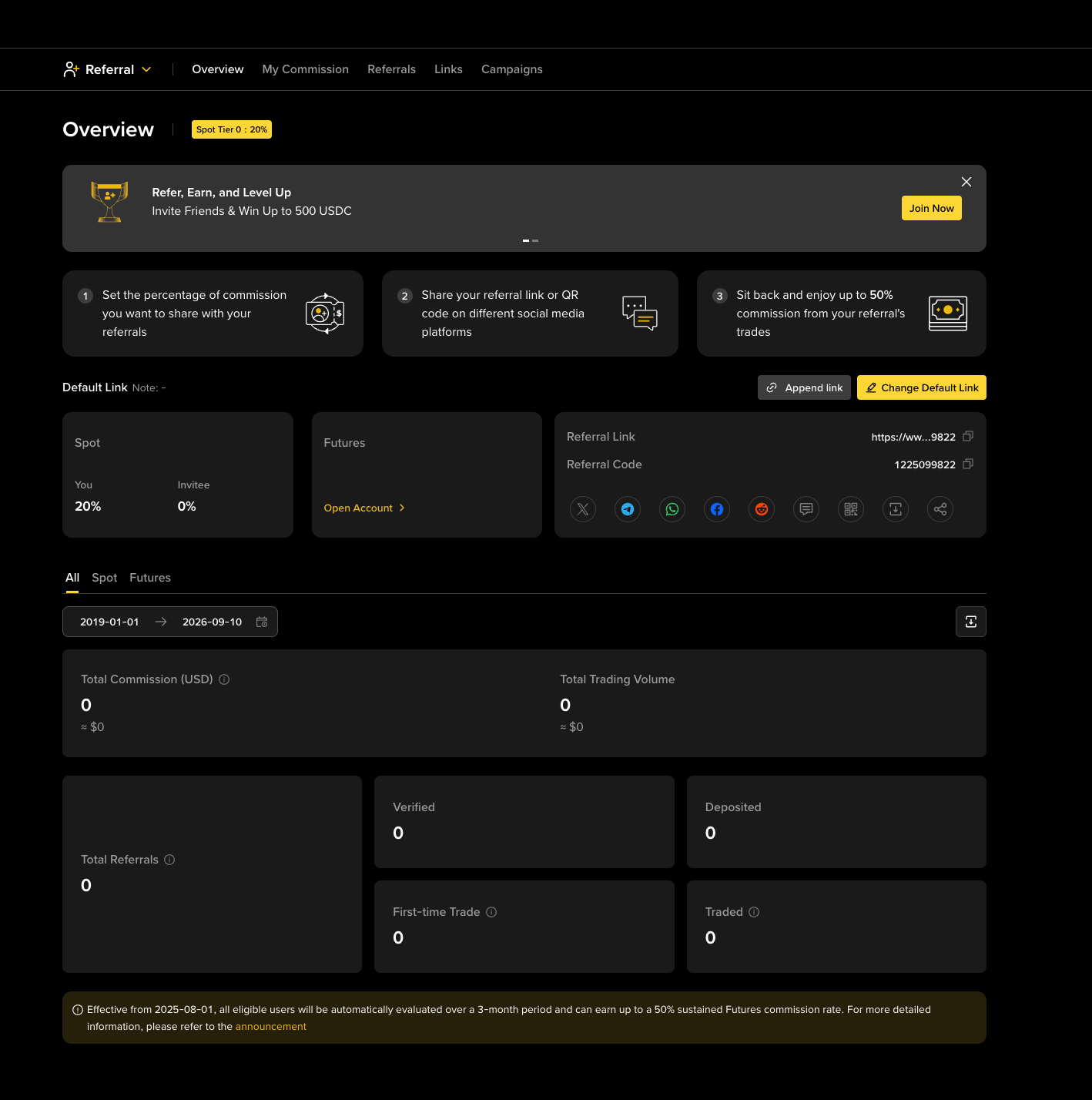
You can manage your referral links and track referred clients through the Binance Referral Dashboard.
To access it from your Binance account, go to Profile > Referral > Referral Pro.
From the dashboard, you can:
Manage referral links: Create and organize referral links and track clicks, registrations, first deposits, and first trades.
Monitor commission earnings: View commission breakdowns by market, country, and time period.
Track referral activity: Review referred users, including available information on registration date, verification status, trading volume, and commission split.
Check evaluation tiers: View your current commission tier, progress toward the next tier, and the requirements for maintaining or reaching higher rates.
For corporate referrals, the Referral Links and Referrals sections are particularly useful. Creating dedicated links and adding notes can make it easier to identify individual clients and track their progress.
Yes. Corporate clients can refer individual users through the Binance Referral Program.
Corporate referrals are intended for new Binance clients. If the client already has a Binance account, whether individual or entity, they cannot be attributed to a new referral.
If a corporate client accidentally creates an individual account, there are two possible routes:
Option A – Request an internal switch: Contact Binance Support to request an account-type conversion. This allows the client to retain their existing account and trading history, but they will still need to complete the full KYB verification process for the entity.
Option B – Restart with an entity account: Delete the individual account and restart the registration process using the entity path. This means the existing account history will be lost, and verification will need to be completed again from the beginning.
Before deleting the account, contact Binance VIP Support to check whether an internal switch is available.This can save the client's account history, but full entity verification is still required.
Entity onboarding does not automatically grant VIP status. VIP tier qualification is based on the applicable Binance VIP Program criteria, including 30-day trading volume and BNB holdings.
An entity account provides access to the institutional ecosystem, including eligible services such as OTC trading, sub-accounts, and higher limits, while the applicable VIP tier must still be qualified for separately.
Clients can also request a VIP trial period through their Binance Account Manager. During the trial, the client receives the applicable VIP benefits. After the trial, they are evaluated based on their trading activity or asset holdings to determine ongoing VIP eligibility.
Referral binding must be completed before significant trading activity begins. Make sure the intended referral code is correctly bound to the entity account before the client starts trading.
KYB approval typically takes 3-7 business days from the submission of all required documents. If Binance Compliance requests additional documentation, the review timeline resets from the new submission.
To help keep the process moving, stay in contact with your Binance Account Manager throughout onboarding. They can provide a direct channel for questions, track the status of the review, and help escalate issues where needed.
It is also recommended to notify your Account Manager whenever documents are resubmitted or the client encounters an issue, so they can flag it with the relevant team and follow the progress.
Disclaimer: Digital asset prices are subject to high market risk and price volatility. The value of your investment may go down or up, and you may not get back the amount invested. You are solely responsible for your investment decisions and Binance is not liable for any losses you may incur. Past performance is not a reliable predictor of future performance. You should only invest in products you are familiar with and where you understand the risks. You should carefully consider your investment experience, financial situation, investment objectives and risk tolerance and consult an independent financial adviser prior to making any investment. This material should not be construed as financial advice. For more information, see our Terms of Use and Risk Warning.