Disclaimer: In compliance with MiCA requirements, unauthorized stablecoins are subject to certain restrictions for EEA users. For more information, please click here.
To trade on the Binance P2P platform, you need to transfer the funds from your Spot Account to your Funding Account manually.
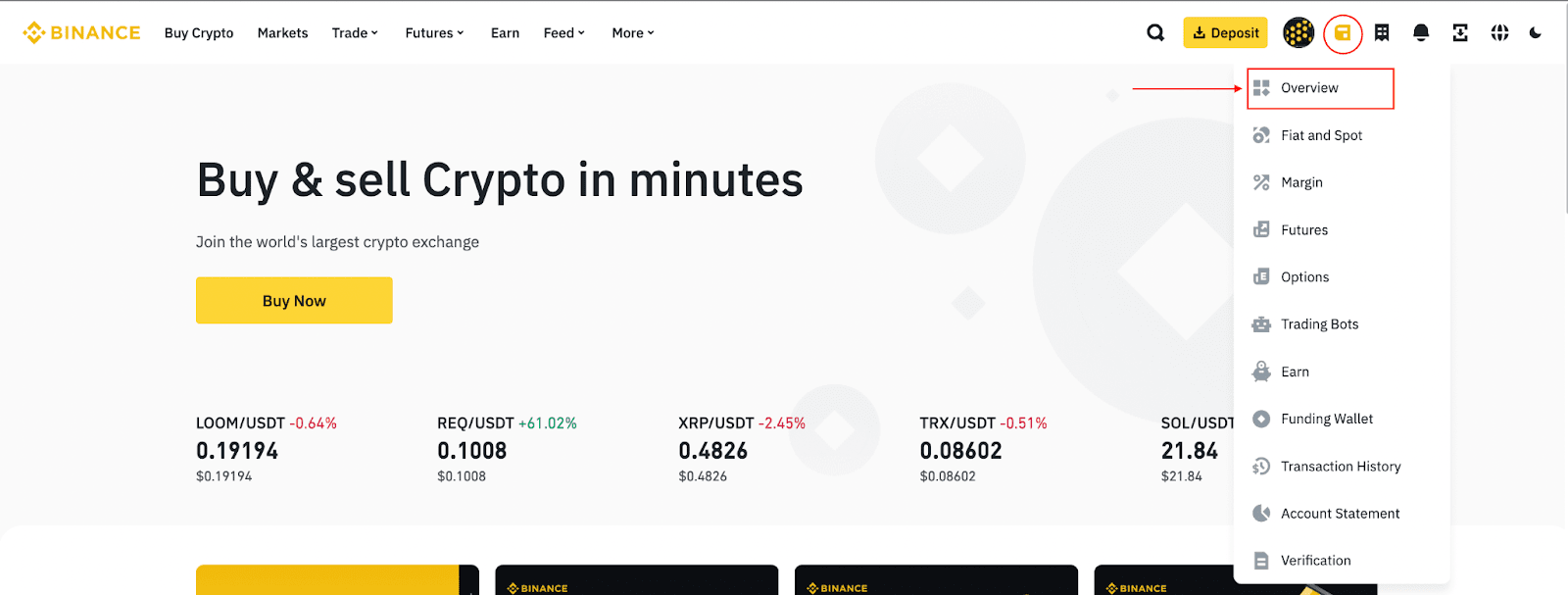
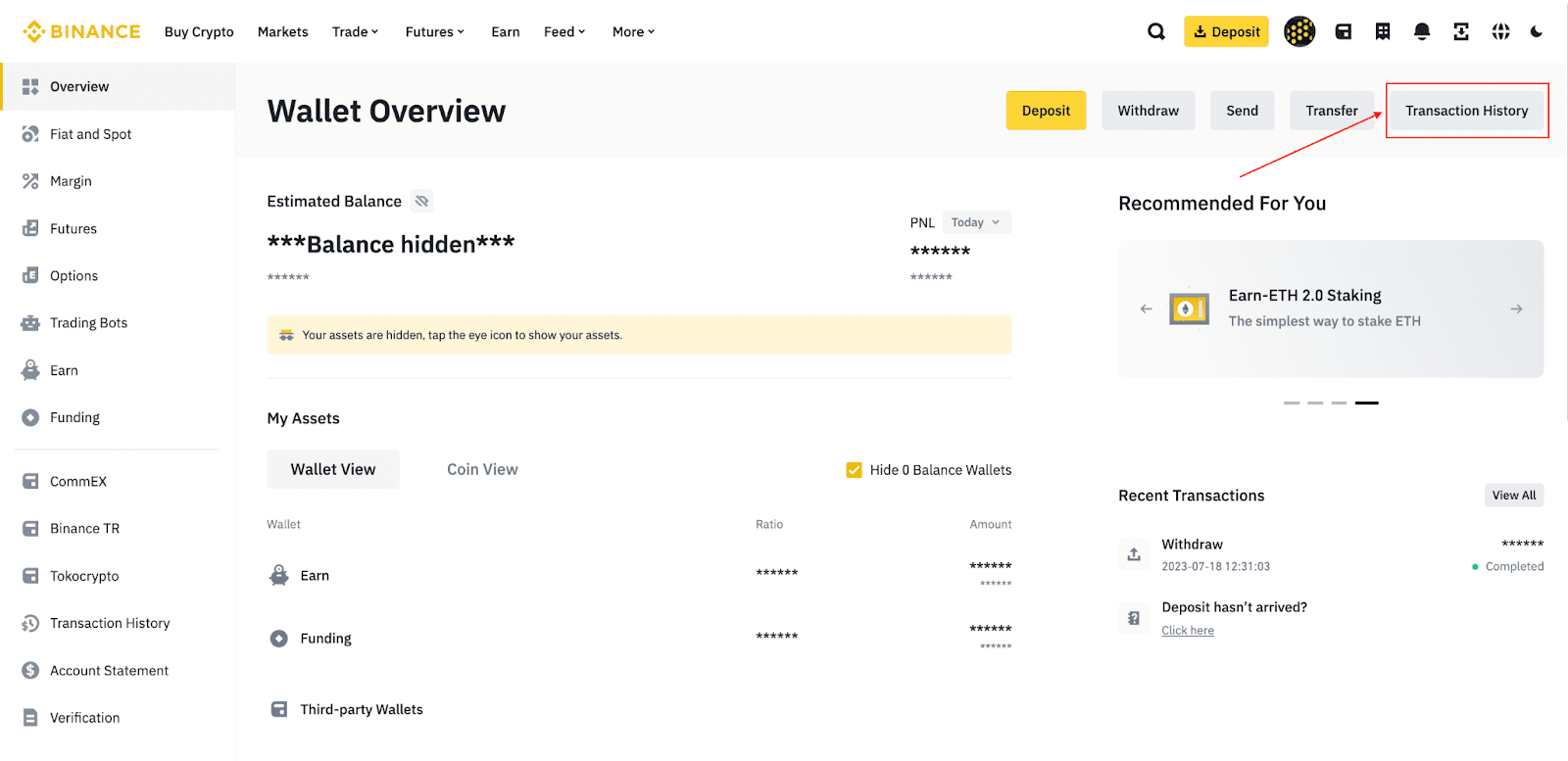
1. Log in to your Binance account and click [Asset] - [Overview].
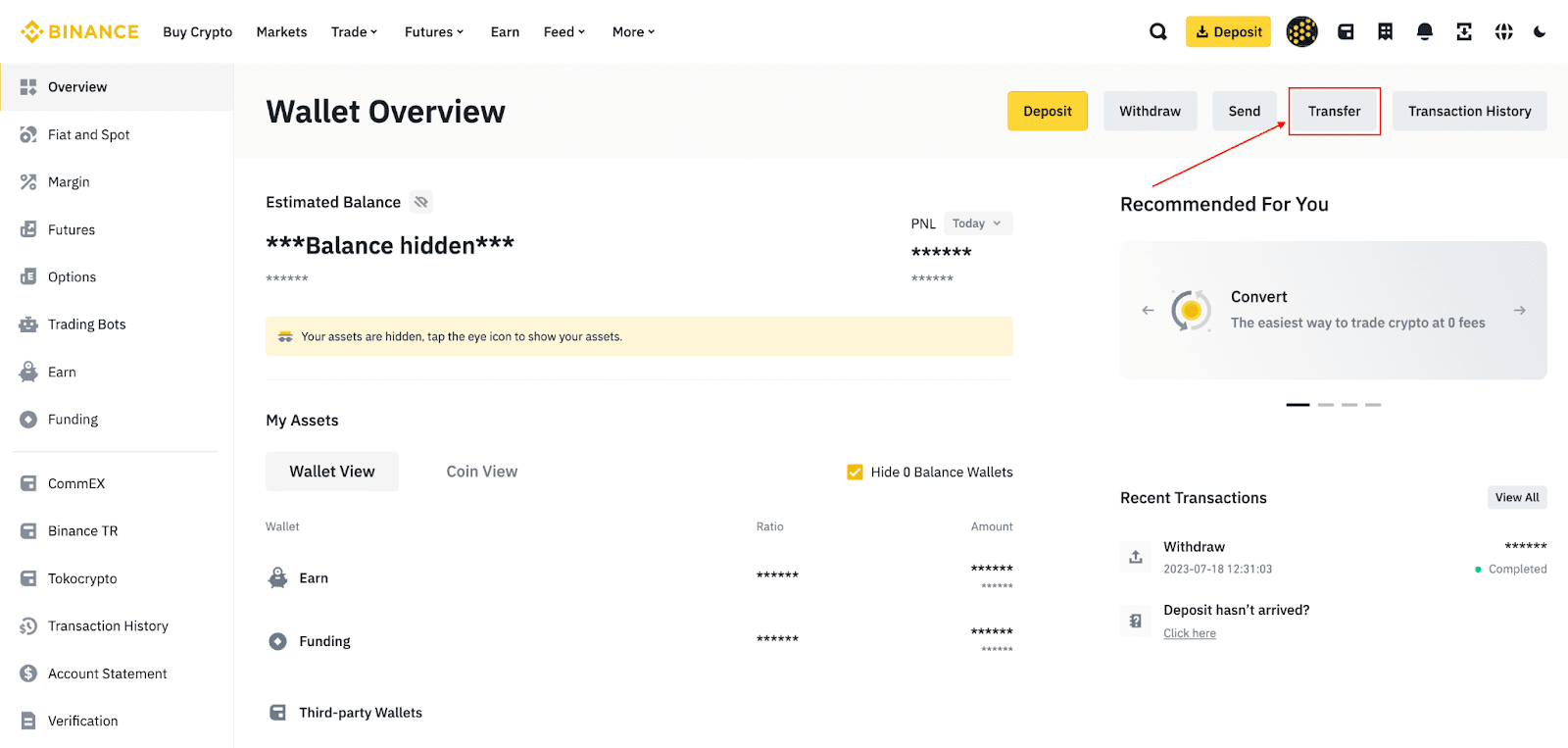
2. Click [Transfer].
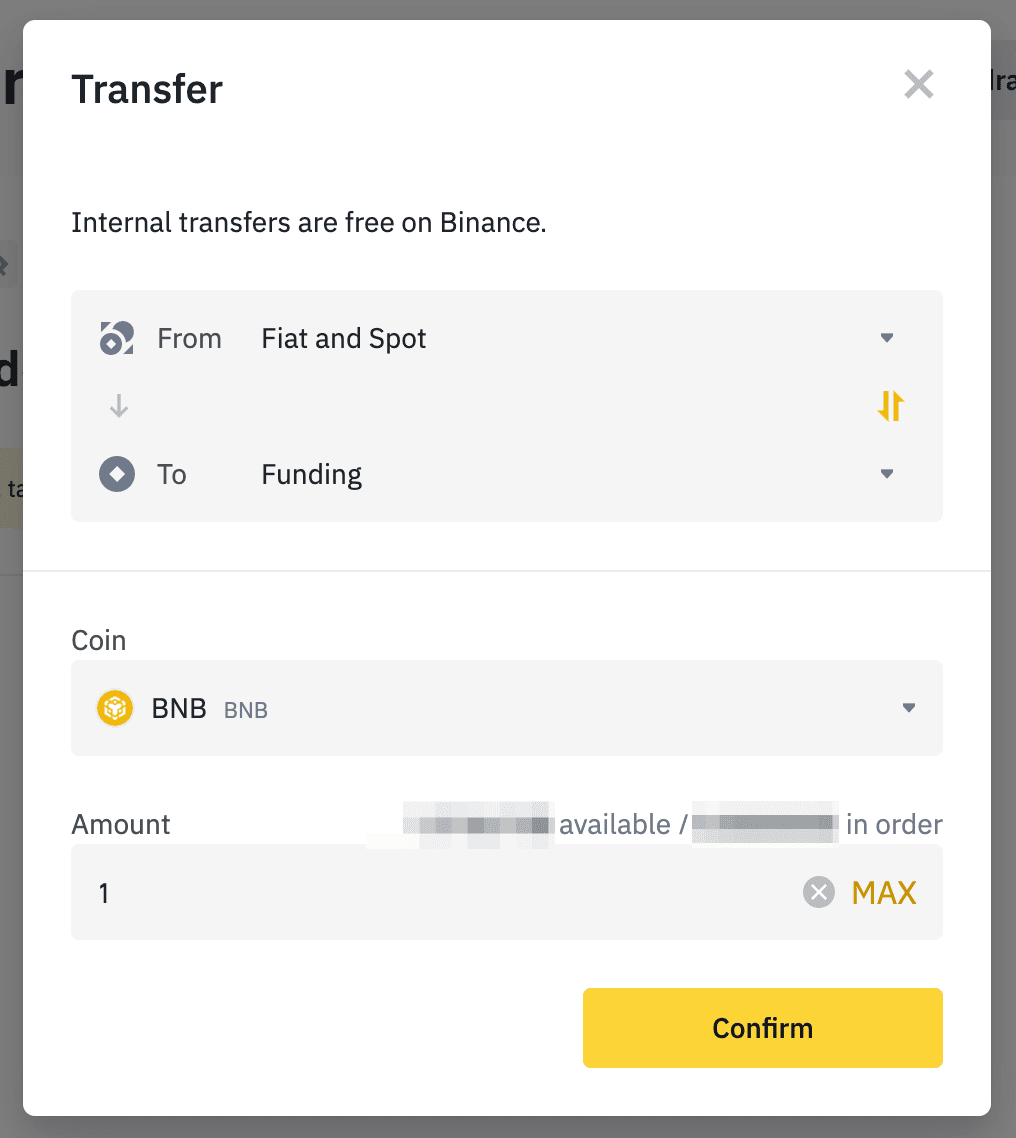
3. Choose [Funding] as the destination account. Select the asset you want to transfer and enter the amount. Click [Confirm].
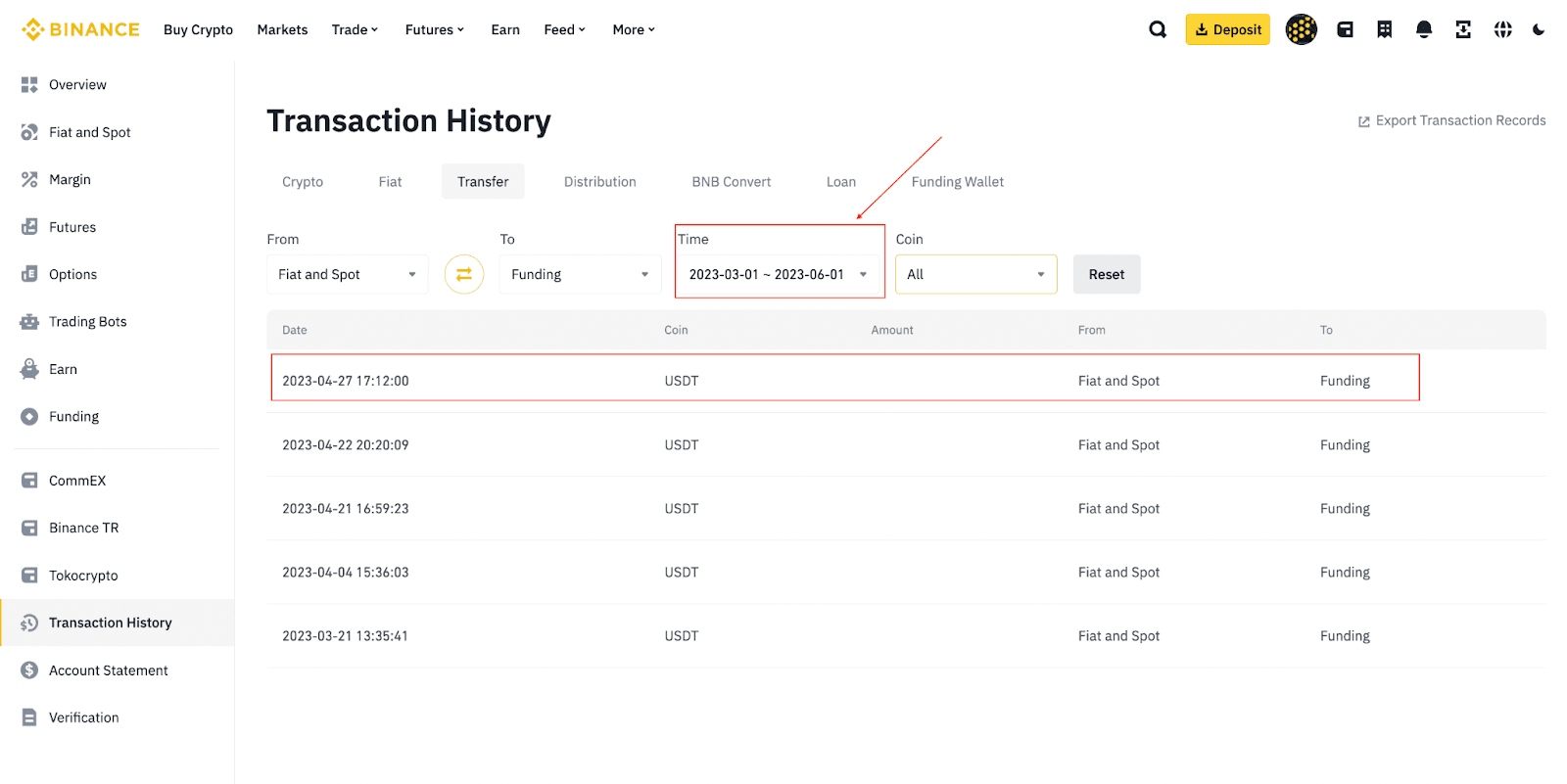
4. To view your transfer history, click [Transaction History].
Here you can view your transactions for up to 3 months.
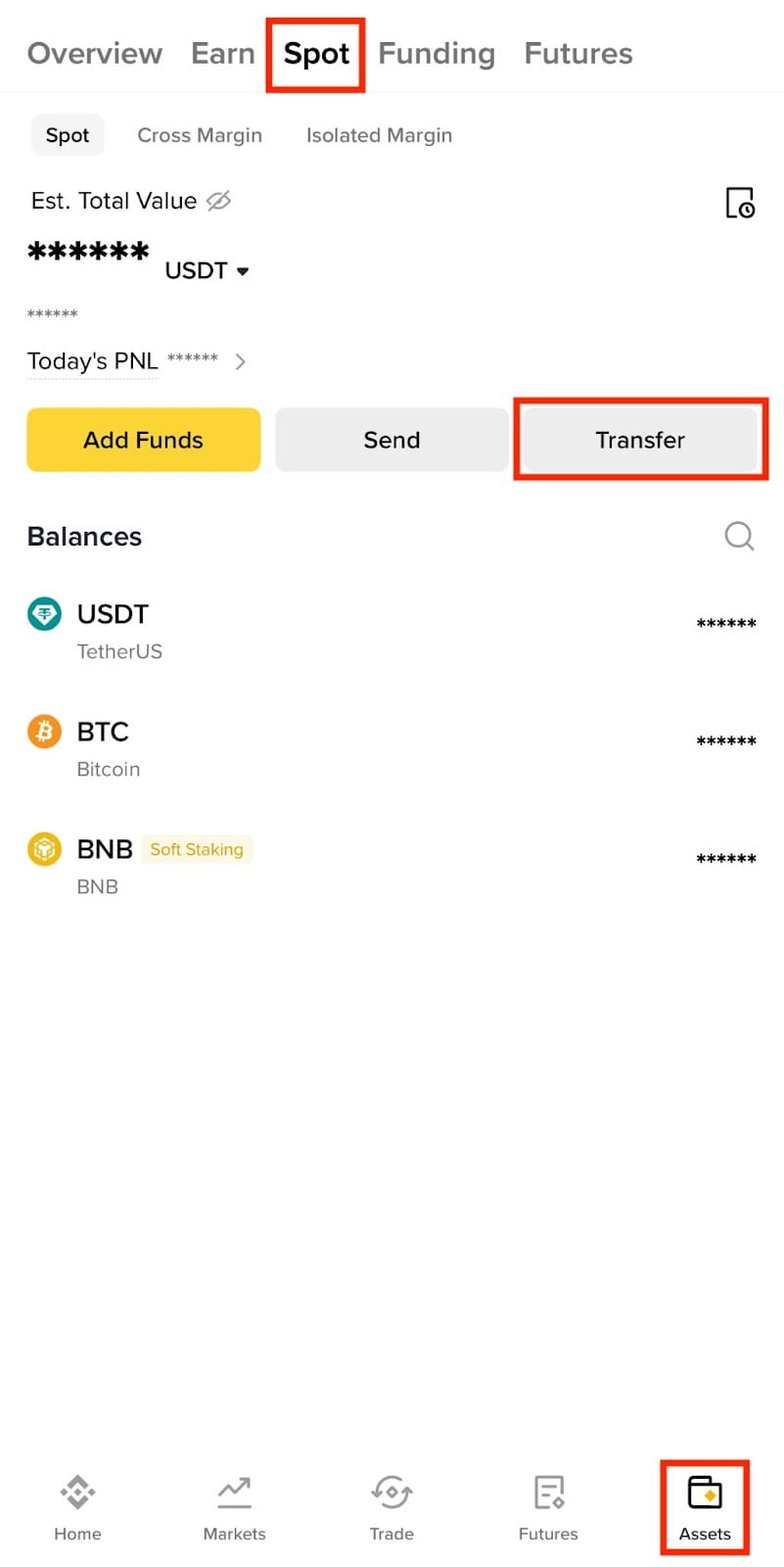
1. Log in to your Binance app and tap [Assets] - [Spot] - [Transfer].
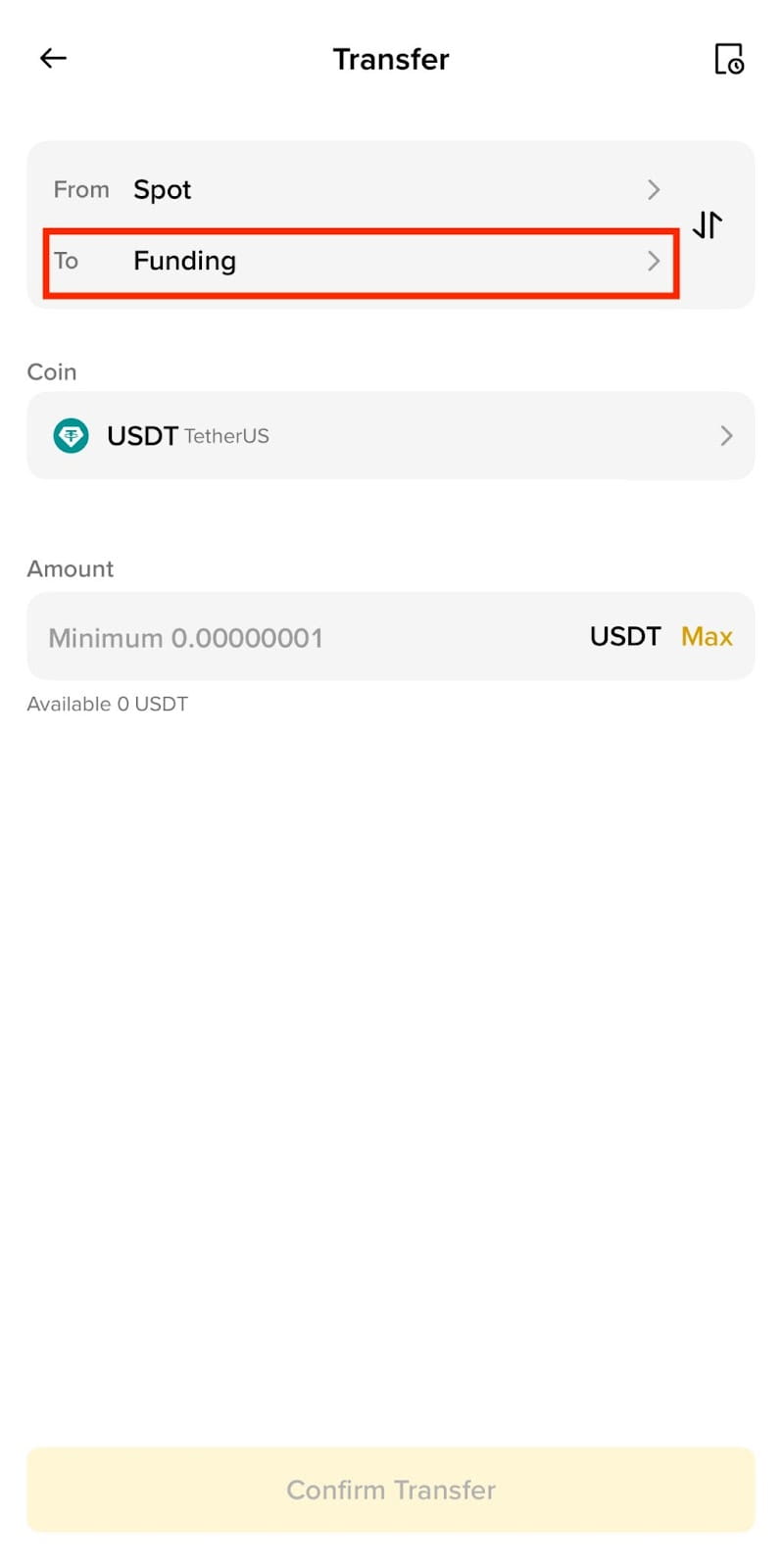
2. Choose [Funding] as the destination account. Select the asset you want to transfer and enter the amount. Then tap [Confirm Transfer].
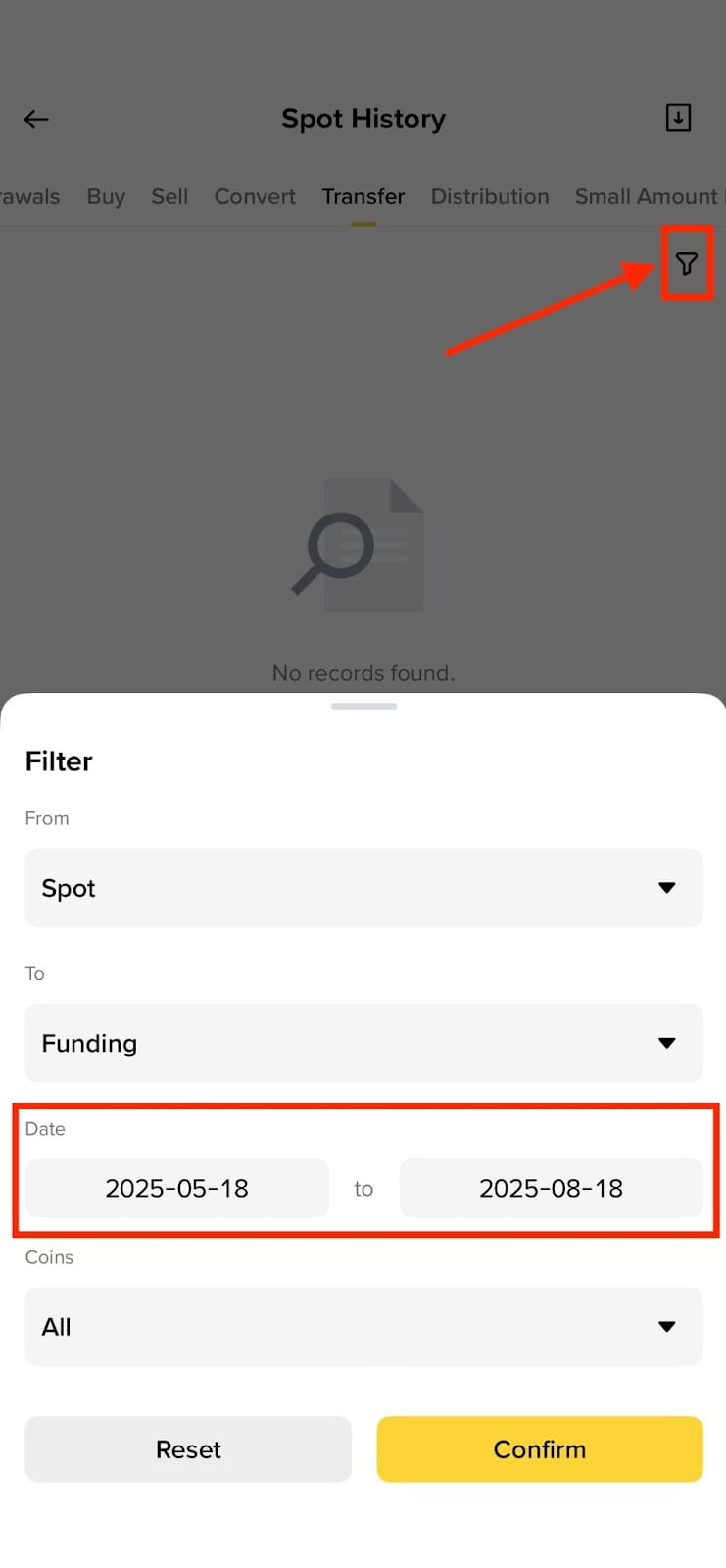
3. To check your transfer history, tap on the [History] icon on the top right.
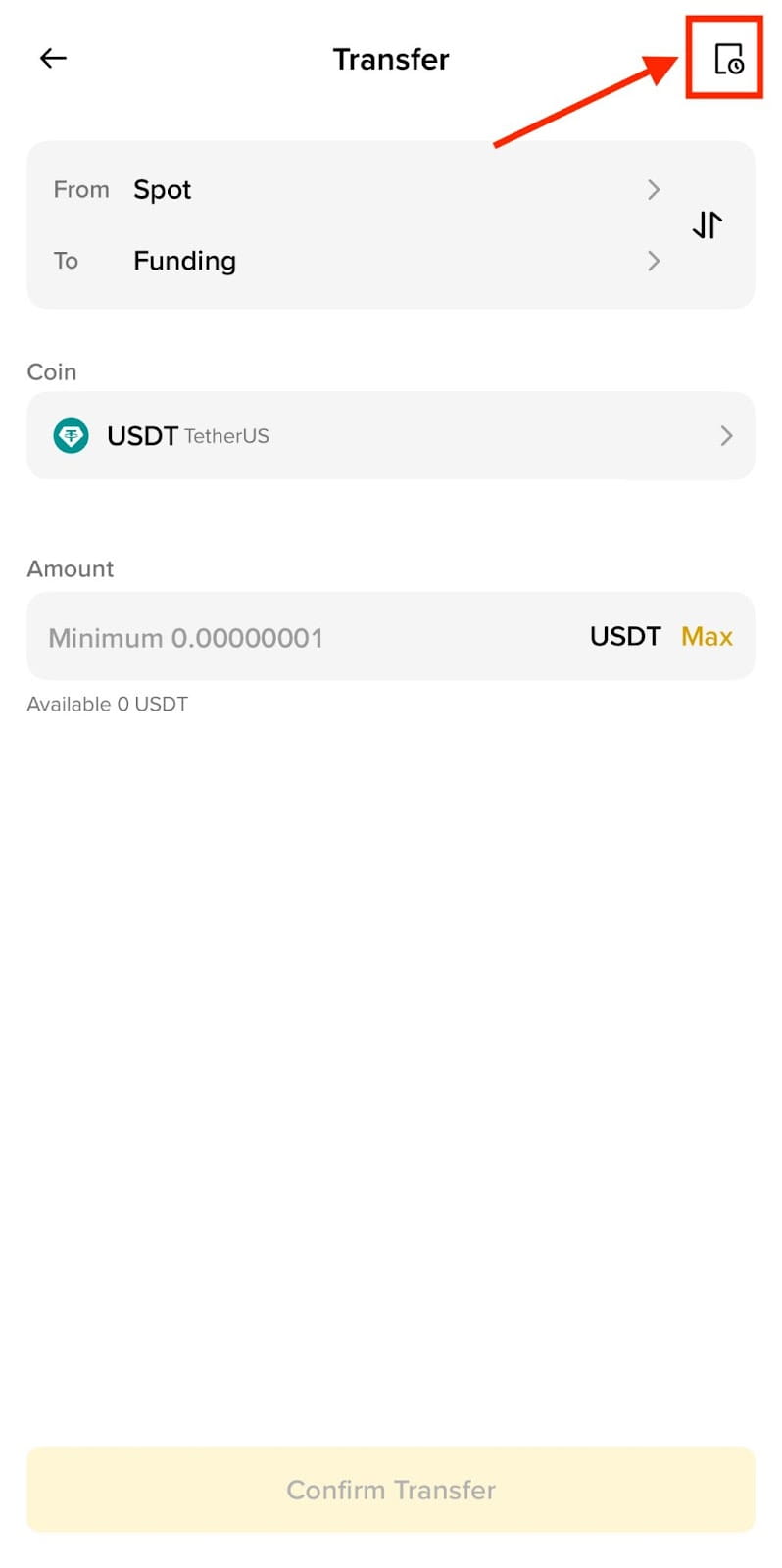
Here you can view your transaction history for up to 3 months.