
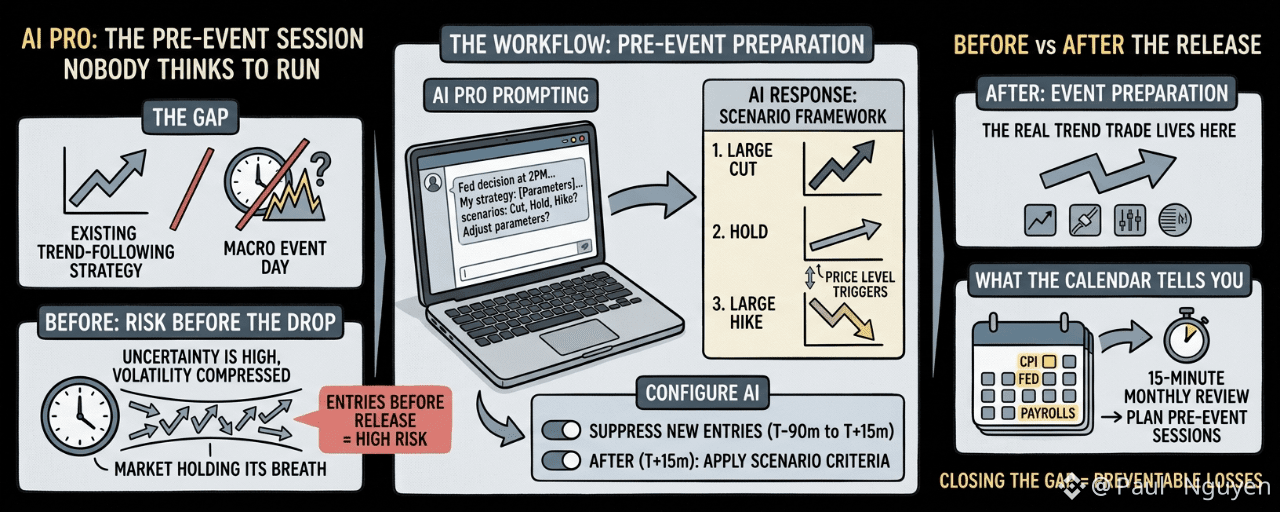
CPI release days have a specific texture in crypto markets that I've spent enough time watching to recognize. In the two hours before the number drops, volume compresses. Spreads widen slightly. The moves become smaller and more oscillatory, like a market holding its breath. Then the number comes out and one of three things happens: it beats expectations and crypto rallies, it misses and crypto sells, or it comes in close to expected and the initial move is followed by a reversion.
I had a position in the AI sub-account during the last CPI release. The monitoring was active. What I didn't have was a pre-configured response to any of the three scenarios. The AI was set up to monitor and execute the existing strategy, not to respond to a macro event that the strategy wasn't designed for.
That gap — between a strategy configured for trend-following and a macro event day that requires scenario-specific responses — is the most common way AI Pro users get surprised on high-impact data days.
the pre-event session as a distinct workflow
A CPI release, a Fed decision, a payrolls print, a GDP print — each of these is a scheduled event with a known release time, weeks in advance. The event produces a specific kind of market response: directional move, possible reversal, elevated volatility for 30-60 minutes, then a return to more normal conditions.
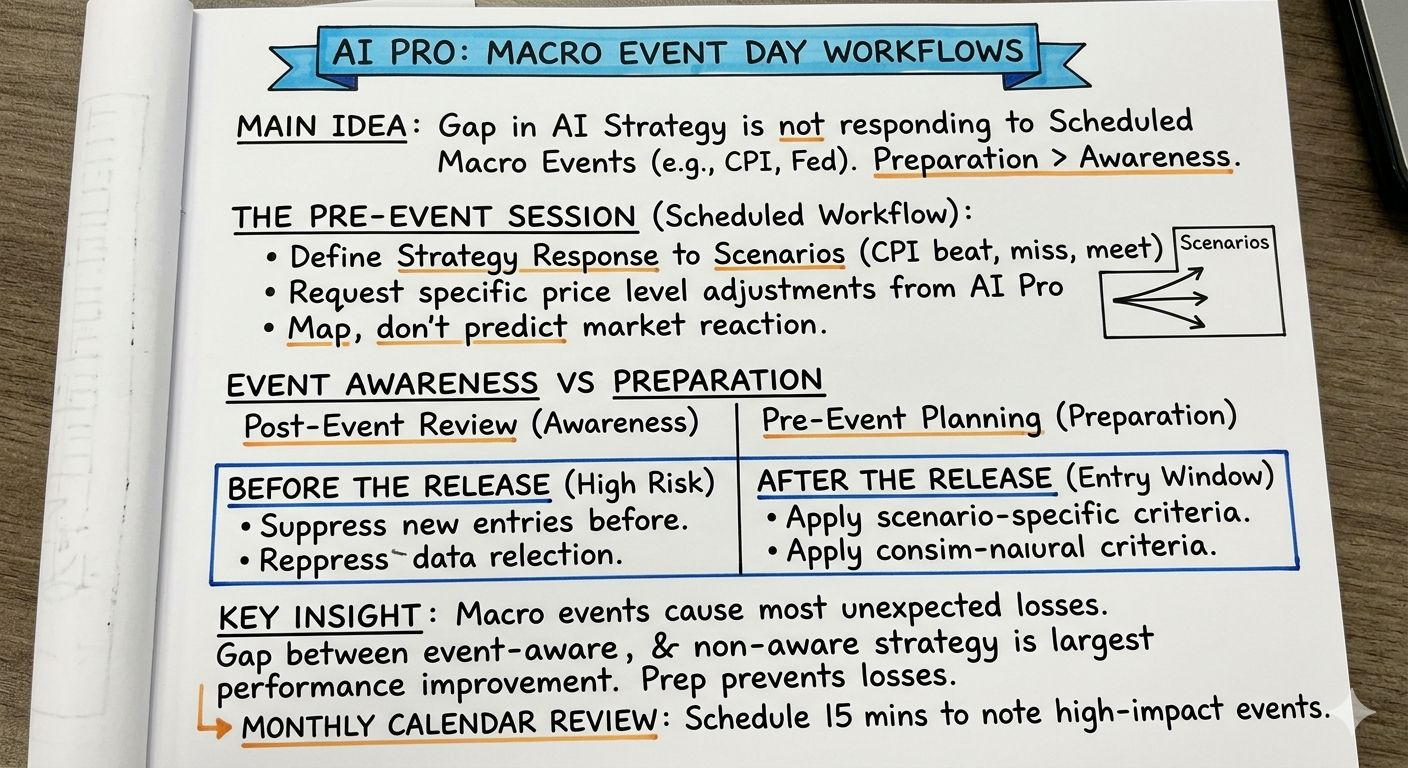
The right AI Pro workflow for macro event days is a pre-event session run on the morning of the release, before the data comes out. Not to predict the outcome — that's not what AI Pro does and not what anyone can do reliably. But to define explicitly how your strategy should respond to each scenario.
What does that look like in practice? I run a prompt on Fed decision days: "Today the FOMC announces its rate decision at [time]. My current configured strategy has the following parameters: [describe]. Given the three scenarios — larger-than-expected cut, hold, larger-than-expected hike — how should the strategy parameters be adjusted for each scenario, and what specific price levels would indicate which scenario is dominating the market's reaction?"
The AI's response gives me a scenario framework. It's not a prediction. It's a map of what I should do depending on what happens. With that map, I configure the AI to watch for the scenario-specific triggers rather than leaving it running the original strategy through an environment it wasn't designed for.
the difference between event awareness and event preparation
AI Pro can give you event analysis after the fact. If you ask "what happened to BTC in the hour after the last CPI release?" it will provide historical context. That's event awareness — understanding what has happened in similar situations.
Event preparation is different: it's defining in advance how your configured strategy will respond to the event before it occurs. The preparation happens in the pre-event session, not in the post-event review.
Most traders do event awareness. Fewer traders do event preparation: explicitly mapping their strategy's behavior to each scenario before the event occurs. AI Pro makes preparation lower-cost than it would be manually. The scenario mapping prompt takes five to ten minutes. The AI does the analytical work of connecting your strategy parameters to the scenario-specific market conditions.
the specific adjustment for pre-event vs post-event
Here's a pattern I've noticed in macro event trading that AI Pro helps manage: the hour before the data release is not the same risk environment as the hour after.
Before the release: uncertainty is high, volatility is compressed, the market is positioning. Entries before a data release are high-risk for continuation — the move that gets you in may reverse sharply once the actual data is known.
After the release: the data is known, the initial move has happened, the question is whether the move has legs or was an overreaction. This is typically where the real trend trade lives.
AI Pro can be configured to suppress new entries in a window before major data releases and to apply specific entry criteria in the window after. You tell the AI: "From [time minus 90 minutes] to [release time plus 15 minutes], do not open new positions. After [release time plus 15 minutes], apply the following scenario-specific entry criteria." That configuration is specific enough to require a detailed prompt. The AI can operationalize it.
what the calendar tells you for free
The macro economic calendar for the coming month is publicly available. CPI release dates, Fed meeting dates, payroll release dates — all publicly scheduled, often known months in advance.
Building a monthly calendar review into your AI Pro workflow takes fifteen minutes. Identify the high-impact events. Note the dates and times. Plan which ones require pre-event sessions. Run the sessions on those days.
The most consistent insight from six weeks of AI Pro with macro event awareness: the gap between a strategy that accounts for event days and one that doesn't is larger than the gap from any other single configuration improvement I've made. Macro events are where most of the unexpected losses happen. Pre-event preparation is where most of those losses are preventable.
@Binance Vietnam $XAU #BinanceAIPro Giao dịch luôn tiềm ẩn rủi ro. Các đề xuất do AI tạo ra không phải là lời khuyên tài chính. Hiệu quả hoạt động trong quá khứ không phản ánh kết quả trong tương lai. Vui lòng kiểm tra tình trạng sản phẩm có sẵn tại khu vực của bạn.