









Binance Chat User Guide
Binance Chat is an all-in-one social communication feature that creates a seamless closed-loop experience that integrates trading and social networking. It supports both one-to-one chats and group chats. You can connect with other Binance users, exchange thoughts, share trading strategies and real-time portfolios, and even transfer funds with just one tap.
1. Download Binance App or update to the latest version.
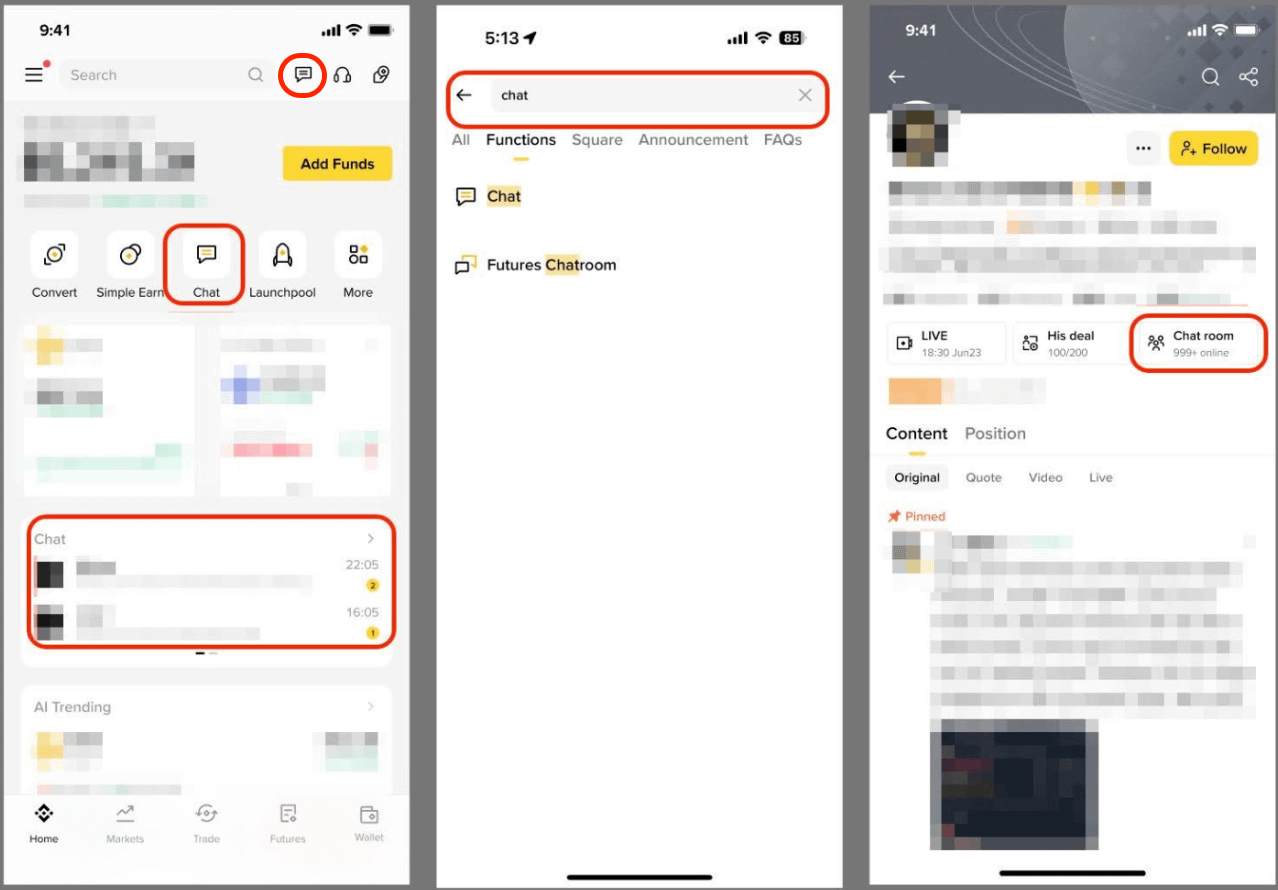
2. Log in to your Binance account and complete identity verification to access Chat through any of the following ways:
- Tap the message icon in the top-left corner of the homepage.
- If you’ve added the Chat mini app to your homepage, tap the shortcut to enter directly.
- Tap the Chat widget in the middle of the homepage.
- Type “Chat” in the homepage search bar.
- If a creator you follow has enabled group chat, go to their profile from the Square page and tap [Chat room] to join.
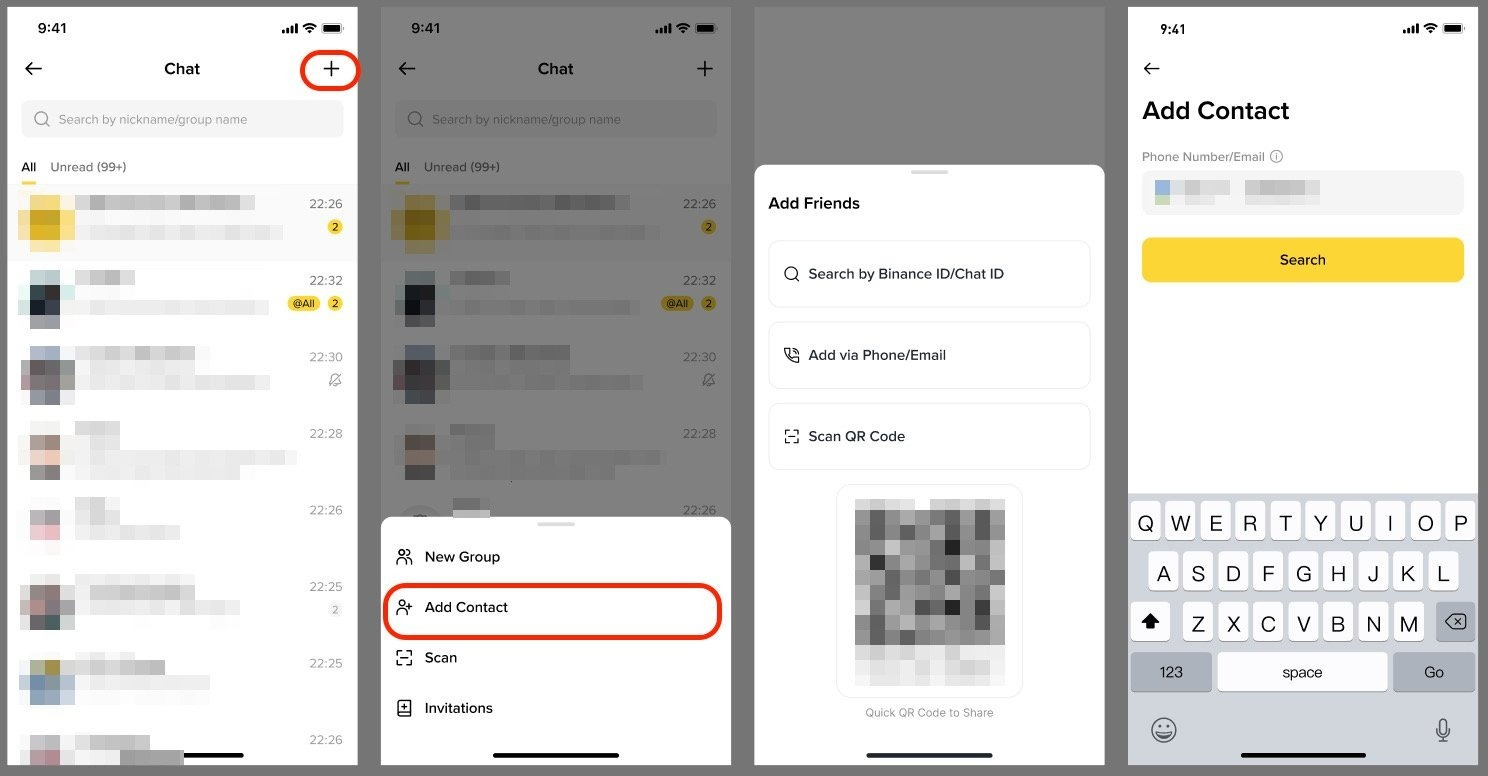
1. Tap [+] at the top right of the chat page and tap [Add Contact].
2. You can add friends by:
- Entering their UID;
- Entering their e-mail or phone number;
- Scanning their [Add Friends] QR code.
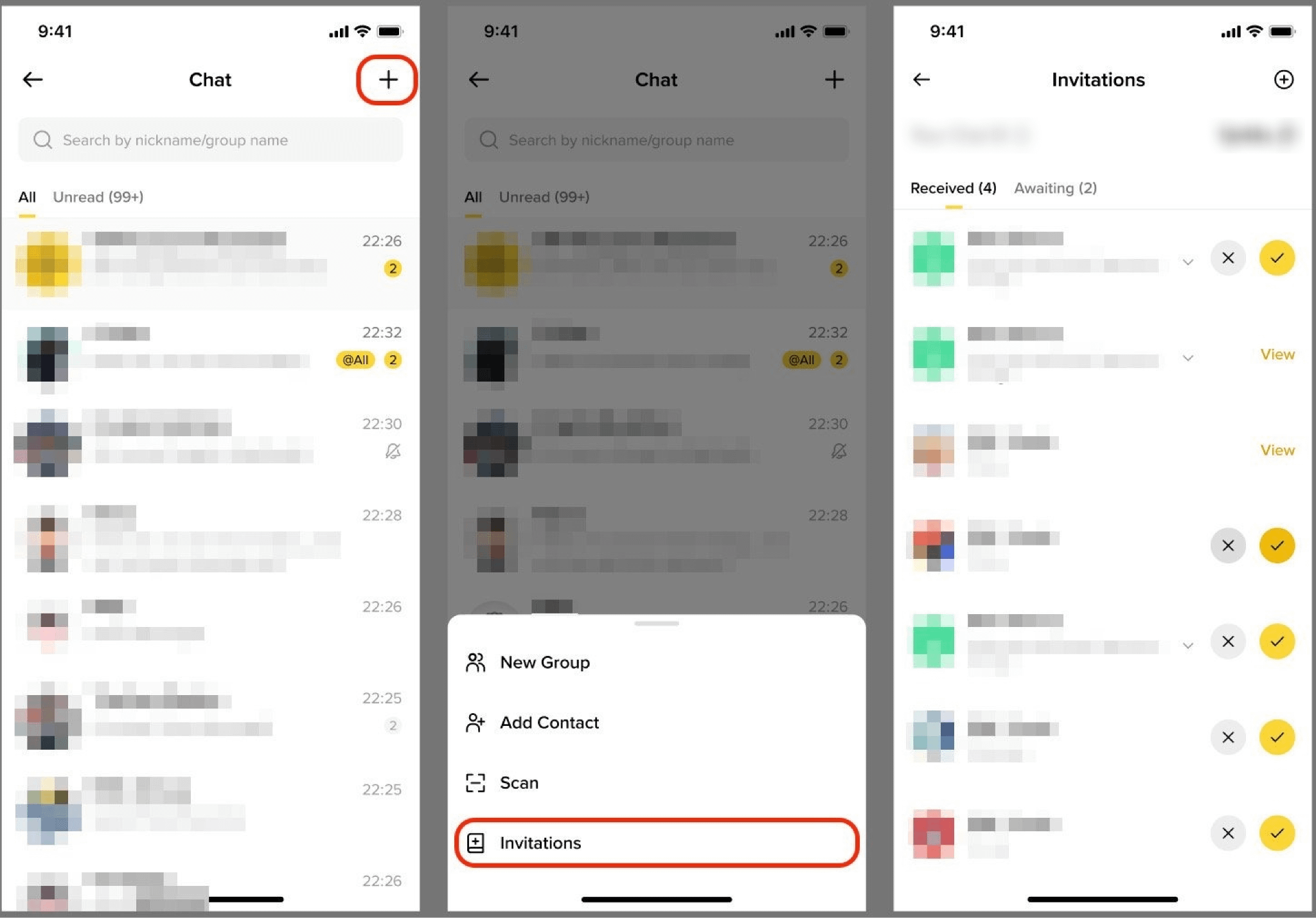
1. Tap [+] - [Invitations].
2. Accept or ignore the requests. Once accepted, you can start private chats or make transfers immediately.
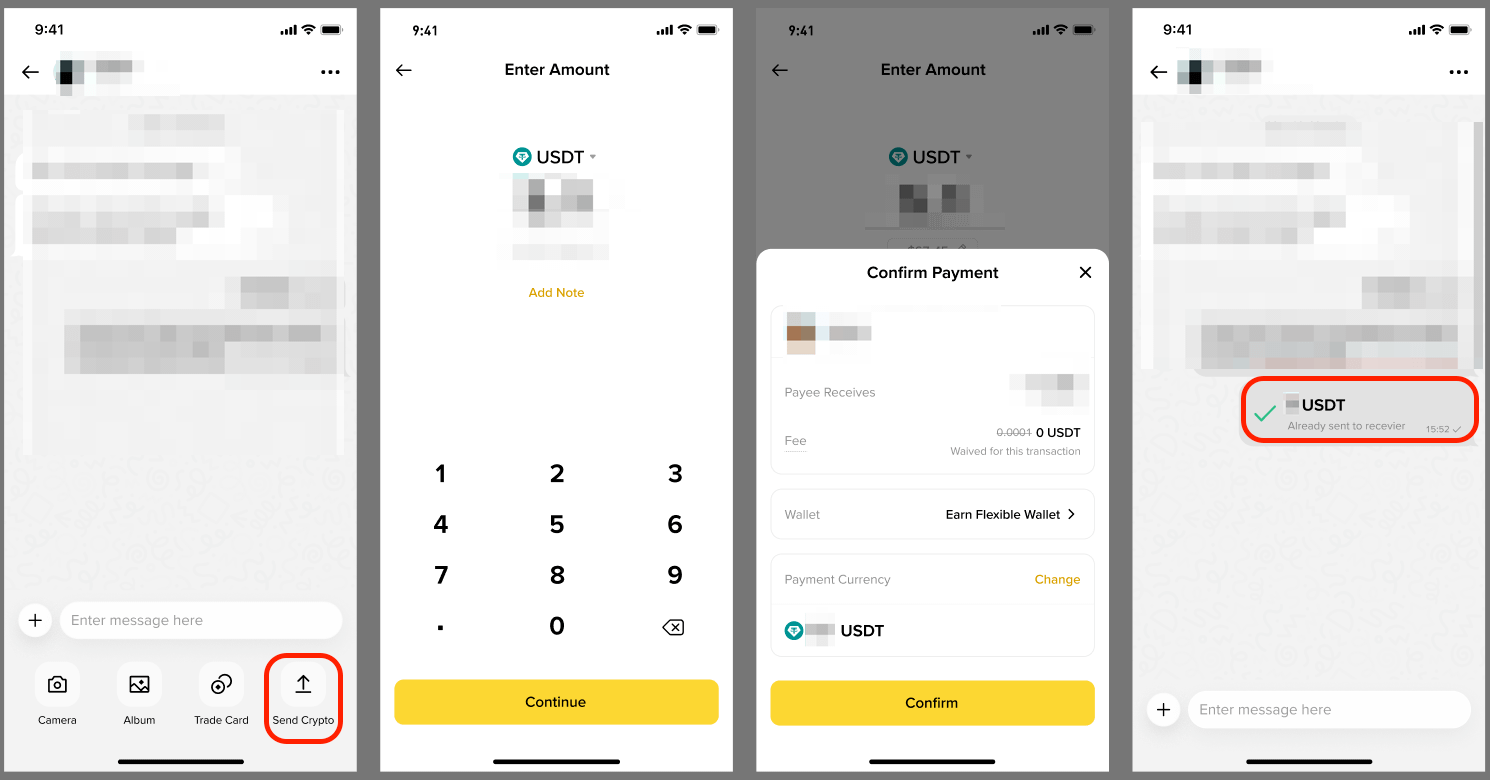
- You can send images, videos, and files with one tap.
- You can make zero-fee transfers in crypto:
- Select [Send Crypto], enter the desired amount and choose a crypto. Tap [Confirm].
- Transfer history can be viewed directly within the chat window, making it easy to track.
Currently, the group chat creation feature on Binance Chat is available to creators with 1,000 or more followers on Binance Square.
Go to Binance Chat, tap [+] - [New Group], choose members to add, set a group chat name and select [Create].
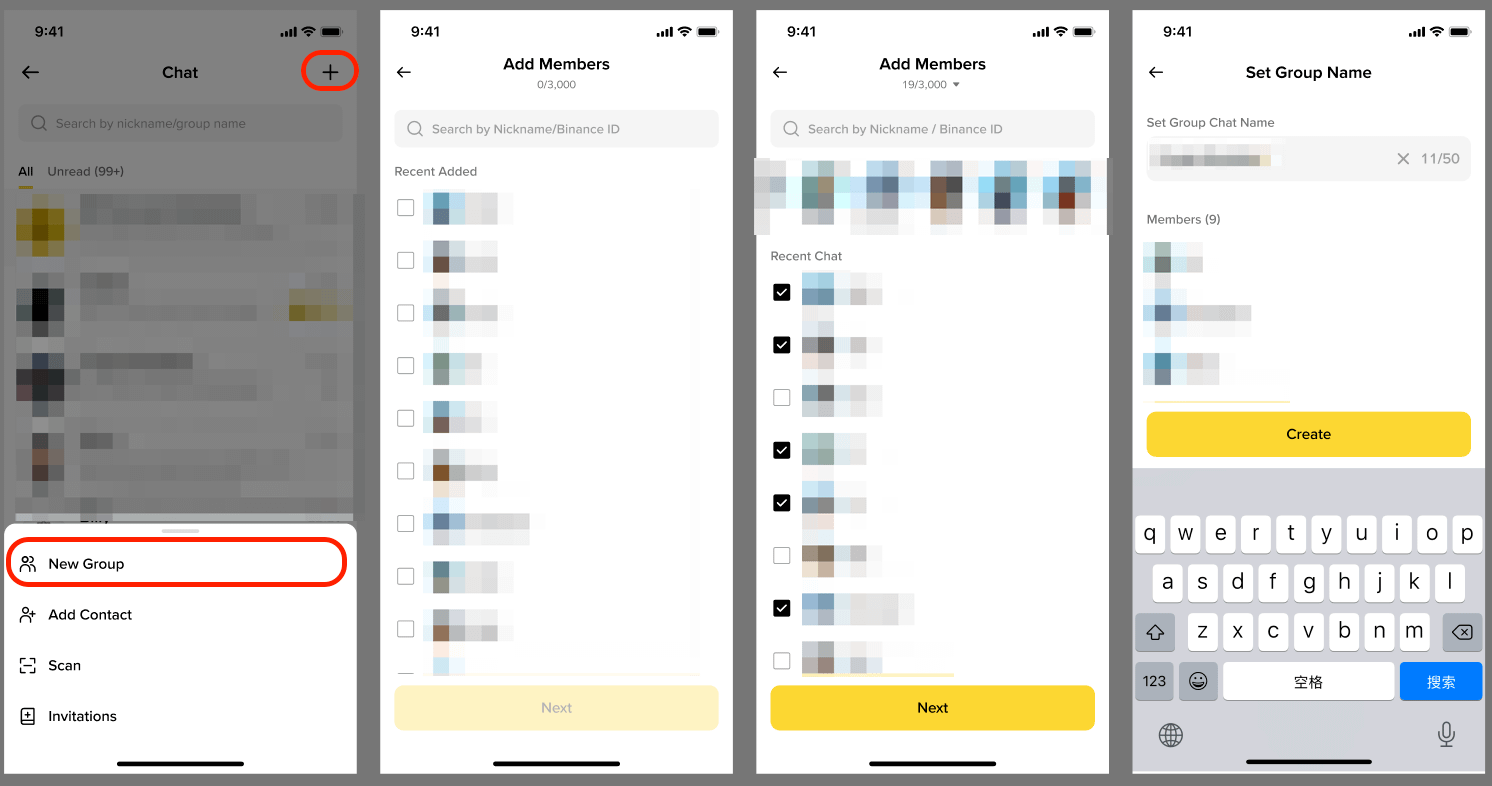
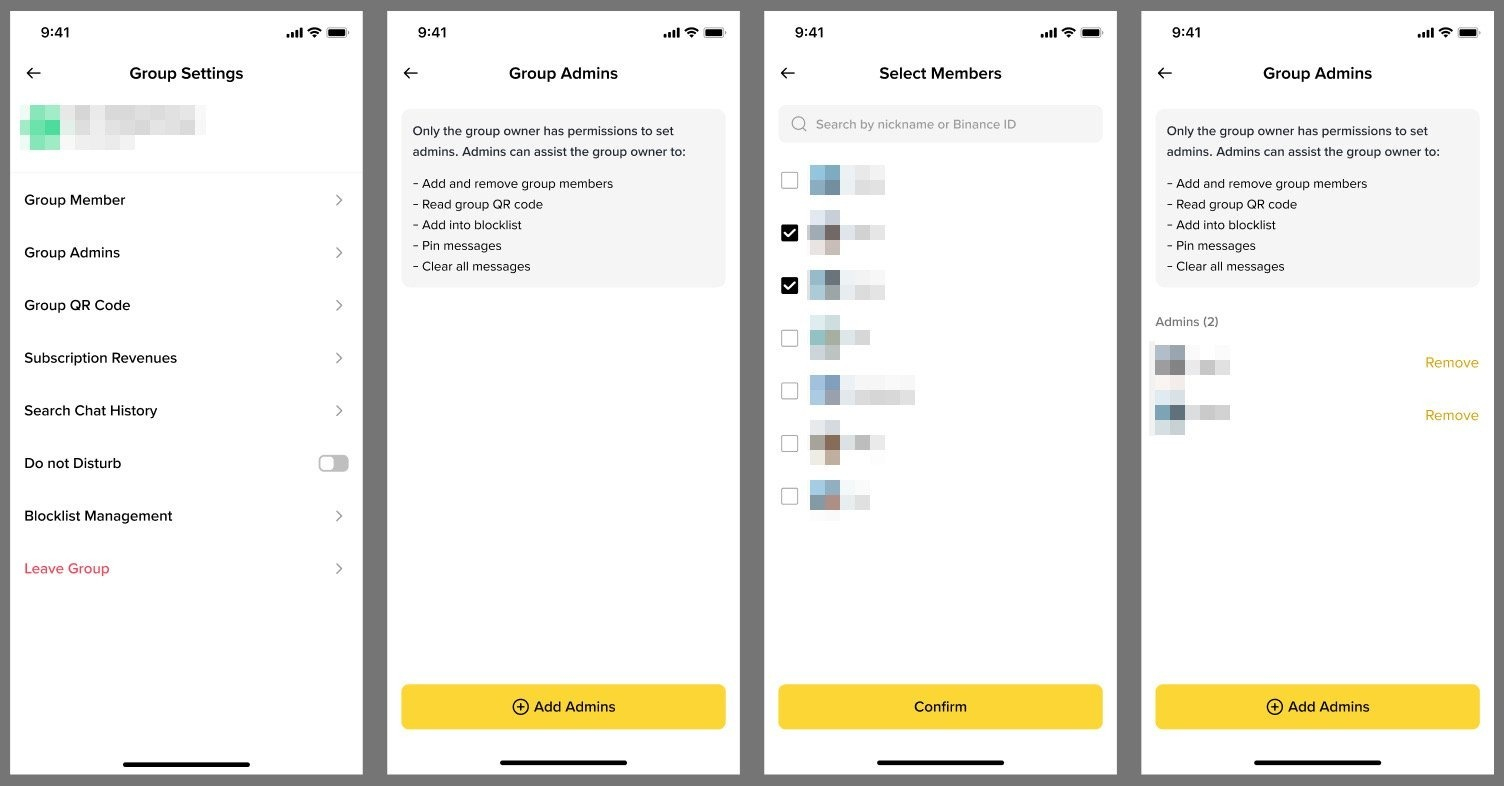
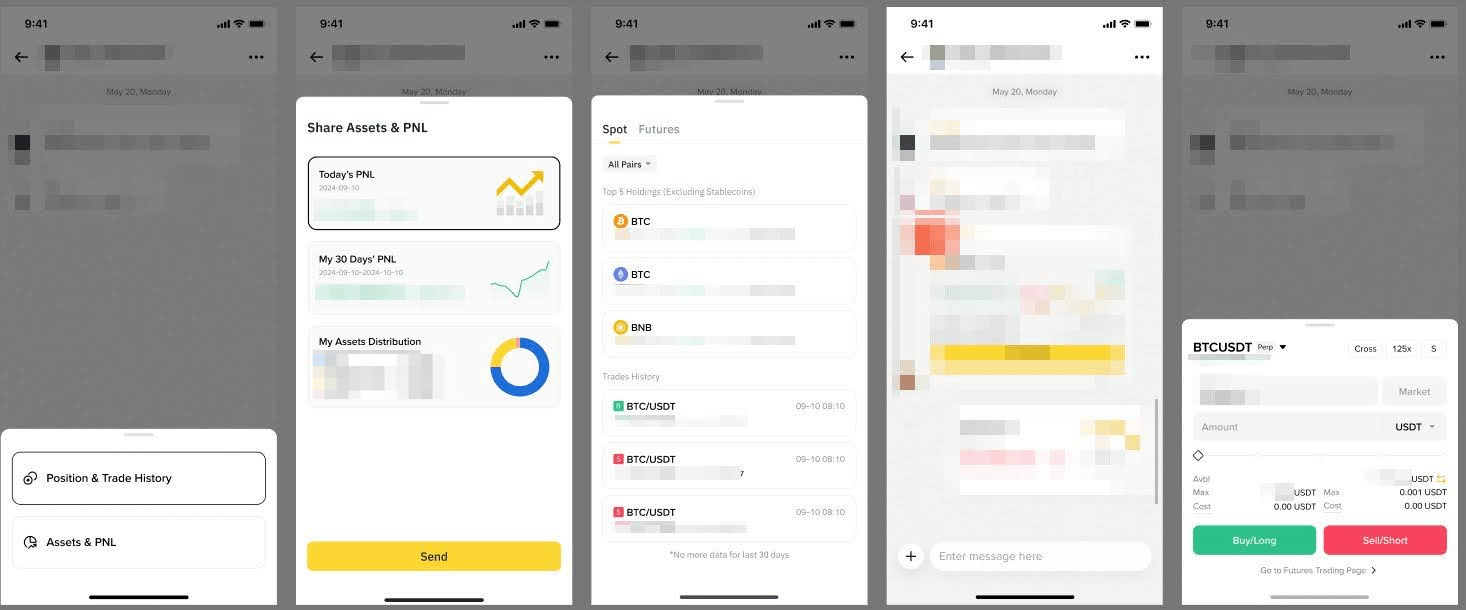
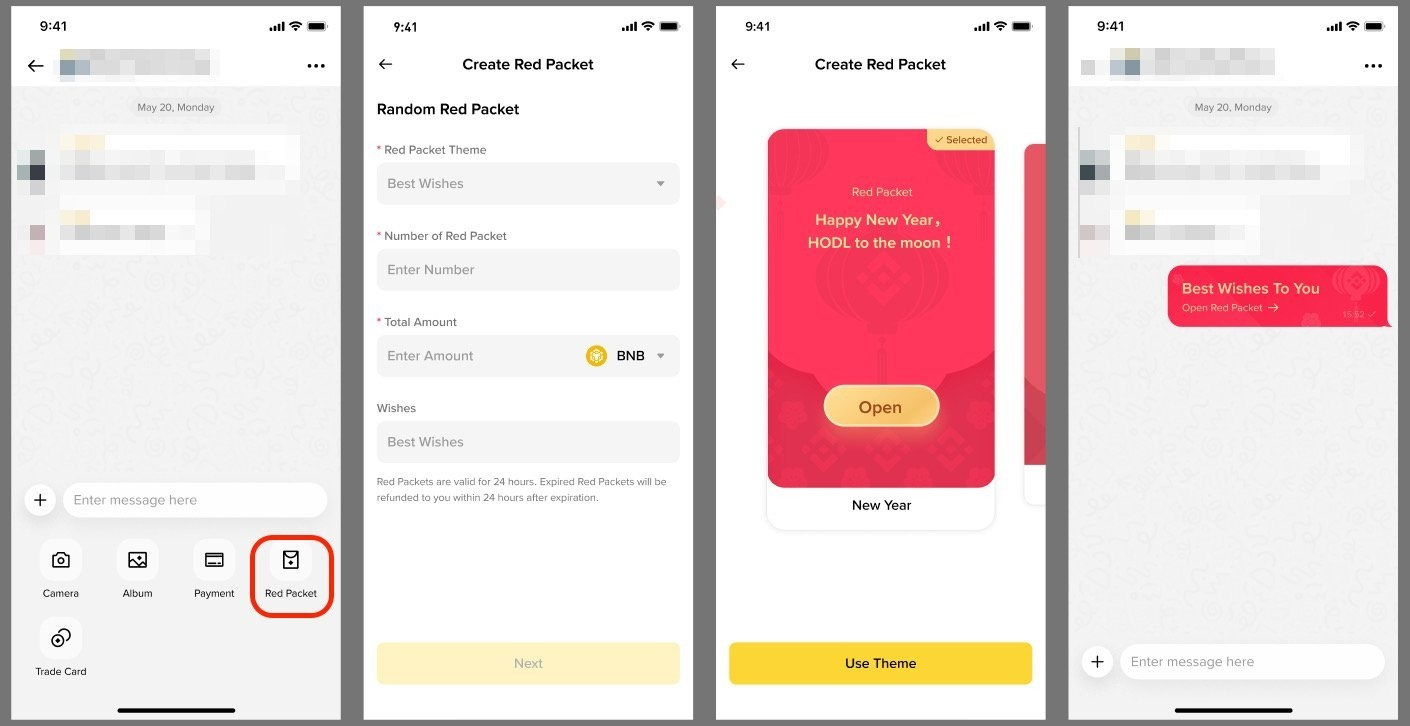
Key features of group chats include:
- Assign group admins and manage members.
- View group chats on your Binance Square profile and Binance Square Live pages to boost exposure and engage with followers.
- Share your trading portfolio, PnL, and asset distribution in the group.
- Send Red Packets to increase engagement.
Possible reasons you can’t see Binance Chat on the Binance Square page:
- Your Binance App is outdated: Please update the Binance App to the latest version first and reopen Binance Square.
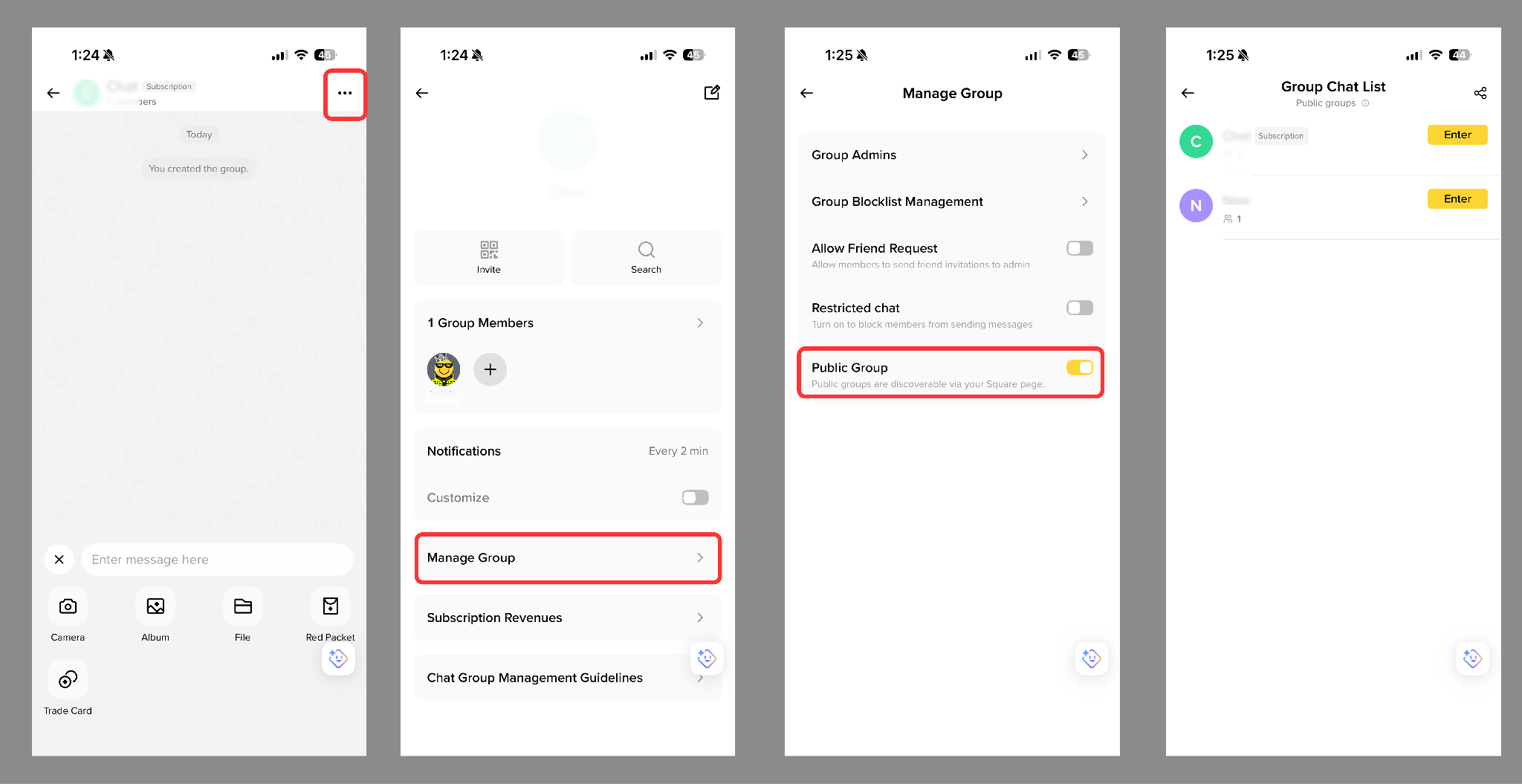
- Your group chat isn’t set to public: If you’re the group owner, go to [Group Settings] and enable [Public Group]. Private groups won’t be shown on Binance Square.
Enter a chat (friend or group) and scroll up or down to view historical messages and transfer records.
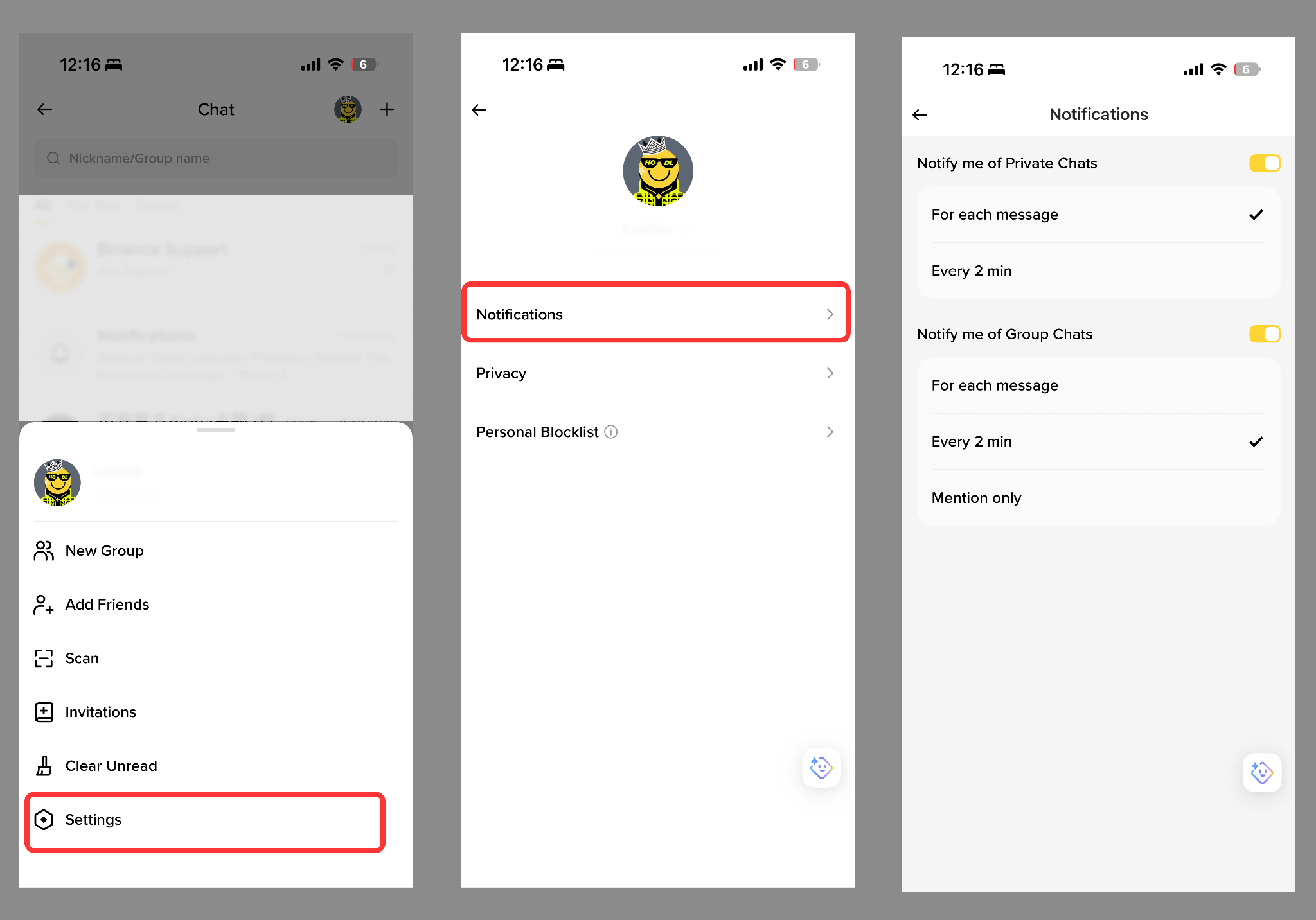
Go to Binance Chat and tap [Profile] - [Settings] - [Notifications].
Tap on a friend’s profile picture in the chat window to go to their profile page. Go to [Notes] and enter a custom nickname or label.
A Subscription Group is a paid group chat within Binance Chat where the group owner can charge members a subscription fee to support long-term, high-quality community operations. Currently, only users with more than 10,000 followers on Binance Square are eligible to create Subscription Groups.
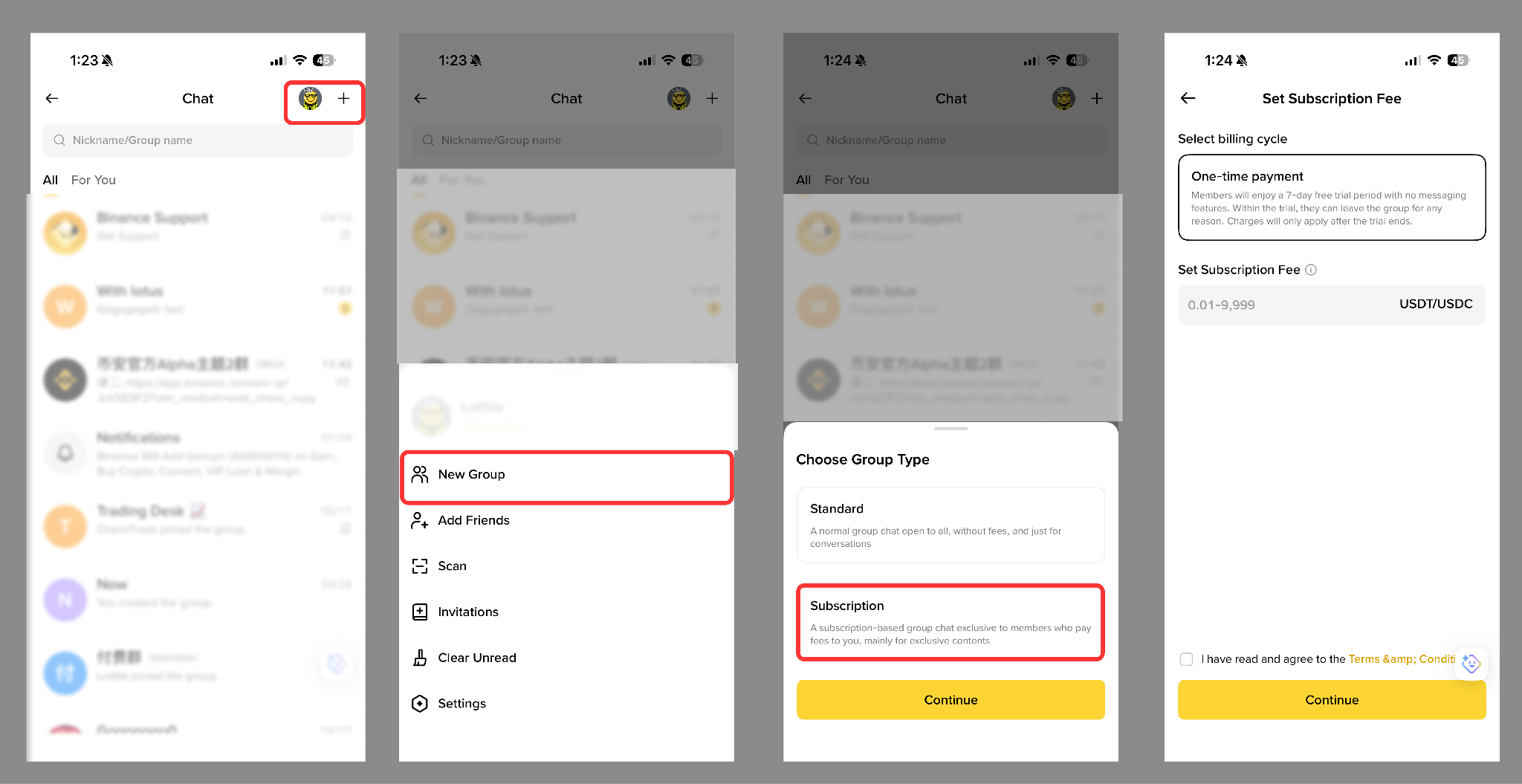
1. Open the Binance App and go to [Binance Chat].
2. Tap [+] in the top-right corner.
3. Select [New Group] - [Subscription] - [Continue].
4. Set the billing cycle and subscription fee, then tap [Continue].
5. Once completed, the Subscription Group will appear in your chat list. To change settings go to [...] - [Manage Group]. Set it as a [Public Group] to display it on your Binance Square profile.
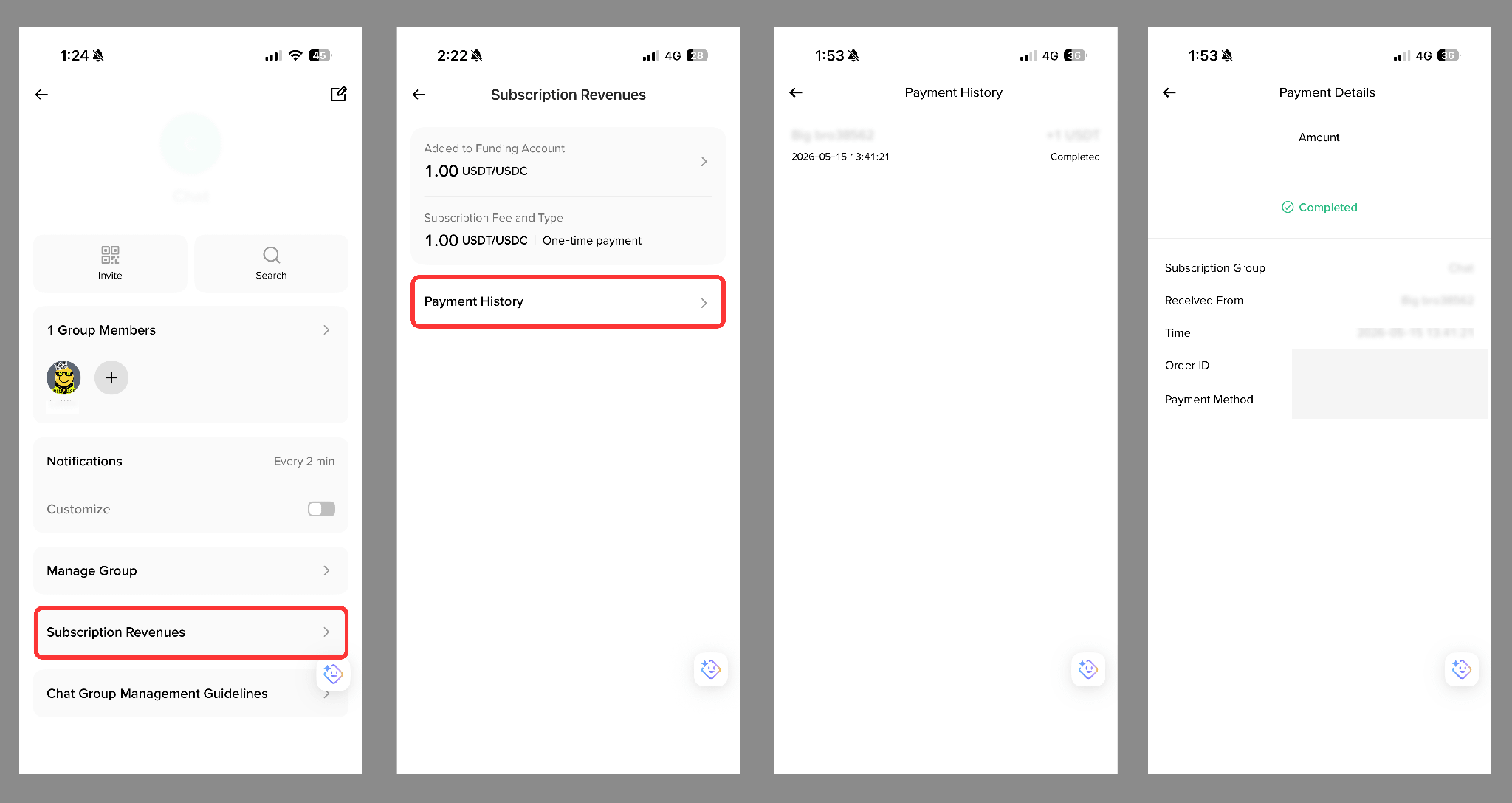
Go to your Subscription Group, tap [...] - [Subscription Revenues] to view:
- Settled earnings;
- Subscription fee and subscription type;
- Payment history and individual payment details.
Group chat owners can generate a shareable link or QR code to invite users. If the group chat is set as “Public”, it’ll also be displayed on the owner’s Binance Square profile page.
Subscription rules vary depending on how a user joins:
- Users added directly by the group chat owner via [Group Members] - [+] - [Add] can join for free.
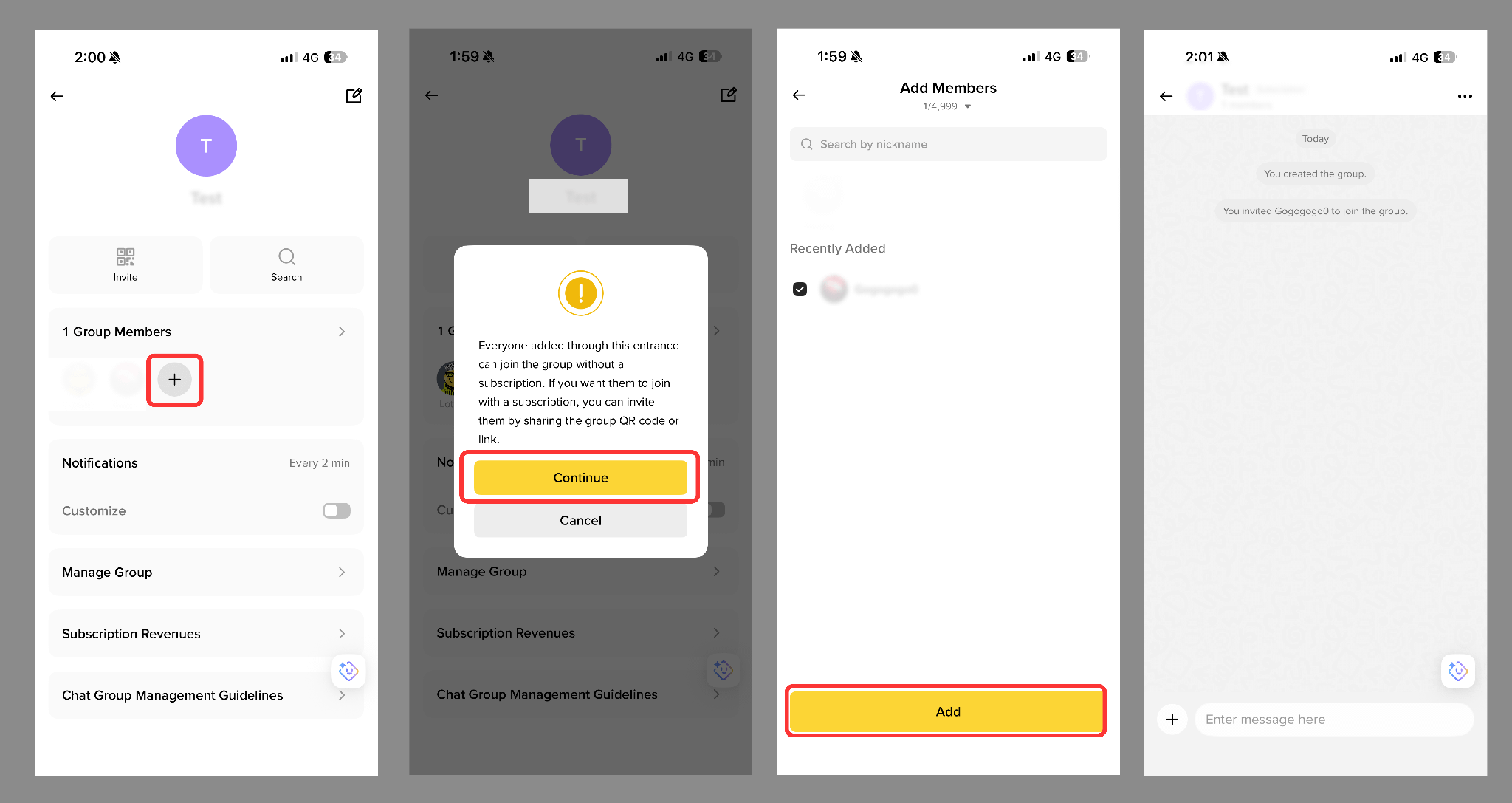
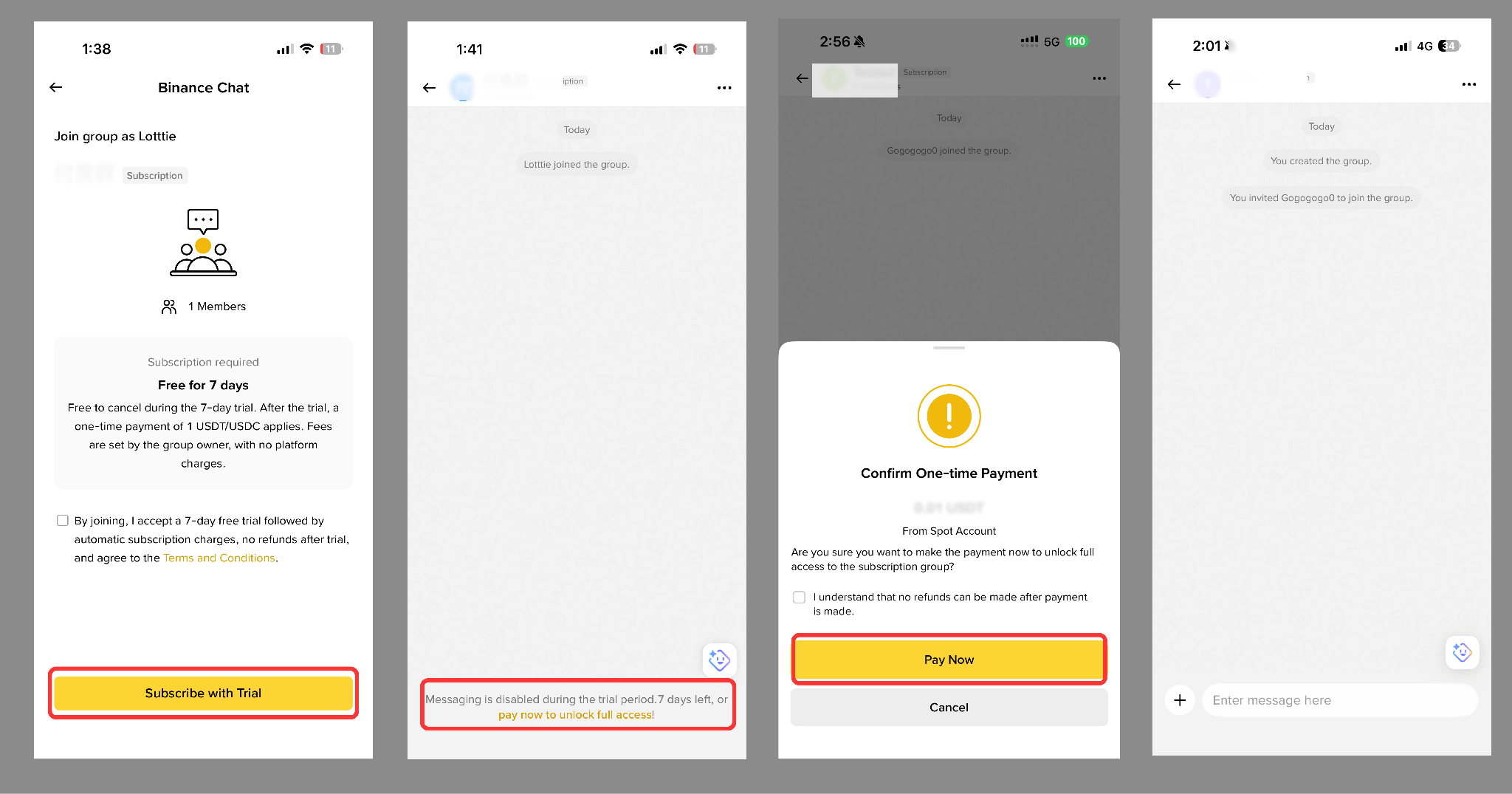
- Users who join via QR code, share link, or Binance Square entry must complete the subscription process as prompted.
All Subscription Groups support a 7-day free trial:
- During the trial period, users can view group chat content but cannot send messages.
- Users may leave the group chat or cancel the subscription at any time during the trial without being charged.
- If the trial ends without cancellation, the system will automatically charge the subscription fee displayed on the page and unlock full chat permissions.
For more details, please refer to the Binance Chat Subscription Group Guide.