









Binance Spot Trading Limits and Parameters
This Page is for general information and educational purposes only. It does not constitute legal terms or any form of legal agreement between you and Binance. It should not be construed as financial, legal or other professional advice. The information on this page may be outdated. For legal terms applicable to Spot Trading Services, please refer to the Terms of Use, the Exchange Rules and the Clearing Rules. Additional terms and conditions will also be set out in the Spot Copy Trading Services Terms (as applicable to Spot Copy Trading Services).
Binance imposes different trading parameters, such as the minimum trade amount, minimum price movement, minimum order size, etc. for each spot trading pair. Please refer to the latest trading parameters for each trading pair here.
Search for a specific trading pair, or click on the different markets to view their trading parameters.
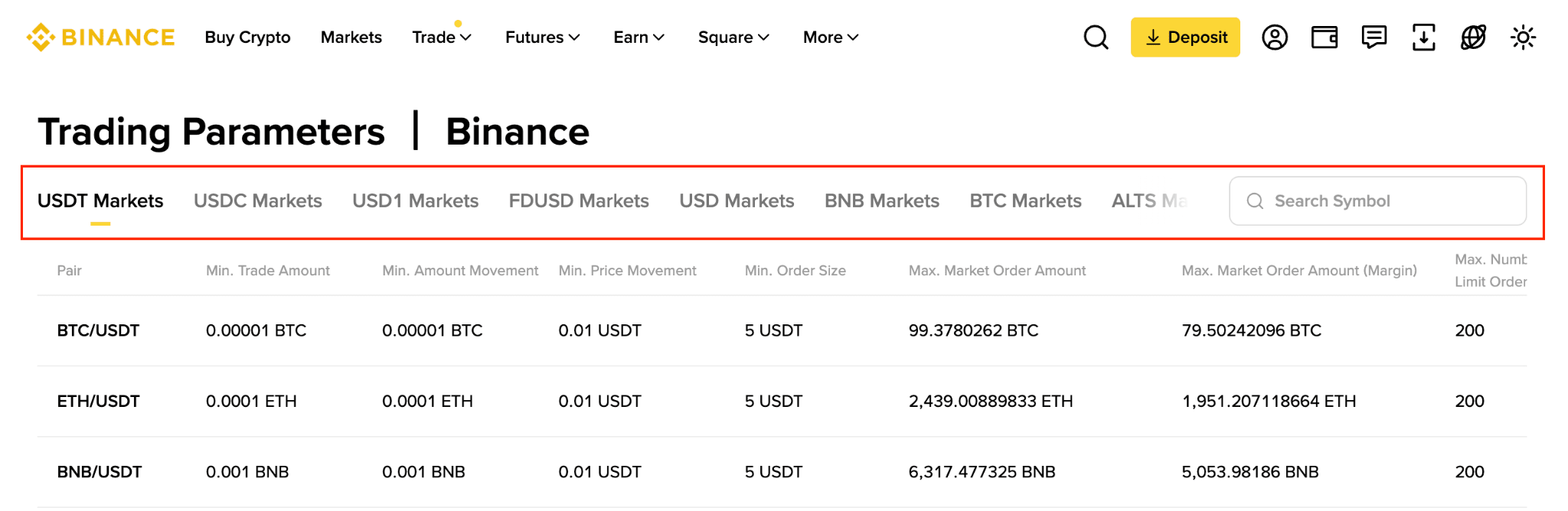
You may also check the trading parameters for a specific pair on the trading interface.
If you’re using the Binance website:
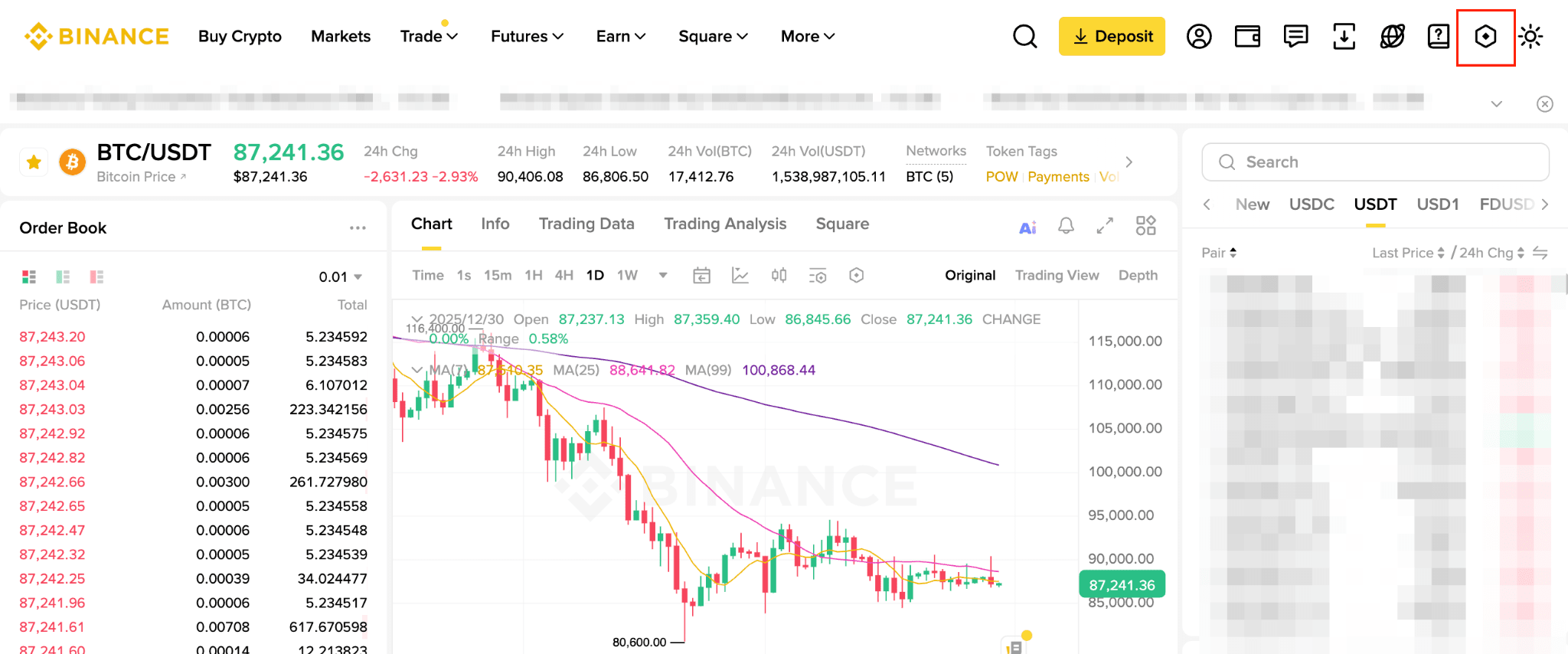
1. Go to the spot trading page and click the settings icon.
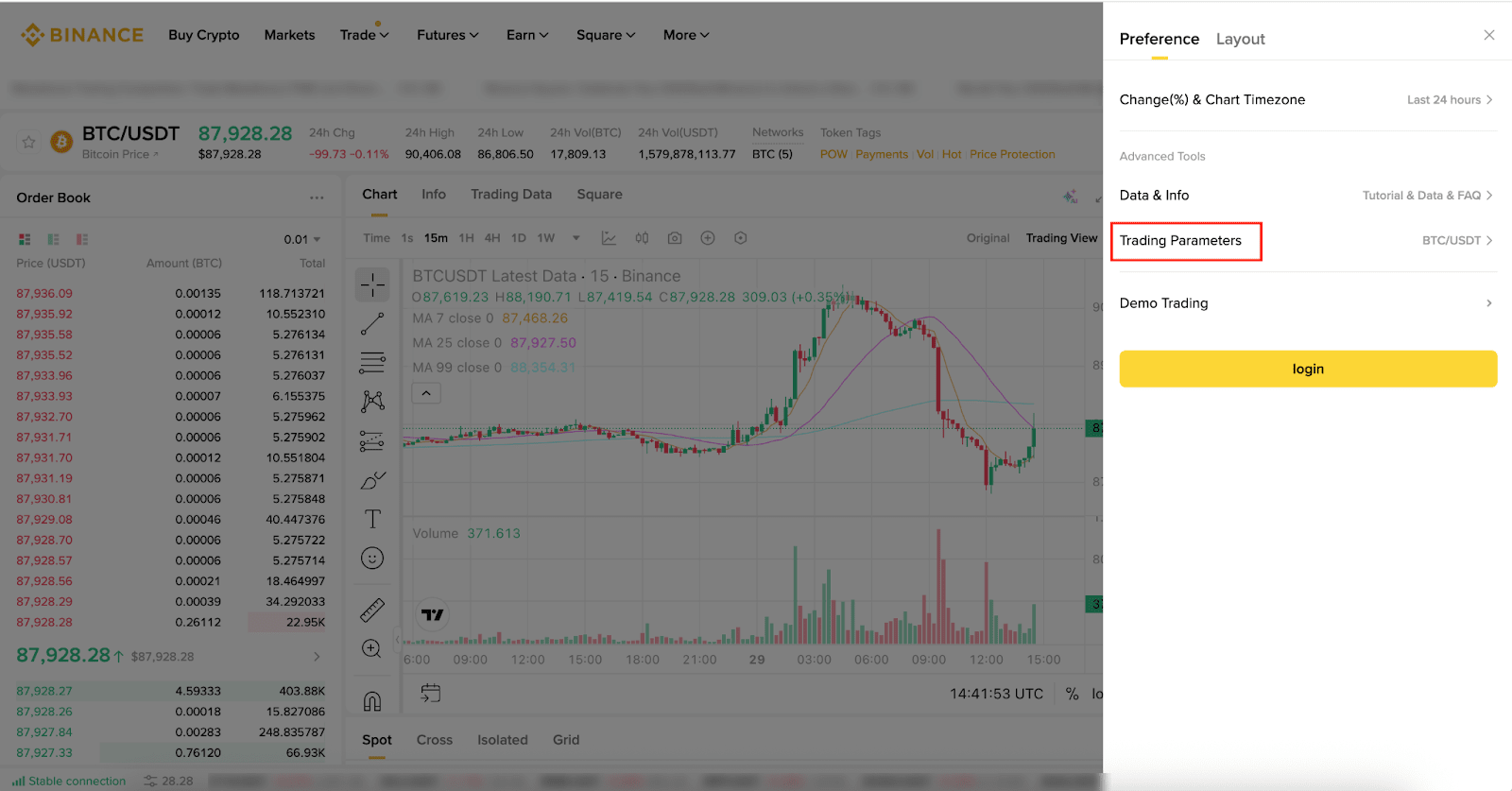
2. Scroll down and click [Trading Parameters].
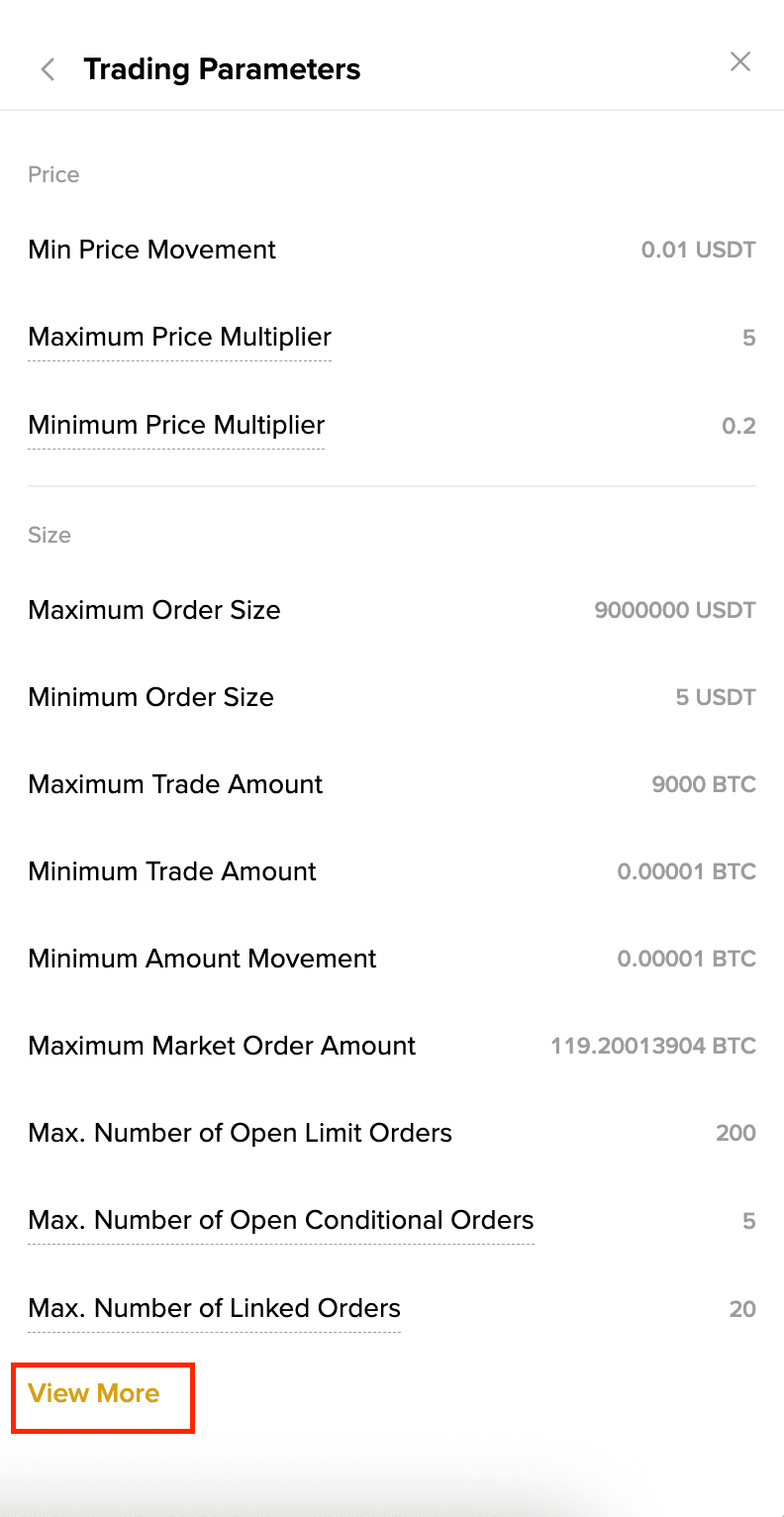
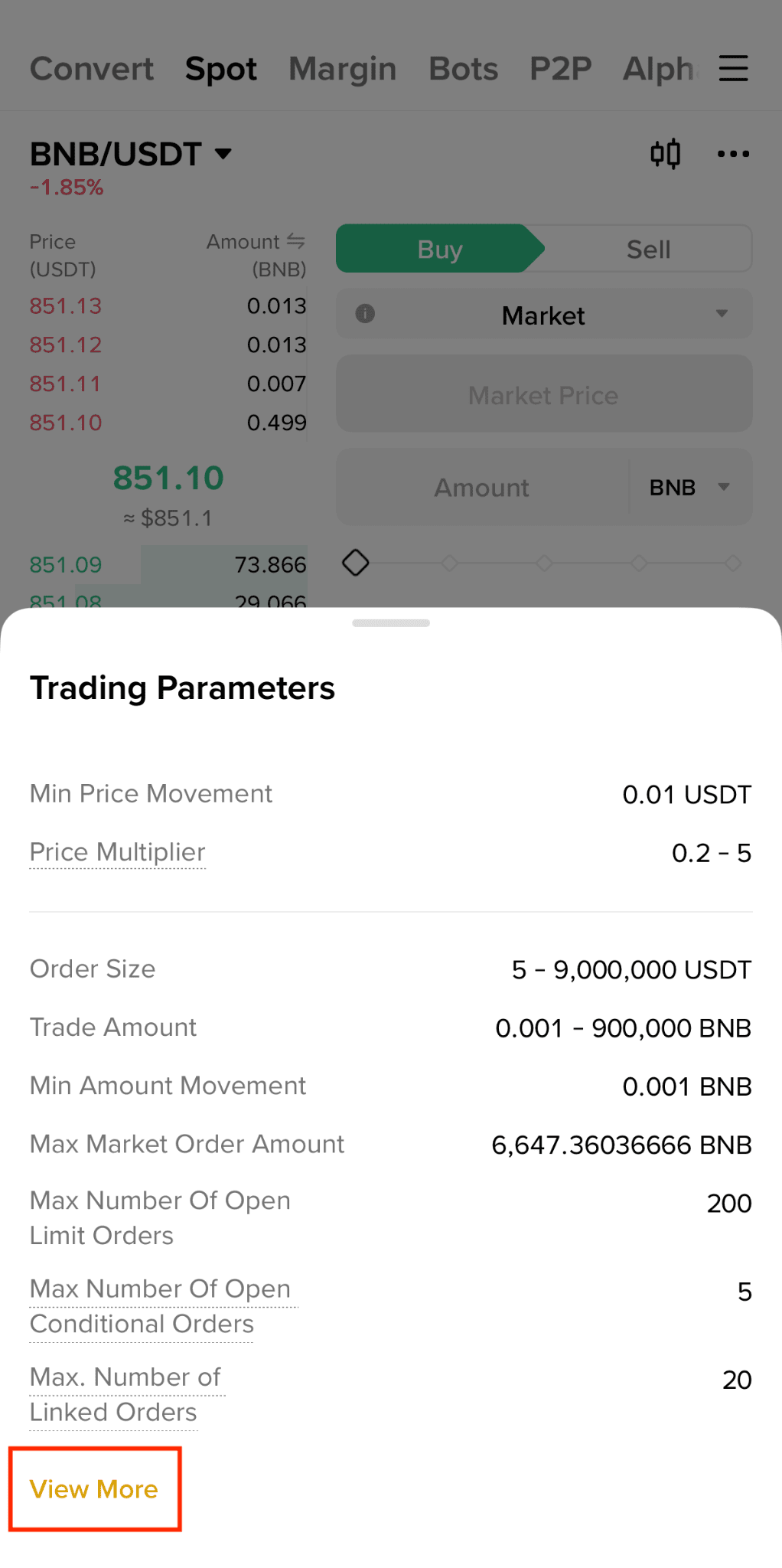
3. You'll see the trading parameters for this trading pair. Click [View More] and you'll be redirected to the Trading Parameters page.
If you’re using the Binance app:
1. Tap [Trade] - [Spot] to go to spot trading. Tap [...] and select [Trading Parameters].
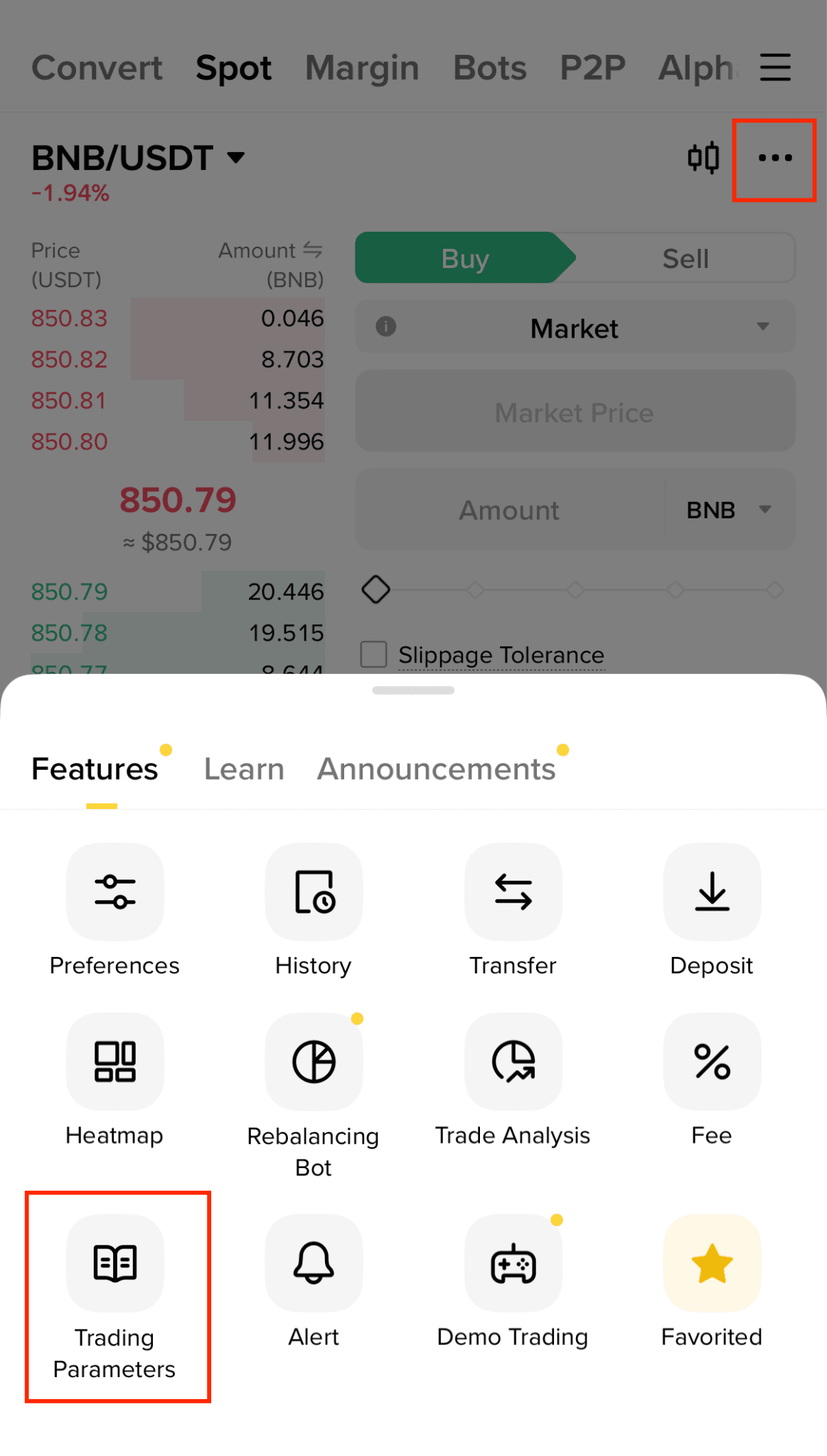
2. You'll see the trading parameters for this trading pair. Tap [View More] for more details.
Why can’t I sell the full balance of my tokens?
Every trading pair has its own trading parameters. The amount of tokens you’re able to buy/sell depends on the “minimum amount movement” of the trading pair, and not the total number of tokens you can hold in your account.
For example, the “minimum amount movement” for BNB/USDT is 0.001 BNB, while the minimum amount of BNB you can hold in your account is 0.00000001 BNB. Due to the difference in decimal places/fractions/minimum quantity, you may not be able to completely sell your tokens in an order. To sell the remaining balances in your account, you may use the convert small account balances to BNB function to convert an asset’s “dust” to BNB.